How to Run Material Requirements Planning
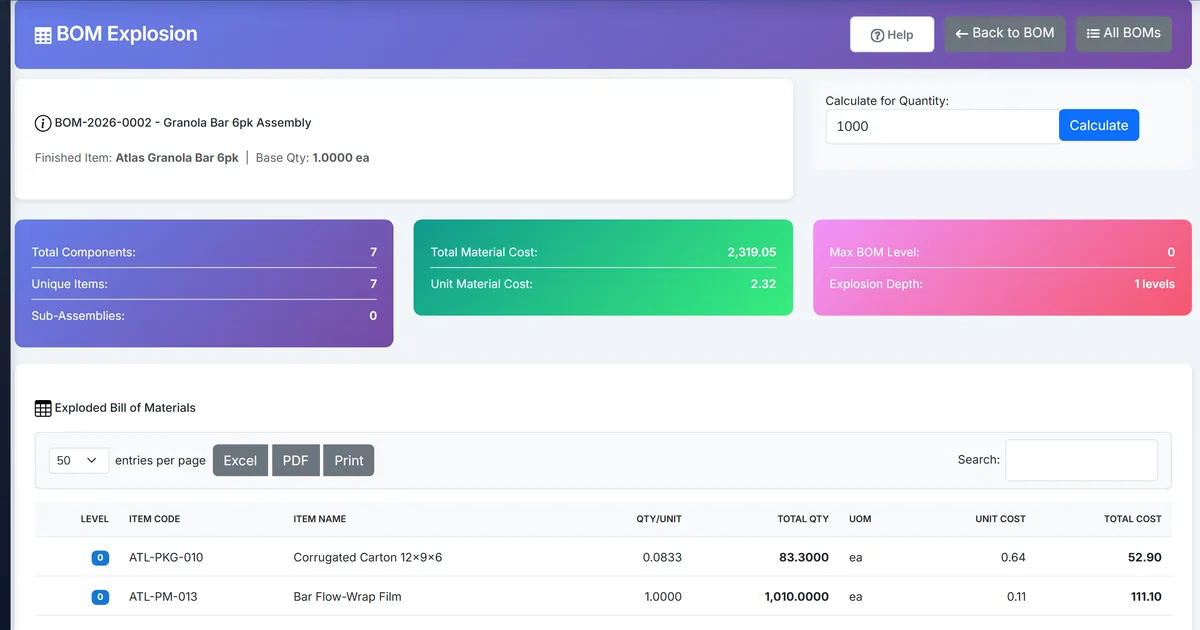
Per-work-order explosions hide plant-wide shortages
Planners open each work order BOM explosion separately and mentally net against stock, missing aggregate shortages until the week of production.
Open purchase orders and already-issued materials are easy to double-count or ignore in spreadsheets.
Raising buy lists outside ERP creates duplicate procurement tables and weak audit trails.
Why this happens
- No multi-work-order netting report.
- On-hand and open PO are checked in separate screens.
- Issued material is not subtracted from gross need.
- Requisitions are typed manually from printed explosions.
Biznsbook addresses this through weekly MRP buckets, firm and planned demand, firm to work order, requisition, or transfer when Manufacturing and Inventory are enabled; Accounting adds WIP and cost postings when your chart and system accounts are configured.
Finance teams lose days each month reconciling versions that should never have diverged. Naming Biznsbook screens as the system of record — and closing periods when agreed — prevents silent edits that auditors flag immediately.
Step-by-step: Run Material Requirements Planning
Built for production planners, shop-floor supervisors, and operations managers running BOM-driven work orders with MES-lite capture, OEE, and inventory integration.
- Plan work orders in the horizon. Create Planned or Released work orders with planned start dates inside the period you will net. Firm demand uses those dates. A work order outside the horizon is not in that run.
- Keep BOMs active. Each exploded work order needs an active BOM. Stocked finished goods are not exploded into components. A finished or semi-finished shortage can become a work order only when that item has an active BOM.
- Open Material Requirements. Go to Manufacturing, then Material Requirements, then New Run. Pick horizon from and to dates. Leave Include Inventory demand forecast checked when you want planned demand.
- Read firm and planned columns. Firm demand is the exploded quantity of planned and released work orders. When Create work orders from sales orders is on, uncovered quantity on a confirmed or partially fulfilled sales order is also firm, dated by the promised date or the order date. Planned demand uses a saved Supply Chain BOM explosion when Demand and Replenishment Pro or Enterprise Supply Chain Optimization is licensed and that explosion has lines inside the horizon. Otherwise planned demand uses inventory history from sales and usage. The run does not rebuild the Supply Chain forecast. Manufacturing issues are excluded from independent demand so they are not counted twice.
- Review each weekly bucket. A horizon that covers more than one week shows one bucket per week. The details page shows Firm and Planned columns and a weekly grid. The run nets firm plus planned demand against on-hand stock, open purchase orders, materials already issued, and forecast demand.
- Firm a shortage. A shortage on a finished or semi-finished item with an active BOM offers Raise Work Order and creates a draft work order. A raw-material shortage offers Raise PR. Where another warehouse can cover the shortage, Raise Transfer creates a draft stock transfer. Each week cell with a positive net has Firm. A second click returns the same document. Firming does not post stock or a journal. A firmed work order stays Draft until you release it on the normal path.
- Note capacity, then mark the run. If a workstation in the horizon is over 100 percent load, the run shows a capacity warning. The warning does not block the run or firming. Advance status with Mark Reviewed or Mark Actioned. Firming a document also marks the run Actioned. Re-run when work orders, sales orders, forecast, or stock change, because a run is a snapshot.
Review results after the first full weekly cycle. Adjust roles, mappings, or approvals where the same exception repeats.
Screen-level flows live in the Help Center. This guide focuses on the business process; help articles cover click-by-click navigation.
Common mistakes to avoid
- Mistake 1: No multi-work-order netting report. Repeating this each month usually shows up first in OEE dashboard or stock card variance reports.
- Mistake 2: On-hand and open PO are checked in separate screens. Repeating this each month usually shows up first in OEE dashboard or stock card variance reports.
- Mistake 3: Issued material is not subtracted from gross need. Repeating this each month usually shows up first in OEE dashboard or stock card variance reports.
- Mistake 4: Requisitions are typed manually from printed explosions. Repeating this each month usually shows up first in OEE dashboard or stock card variance reports.
Track recurring exceptions in month-end notes; each should map to a control above.
Best practices that hold up as you scale
- Plan work orders in the horizon — Create Planned or Released work orders with planned start dates inside the period you will net.
- Keep BOMs active — Each exploded work order needs an active BOM.
- Open Material Requirements — Go to Manufacturing, then Material Requirements, then New Run.
- Read firm and planned columns — Firm demand is the exploded quantity of planned and released work orders.
- Review each weekly bucket — A horizon that covers more than one week shows one bucket per week.
Teams that capture output on the shop-floor terminal, clock operations, and review OEE daily keep planned schedules and MRP-lite nets grounded in real production.
How Biznsbook supports this workflow
weekly MRP buckets is documented in Biznsbook Manufacturing capabilities. Use it as part of a controlled finance process — posting, review, and period close — not as an isolated export. When Sales, Purchase, Inventory, Taxation, Expense, or Finance Management modules are enabled, related documents can post through the central accounting posting service with double-entry validation.
firm and planned demand is documented in Biznsbook Manufacturing capabilities. Use it as part of a controlled finance process — posting, review, and period close — not as an isolated export. When Sales, Purchase, Inventory, Taxation, Expense, or Finance Management modules are enabled, related documents can post through the central accounting posting service with double-entry validation.
firm to work order, requisition, or transfer is documented in Biznsbook Manufacturing capabilities. Use it as part of a controlled finance process — posting, review, and period close — not as an isolated export. When Sales, Purchase, Inventory, Taxation, Expense, or Finance Management modules are enabled, related documents can post through the central accounting posting service with double-entry validation.
Manufacturing permissions separate BOM maintenance, work order release, production entry, quality inspection, reports, and scheduling. Inventory is required for items, warehouses, and stock mutations.
Suggested implementation timeline
- Week 1: Document current process gaps and configure weekly MRP buckets with finance owner sign-off.
- Weeks 2–3: Pilot on one month or one entity; post all test transactions through Biznsbook; freeze parallel spreadsheet journals.
- Week 4: Run first trial balance or report tie-out; fix mapping and permission issues.
- Month 2–3: Roll out to full team; add approvals and period close cadence from this guide.
- Ongoing: Monthly review using horizon tip and leadership dashboard.
Metrics to track monthly
- Shop-floor terminal sessions completed same shift
- Operation time logs vs BOM standard variance
- OEE by workstation (availability, performance, quality)
- Scheduling board load % over 100%
- MRP-lite shortages firmed to a work order, requisition, or transfer
- Genealogy where-used / where-from recall drills
Start with three metrics; trend direction matters more than a single point-in-time snapshot.
Spreadsheet / manual books vs integrated ERP
Compare typical manual finance work with Biznsbook weekly MRP buckets and related capabilities.
| Capability | Manual / Spreadsheet | Biznsbook |
|---|---|---|
| Scope | ❌ One work order explosion | ✅ Weekly buckets across the horizon |
| Demand | ❌ One blended number | ✅ Firm demand and planned demand |
| Netting | ❌ Mental math | ✅ On-hand, open PO, and issued material |
| Make action | ❌ A new spreadsheet order | ✅ Raise Work Order as a draft |
| Buy or move | ❌ A typed buy list | ✅ Raise PR or Raise Transfer |
| Engine | ❌ Finite APS optimizer | ✅ MRP-lite; warnings never block |
Horizon tip
Run a horizon of two to four weeks so each week has its own bucket. Firm only the shortages you intend to buy, make, or move. Leave sufficient lines alone. Run again when a sales order, work order, or stock balance changes.
Document this in your finance SOP and revisit each quarter as transaction volume or entity structure changes.
Frequently asked questions
Is this a finite-capacity optimizer?
No. Material Requirements is a weekly netting report. Capacity warnings are shown and do not block the run or firming. Biznsbook does not build a finite schedule from this screen.
Is this full industrial MRP?
No. MRP-lite reuses BOM explosion, draft work orders, and the existing purchase requisition and stock transfer records. It does not post stock or journals, and it is not a finite APS engine.
Which work orders are included?
Planned and Released work orders with a planned start inside the horizon are firm demand. When Create work orders from sales orders is on, uncovered quantity on a confirmed or partially fulfilled sales order is firm too.
Where does planned demand come from?
From inventory history of sales and usage, unless Demand and Replenishment Pro or Enterprise Supply Chain Optimization is licensed and a saved BOM explosion has lines inside the horizon. The MRP run does not rebuild that forecast.
What does Firm create?
Raise Work Order creates one draft work order. Raise PR creates a purchase requisition. Raise Transfer creates a draft stock transfer. A second firm of the same shortage returns that same document.
How is net requirement calculated?
Net is gross demand minus on-hand minus open purchase orders plus material already issued, floored at zero. Gross for a week is firm plus planned demand. Forecast demand is included when the run is not using a Supply Chain explosion.
How this differs by industry
Retail
Seasonal kit builders can see which week a component goes short, then firm a purchase requisition or a transfer without treating the warning as a blocked release.
Wholesale & distribution
Distributors with light assembly can firm a draft work order for a manufactured shortage and a requisition for a purchased shortage from the same weekly run.
Manufacturing
Planners keep firm shop-floor demand separate from planned forecast demand, then firm each shortage into a draft work order, requisition, or transfer.