Homebase Alternative With Scheduling, Time Clock and More
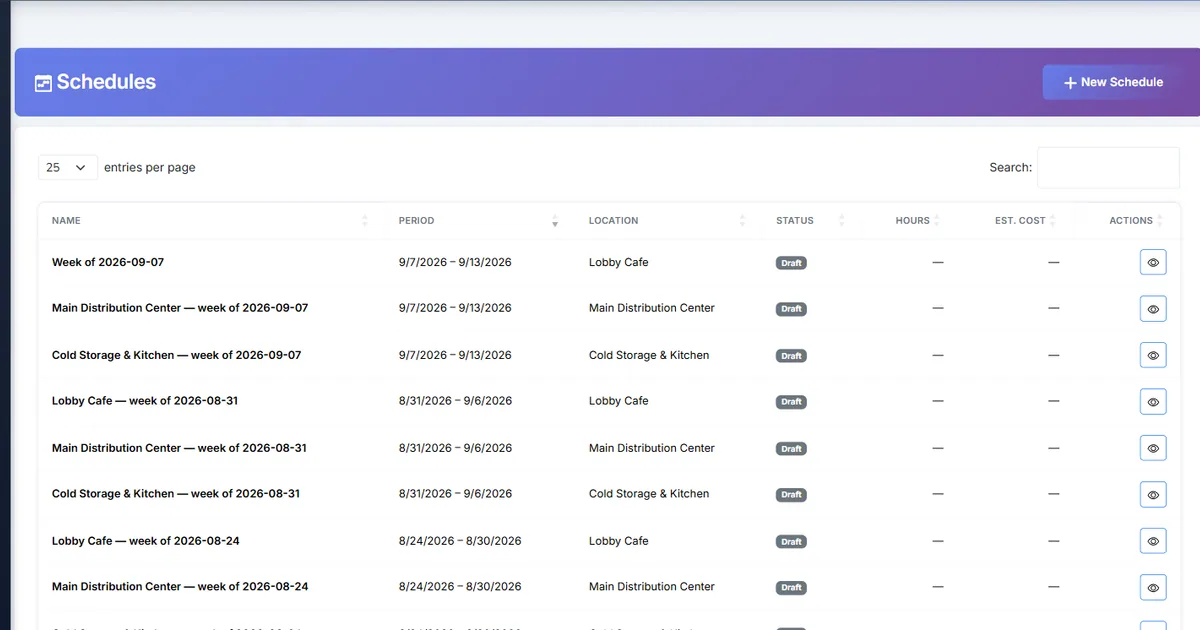
Homebase is a scheduling and time-clock tool aimed at small hourly businesses. Biznsbook Labour Scheduling covers the same everyday jobs and can grow into payroll, accounting, inventory and POS in one system.
Related guides: Scheduling guides · Restaurant guides
At a glance
Side-by-side summary on six criteria teams usually evaluate first. Pricing and packaging change over time — verify current plans on each vendor site before you buy.
| Criterion | Biznsbook | Homebase |
|---|---|---|
| Built for | Any shift business, inside an ERP | Small hourly businesses |
| Scheduling and swaps | Builder, templates, swaps and drops with approval | Provided; confirm by plan |
| Availability and time off | Employee requests with manager approval | Confirm by plan |
| Time clock | Web clock, optional printed codes and location check, break punches | Mobile, web and kiosk options (confirm) |
| Payroll | Separate Payroll module; hours export as a spreadsheet | Payroll is a separate paid add-on (confirm) |
| Free plan | Trial through plans from $19 a month | Free plan for small teams (confirm limits) |
| Pricing | Per company, published | Confirm Homebase quote |
Small teams and simple needs
If you have a handful of staff in one location and want the lowest cost, a free plan may be enough. Check the current limits and which scheduling features are included on it.
Biznsbook Labour Scheduling is a paid module, so it makes sense when you want its depth: weekly templates, conflict checks, availability and time-off approvals, a sales forecast against labour cost, and rules for notice and breaks.
Time clock and breaks
Staff clock in on the web, with an optional printed clock code and an optional location check, and press Start break and End break while clocked in. A rule can deduct an unpaid break automatically when nobody punched one, or treat breaks as paid.
Biznsbook has no biometric or kiosk clock-in. If a tablet kiosk or PIN clock-in is essential, confirm that Homebase offers it on the plan you would buy.
From scheduling to payroll and the books
Labour Scheduling does not feed Payroll automatically, but it exports verified hours as a spreadsheet and can post labour cost to Accounting. If you also run Payroll, decide which module books wages so you do not duplicate the expense.
Homebase offers payroll as a separate product (confirm current terms). Compare the full cost of scheduling plus payroll in each stack.
Where Homebase may fit better
Where Biznsbook does not match: Labour Scheduling is a web tool with no native mobile app, no biometric or kiosk clock-in (staff use the web clock, optional printed codes and an optional location check), and the sales forecast is entered and shown by day.
Teams that want a free starting point, a native mobile app or a hiring and onboarding toolkit should check what Homebase includes before choosing.
Pricing honesty
Biznsbook is priced per company: plans are $19, $39 and $89 a month with a set number of apps of your choice, Labour Scheduling is a $5 app, and extra users are $5 a month each (see the pricing page for what each plan includes).
Competitor prices and plan limits change and differ between sources, so this page states none. Confirm current Homebase pricing on the vendor site, and include any add-ons you would need.
Compare the whole stack: scheduling, time clock, payroll and anything else you would otherwise run in separate tools.
Who should choose each
Choose Biznsbook if…
- Small businesses that expect to add payroll, accounting or inventory later
- Managers who want a labour % of sales target while building the roster
- Teams that want break rules and a short-notice change log
- Businesses with several kinds of shift work in one company
- Buyers who want published per-company pricing
Choose Homebase if…
- Very small teams that want a free plan
- Businesses that need a native mobile app for staff
- Teams that want kiosk or PIN clock-in
- Owners who want hiring and onboarding tools in the same app
- Buyers already using Homebase payroll
Biznsbook capabilities referenced in this comparison
- Drag-and-drop weekly schedules with shift templates and conflict checks
- Staff availability and time-off requests with manager approval
- Sales forecast and labour % of sales while you build, with a target
- Auto-fill of open shifts with a preview before anything changes
- Break punches, predictive-scheduling rules and a short-notice change log
- Team announcements with read receipts and direct messages
- Works on its own: invite staff by email or CSV, no HRMS, Payroll or Inventory
See all modules, current pricing, and topic guides for workflow detail.
Frequently asked questions
Is Biznsbook a Homebase alternative?
For businesses that want rosters, availability, time off, a web time clock with breaks and swaps, and a path to payroll and accounting, yes. Homebase is a good fit for small teams that want a free plan and a mobile app.
Is there a free plan?
Biznsbook offers a free trial and paid plans from $19 a month with a set number of apps. Homebase offers a free plan for small teams, so confirm its limits on the vendor site.
Can I use Labour Scheduling without Payroll?
Yes. Labour Scheduling works without HRMS, Payroll or Inventory. Verified hours can be exported as a spreadsheet.
Does Biznsbook have a kiosk or PIN clock-in?
No. Biometric and kiosk clock-in are not available. Staff clock in on the web, with an optional printed code and location check.
How do I verify Homebase pricing?
Check the current plans on the Homebase site. This page does not state competitor prices.
Compare with your own data
Book a short demo to walk through inventory, accounting, or your priority module — no obligation.
Book a demo View pricing