How to Manage Batch Recall Workflow
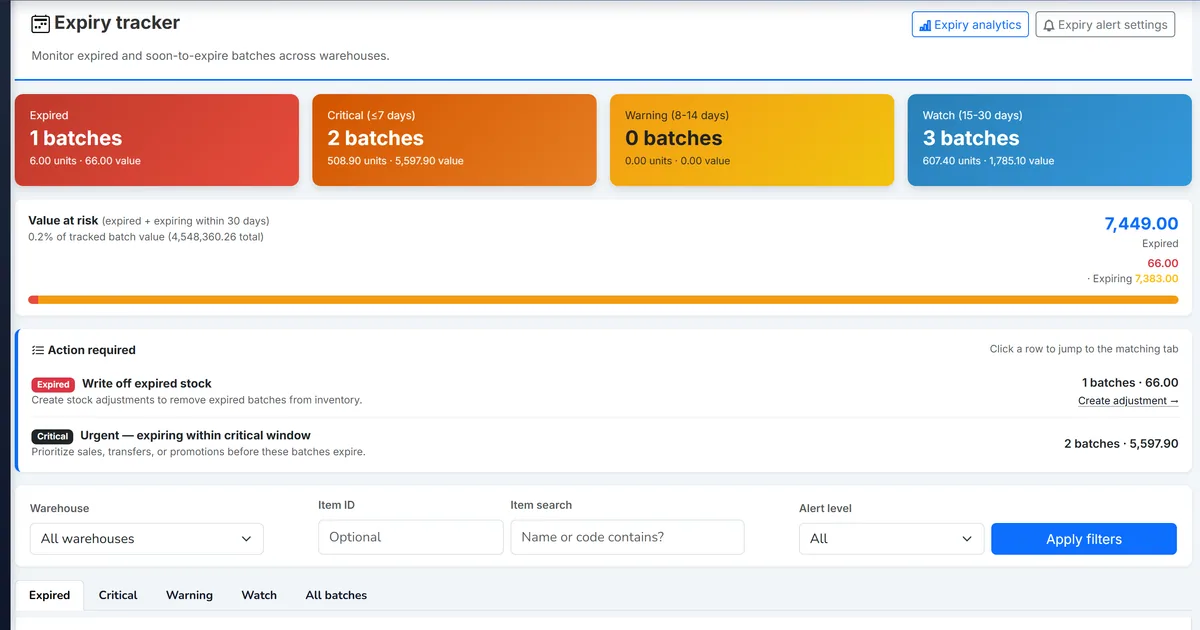
Traceability reports alone do not stop recalled stock shipping
Forward trace shows which customers received a lot, but teams still ship recalled quantity because nothing blocks FEFO picks or delivery note posting.
Spreadsheet recall lists go stale the moment a new sale posts and do not tie to notification follow-up.
Quality and customer service work from different exports with no shared case status.
Why this happens
- Recalled lots are not flagged on batch master records.
- Dispatch and POS paths do not validate recall status before stock issue.
- Customer notification tracking lives outside the ERP.
Biznsbook addresses this through batch recall cases, shipment blocking on recalled lots, affected-customer export from traceability when Inventory, Warehouse, and Purchase modules are licensed — receipts, allocations, and match scores post to the same stock ledger sales and accounting consume.
Finance teams lose days each month reconciling versions that should never have diverged. Naming Biznsbook screens as the system of record — and closing periods when agreed — prevents silent edits that auditors flag immediately.
Step-by-step: Manage Batch Recall Workflow
Built for warehouse managers, buyers, and finance leads running receiving, costing, and accounts payable controls in Biznsbook.
- Open Recall Cases or batch detail. Navigate to Inventory & Warehouse → Inventory Tracking → Recall Cases, or open /inventory/batches/{id} and click Start Recall Case.
- Create a draft case. Select the item and one or more batches, enter reason and severity, and save. Batches show Under review until activation.
- Activate the recall. Activate the case to set batches to Recalled, block shipment on outbound paths, and build the affected-transaction snapshot from traceability queries.
- Review affected customers. On the case detail grid, review sale, POS, and delivery note rows that included the recalled batch numbers.
- Update notification status. Mark each affected transaction Pending, Notified, Unreachable, or Not applicable as customer outreach progresses.
- Export for communications. Download Excel from the case export action (View Inventory Reports permission) for email or call-center scripts.
- Resolve when complete. Resolve the case and optionally clear recall status on batches when stock is physically handled or destroyed.
Review results after the first full weekly cycle. Adjust roles, mappings, or approvals where the same exception repeats.
Screen-level flows live in the Help Center. This guide focuses on the business process; help articles cover click-by-click navigation.
Common mistakes to avoid
- Mistake 1: Recalled lots are not flagged on batch master records. Repeating this each month usually shows up first in stock valuation reports or PO match scores.
- Mistake 2: Dispatch and POS paths do not validate recall status before stock issue. Repeating this each month usually shows up first in stock valuation reports or PO match scores.
- Mistake 3: Customer notification tracking lives outside the ERP. Repeating this each month usually shows up first in stock valuation reports or PO match scores.
Track recurring exceptions in month-end notes; each should map to a control above.
Best practices that hold up as you scale
- Open Recall Cases or batch detail — Navigate to Inventory & Warehouse → Inventory Tracking → Recall Cases, or open /inventory/batches/{id} and click Start Recall Case.
- Create a draft case — Select the item and one or more batches, enter reason and severity, and save.
- Activate the recall — Activate the case to set batches to Recalled, block shipment on outbound paths, and build the affected-transaction snapshot from traceability queries.
- Review affected customers — On the case detail grid, review sale, POS, and delivery note rows that included the recalled batch numbers.
- Update notification status — Mark each affected transaction Pending, Notified, Unreachable, or Not applicable as customer outreach progresses.
Teams that separate Fast Receive lanes from formal GRN for catch-weight and compliance SKUs keep dock speed without sacrificing cost accuracy or audit defensibility.
How Biznsbook supports this workflow
batch recall cases is documented in Biznsbook Inventory & Purchase capabilities. Use it as part of a controlled finance process — posting, review, and period close — not as an isolated export. When Sales, Purchase, Inventory, Taxation, Expense, or Finance Management modules are enabled, related documents can post through the central accounting posting service with double-entry validation.
shipment blocking on recalled lots is documented in Biznsbook Inventory & Purchase capabilities. Use it as part of a controlled finance process — posting, review, and period close — not as an isolated export. When Sales, Purchase, Inventory, Taxation, Expense, or Finance Management modules are enabled, related documents can post through the central accounting posting service with double-entry validation.
affected-customer export from traceability is documented in Biznsbook Inventory & Purchase capabilities. Use it as part of a controlled finance process — posting, review, and period close — not as an isolated export. When Sales, Purchase, Inventory, Taxation, Expense, or Finance Management modules are enabled, related documents can post through the central accounting posting service with double-entry validation.
Receiving permissions, PO approval, GRN posting, and AP payment are separable roles so dock staff scan quickly while finance retains match-score approval.
Suggested implementation timeline
- Week 1: Document current process gaps and configure batch recall cases with finance owner sign-off.
- Weeks 2–3: Pilot on one month or one entity; post all test transactions through Biznsbook; freeze parallel spreadsheet journals.
- Week 4: Run first trial balance or report tie-out; fix mapping and permission issues.
- Month 2–3: Roll out to full team; add approvals and period close cadence from this guide.
- Ongoing: Monthly review using recall case activation checklist and leadership dashboard.
Warehouse and dispatch coordination
When a recall case activates, warehouse supervisors should refresh pick lists and confirm recalled lots no longer appear in FEFO suggestions. Dock staff need a visible alert on Fast Dispatch and delivery note screens — Biznsbook blocks posting, but training prevents wasted scanning time.
Keep write-off and return-to-vendor paths open for recalled quantity that must leave the building. Quality teams destroy or return stock using stock adjustments while customer service works the notification grid in parallel.
Customer notification operating rhythm
Assign an owner to move affected transactions from Pending to Notified within 24 hours for Critical severity cases. Export Excel at day one for call-center scripts; update notification status in the case as calls complete so managers see backlog without another spreadsheet.
Use Not applicable for internal transfers or samples that do not require customer outreach. Unreachable marks rows where contact data failed — finance may still need credit notes separately.
Relationship to traceability compliance
Recall cases answer “stop shipping and tell customers.” FDA FSMA or SFCR traceability exports answer regulator requests within statutory windows. Run both when a food safety event occurs: activate the recall case immediately, then use Traceability for ESS or preventive control evidence.
Link from the traceability report to the recall case when the same batch number appears — operators should not maintain two conflicting customer lists.
Metrics to track monthly
- GRN lines with catch-weight variance above tolerance
- PO match scores below threshold awaiting resolution
- Fast Receive sessions posted same day as delivery
- Import GRNs with landed cost allocated within five days
- Valuation report delta after landed cost post
Start with three metrics; trend direction matters more than a single point-in-time snapshot.
Spreadsheet / manual books vs integrated ERP
Compare typical manual finance work with Biznsbook batch recall cases and related capabilities.
| Capability | Manual / Spreadsheet | Biznsbook |
|---|---|---|
| Recall status on batch | ❌ Spreadsheet flag | ✅ ItemBatch recall status |
| Shipment block | ❌ Manual dock checks | ✅ Hard block on DN / sale / POS |
| Affected customers | ❌ One-off trace report | ✅ Case snapshot with notification grid |
| FEFO pick | ❌ May ship recalled lot | ✅ Recalled lots excluded from pick order |
| Write-off / RTV | ❌ Unclear policy | ✅ Adjustments and RTV still allowed |
| Regulatory filing | ❌ Not in scope | ✅ Use Traceability module exports separately |
Recall case activation checklist
Before activating, confirm the correct batch numbers on the case, notify warehouse leads that FEFO will skip recalled lots, and assign a customer-service owner to work the notification status grid daily until resolved. Review active recall case count on the Inventory Health Dashboard each morning during a crisis — unresolved Pending notification rows older than seven days should escalate to quality leadership.
Document this in your finance SOP and revisit each quarter as transaction volume or entity structure changes.
Frequently asked questions
Does recall replace FDA traceability exports?
No. Recall cases are operational blocking and customer notification lists. Use Traceability for FSMA or SFCR regulatory responses.
Which outbound paths are blocked?
Delivery notes, sales invoices, and POS (posted as sale bills) are blocked for batches with Recalled status. Stock write-offs and return to vendor remain available.
Can one case cover multiple batches?
Yes. Select multiple ItemBatch rows for the same item when creating the case — useful when a supplier date range is affected.
Where is the active recall count on the dashboard?
Inventory Health Dashboard shows an Active recall cases KPI linking to /inventory/recalls.
Can I add batches to a case after activation?
Create a new case or resolve and reopen workflow if scope expands. Re-run activation builds additional affected rows from traceability without duplicating existing snapshot keys.
How this differs by industry
Retail
Grocery and pharmacy retailers activate recall cases on affected lots so stores cannot scan recalled batches at POS while customer service exports the notified list.
Wholesale & distribution
Distributors block delivery note posting for recalled lots and export affected buyer rows with quantities for coordinated supplier-led recalls.
Manufacturing
Food manufacturers recall raw-material batches and use the affected-transaction list to trace which sale shipments included the lot before blocking further dispatch.