How to Manage Employee Loans in Payroll
Advances live in chat threads and never hit the ledger
Cashiers receive cash advances with no receivable or EMI schedule.
Payroll deducts informal amounts that do not match loan balances.
Finance cannot prove recovery when the run posts.
Why this happens
- Advances recorded only in messaging apps.
- Loans approved without Deduct from payroll.
- Manual journals that never update OutstandingBalance.
- No loan recovery report after month-end.
Biznsbook addresses this through employee loans, EMI deduction, loan disbursement journal, loan recovery on post, repayment history when Payroll is licensed with HR Management — attendance and leave feed calculation, while Accounting posts accrual and payment.
Finance teams lose days each month reconciling versions that should never have diverged. Naming Biznsbook screens as the system of record — and closing periods when agreed — prevents silent edits that auditors flag immediately.
Step-by-step: Manage Employee Loans in Payroll
Built for HR and finance teams running Biznsbook Payroll under HRMS — salary structures, periods, runs, payslips, loans, and accounting posting on one tenant.
- Create the loan. Payroll → Loans → Create. Enter employee, type, amount, interest, installments, and repayment start.
- Review EMI. Confirm monthly EMI and total repayable (simple interest when rate > 0).
- Approve the loan. Approve to set Active and post disbursement (DR loan receivable / CR cash) when Accounting is enabled.
- Enable payroll deduct. Keep Deduct from payroll on so Calculate includes EMI.
- Calculate the run. EMI appears as LoanDeduction on the employee; review before approve.
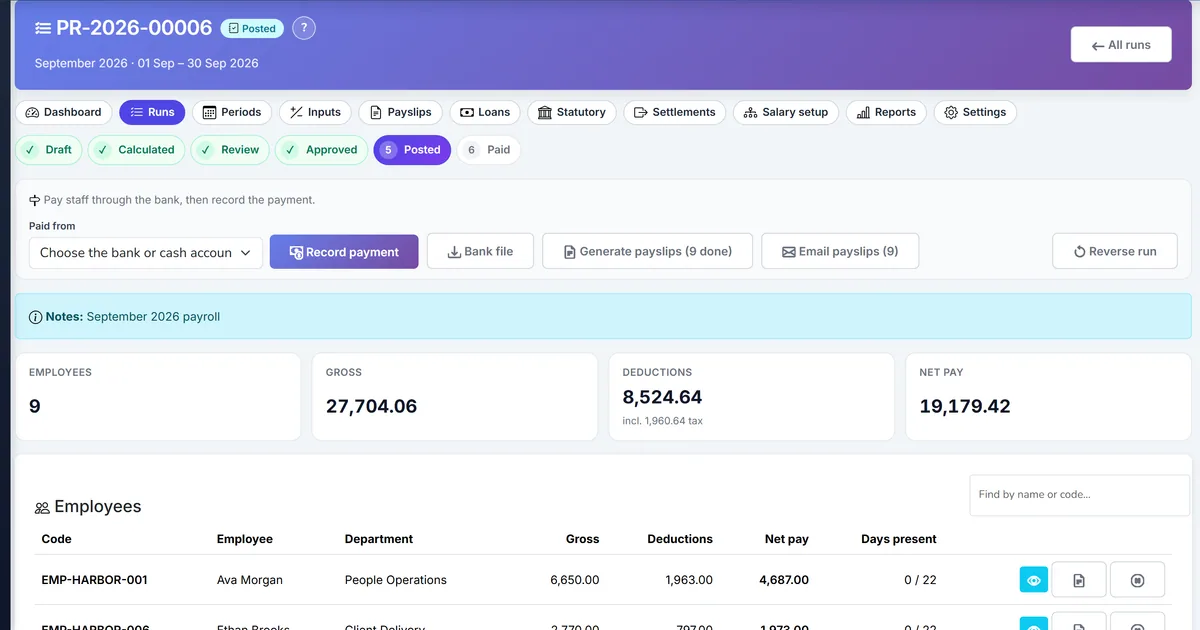
- Post the run. Accrual credits employee loan receivable for recovery and updates balances.
- Audit repayments. Loan details and Payroll reports → Loan recovery show Source = Payroll history.
Review results after the first full each pay period cycle. Adjust roles, mappings, or approvals where the same exception repeats.
Screen-level flows live in the Help Center. This guide focuses on the business process; help articles cover click-by-click navigation.
Common mistakes to avoid
- Mistake 1: Advances recorded only in messaging apps. Repeating this each month usually shows up first in pay accuracy, tax withholding, and GL close quality.
- Mistake 2: Loans approved without Deduct from payroll. Repeating this each month usually shows up first in pay accuracy, tax withholding, and GL close quality.
- Mistake 3: Manual journals that never update OutstandingBalance. Repeating this each month usually shows up first in pay accuracy, tax withholding, and GL close quality.
- Mistake 4: No loan recovery report after month-end. Repeating this each month usually shows up first in pay accuracy, tax withholding, and GL close quality.
Track recurring exceptions in month-end notes; each should map to a control above.
Best practices that hold up as you scale
- Create the loan — Payroll → Loans → Create.
- Review EMI — Confirm monthly EMI and total repayable (simple interest when rate > 0).
- Approve the loan — Approve to set Active and post disbursement (DR loan receivable / CR cash) when Accounting is enabled.
- Enable payroll deduct — Keep Deduct from payroll on so Calculate includes EMI.
- Calculate the run — EMI appears as LoanDeduction on the employee; review before approve.
Teams that finish settings and periods before Calculate, clear exclusions before Approve, and reconcile tax and loan reports before Close period keep payroll and GL aligned.
How Biznsbook supports this workflow
employee loans is documented in Biznsbook Payroll capabilities. Use it as part of a controlled finance process — posting, review, and period close — not as an isolated export. When Sales, Purchase, Inventory, Taxation, Expense, or Finance Management modules are enabled, related documents can post through the central accounting posting service with double-entry validation.
EMI deduction is documented in Biznsbook Payroll capabilities. Use it as part of a controlled finance process — posting, review, and period close — not as an isolated export. When Sales, Purchase, Inventory, Taxation, Expense, or Finance Management modules are enabled, related documents can post through the central accounting posting service with double-entry validation.
loan disbursement journal is documented in Biznsbook Payroll capabilities. Use it as part of a controlled finance process — posting, review, and period close — not as an isolated export. When Sales, Purchase, Inventory, Taxation, Expense, or Finance Management modules are enabled, related documents can post through the central accounting posting service with double-entry validation.
loan recovery on post is documented in Biznsbook Payroll capabilities. Use it as part of a controlled finance process — posting, review, and period close — not as an isolated export. When Sales, Purchase, Inventory, Taxation, Expense, or Finance Management modules are enabled, related documents can post through the central accounting posting service with double-entry validation.
repayment history is documented in Biznsbook Payroll capabilities. Use it as part of a controlled finance process — posting, review, and period close — not as an isolated export. When Sales, Purchase, Inventory, Taxation, Expense, or Finance Management modules are enabled, related documents can post through the central accounting posting service with double-entry validation.
Process Payroll and ApprovePayroll are separated so clerks can calculate while controllers approve and post.
Suggested implementation timeline
- Week 1: Document current process gaps and configure employee loans with finance owner sign-off.
- Weeks 2–3: Pilot on one month or one entity; post all test transactions through Biznsbook; freeze parallel spreadsheet journals.
- Week 4: Run first trial balance or report tie-out; fix mapping and permission issues.
- Month 2–3: Roll out to full team; add approvals and period close cadence from this guide.
- Ongoing: Monthly review using control tip and leadership dashboard.
Metrics to track monthly
- Open payroll periods matching company frequency
- Runs calculated with zero unexplained exclusions
- Tax withheld matching accrual TotalTax
- Payslips emailed (IsEmailed) after generate
- Loan EMI recovered on posted runs
Start with three metrics; trend direction matters more than a single point-in-time snapshot.
Spreadsheet / manual books vs integrated ERP
Compare typical manual finance work with Biznsbook employee loans and related capabilities.
| Capability | Manual / Spreadsheet | Biznsbook |
|---|---|---|
| Advance tracking | ❌ Chat + spreadsheet | ✅ Loan record + EMI |
| Disbursement | ❌ Petty cash only | ✅ Optional GL on approve |
| Deduction | ❌ Manual net edit | ✅ Automatic on Calculate |
| Balance | ❌ Guess remaining | ✅ OutstandingBalance updated |
| Reporting | ❌ None | ✅ Loan recovery report |
| Fully repaid | ❌ Forgotten | ✅ Status FullyRepaid |
Control tip
Never approve a loan without a repayment start date — Calculate ignores EMI until that date is reached.
Document this in your finance SOP and revisit each quarter as transaction volume or entity structure changes.
Frequently asked questions
What if EMI exceeds net pay?
Deduction is limited by outstanding balance and available deduction pool — review net before approve.
Can I reject a pending loan?
Yes. Rejected loans do not activate or disburse.
Do off-cycle runs deduct loans?
Active deduct-from-payroll loans can still deduct when that employee is on the run — confirm intentional.
Where is write-off?
WrittenOff status exists for exceptional closure — use with finance approval.
How this differs by industry
Retail
Store advances for uniforms or travel become Active loans recovered on the next weekly period.
Wholesale & distribution
Controllers reconcile loan receivable subledger to the Payroll loan recovery report.
Manufacturing
Plant emergency loans start mid-period and begin EMI on the next Regular run after Repayment start date.