HRMS Module

Manage Your Entire Workforce from Hire to Retire

Biznsbook HRMS gives you everything you need — employee records, attendance tracking, leave management, department hierarchy, and deep payroll integration. Replace scattered spreadsheets with one centralized HR platform connected to your Payroll, Accounting, Business automation, and CRM.

30 days free on every planNo credit card neededTry the demo account

Efficiency From $24/month Cancel Anytime Unlimited Users

What Is HRMS Software?

HRMS (Human Resource Management System) software is a platform that helps businesses manage the complete employee lifecycle — from hiring and onboarding to attendance tracking, leave management, payroll processing, and offboarding. It replaces manual spreadsheets and paper files with a centralized, automated system that gives HR teams full control.

  • ✓ Centralized employee records — All personal details, documents, and employment history in one place.
  • ✓ Automated attendance & leave — Track check-ins, manage leave requests, and sync with payroll automatically.
  • ✓ Compliance & accuracy — Eliminate errors in HR data, maintain audit trails, and stay compliant with labour regulations.

How Does HRMS Software Work?

HRMS software works by storing all employee information in a centralized database. When an employee joins, their profile is created with personal details, job role, department, and documents. From that point, attendance is tracked automatically, leave balances update in real time, and payroll calculations pull data directly from HR records.

  • 1. Onboard employees — Create profiles with personal details, job roles, department assignments, and documents.
  • 2. Track daily operations — Attendance, leave requests, and overtime are recorded and managed automatically.
  • 3. Report & integrate — Generate HR analytics, feed data into payroll, and maintain compliance records effortlessly.

Biznsbook HRMS at a glance

Best for
Companies that manage employees, attendance, leave, hiring, training and self-service in one HR system
Works with
Payroll, Scheduling, Expenses, Asset Tracking and the rest of Biznsbook
Free trial
30 days free on every plan, no credit card. See plans and pricing
Access
Cloud software in any modern browser, on desktop, tablet or phone

Everything Your HR Team Needs — In One Platform

From employee onboarding to attendance tracking and leave management — all connected to your payroll and accounting.

Employee Records Management

Complete digital profiles for every employee — photo, personal details, job history, documents, and emergency contacts in one place.

  • ✓ Personal & employment details
  • ✓ Employee photo, qualifications, family and nominees
  • ✓ Document vault on profile
  • ✓ Directory cards & list search
  • ✓ Interactive org chart

Attendance Tracking

Mark daily attendance or let check-in and check-out times do the work: lateness, early exit, half days and overtime are worked out from each person’s shift.

  • ✓ Present, absent, half day, work from home, on leave
  • ✓ Late arrival & early exit tracking
  • ✓ Overtime monitoring
  • ✓ Auto-sync with payroll

Leave Management

Employees apply online, managers approve with one click. Balances update automatically and feed into payroll.

  • ✓ Online leave applications
  • ✓ Policy engine (min/max, accrual)
  • ✓ Auto leave balance tracking
  • ✓ Leave calendar view

Department & Hierarchy

Define departments, designations, and reporting managers. Visualize the live org chart and set approval chains for leave and other workflows.

  • ✓ Department tree structure
  • ✓ Interactive org chart
  • ✓ Reporting manager on employee
  • ✓ Role-based HR permissions

Document Management

Store contracts, ID copies, certifications, and HR letters against each employee profile. Never lose a document again.

  • ✓ Per-employee document storage
  • ✓ Contract & letter templates

Shifts & Attendance Corrections

Define shift times, breaks, and grace rules. Employees request attendance corrections; managers approve before payroll sees the change.

  • ✓ Shift and night-shift rules
  • ✓ Correction requests, even for a forgotten clock-in
  • ✓ Bulk marking support
  • ✓ Overtime capture

Hire-to-Exit Lifecycle

Onboarding checklists, probation confirmation, and resignations with an exit clearance checklist and exit interview — from first day through final settlement.

  • ✓ Onboarding task templates
  • ✓ Probation tracking
  • ✓ Performance appraisal cycles
  • ✓ Exit clearance, including assets to return
  • ✓ Exit interview on the resignation

Leave Approval by Email & Phone-First Self Service

Managers can approve leave straight from the email, and staff use a phone-first self-service page with one-tap clock in, leave, payslips and expenses.

  • ✓ Single-use, secure approval links
  • ✓ "Available now" and "after pending" leave balances
  • ✓ Default weekend set from the country

Still Managing HR with Spreadsheets? Here's What It's Costing You

Scattered Employee Records

Employee data lives in spreadsheets, email attachments, and filing cabinets. Finding a document or verifying details takes hours instead of seconds.

No Attendance Visibility

Manual timesheets are unreliable. You have no real-time view of who's present, who's late, and who's on leave — leading to payroll errors every month.

HR Disconnected from Payroll

Attendance, leave, and overtime data is manually transferred to payroll. Every re-entry is a chance for errors that affect employee salaries and trust.

One Profile, Everything Included

Every employee has a complete digital profile — personal info, documents, employment history, performance appraisals, and assigned assets — accessible in seconds from anywhere.

Real-Time Attendance & Leave

Automated check-in tracking, leave request workflows, and real-time dashboards give you instant visibility into your entire workforce — no more guesswork.

Natively Connected to Payroll

Attendance days, leave deductions, overtime hours, and allowances flow directly into payroll calculations. Zero manual data entry, zero salary errors.

See HRMS & Payroll in Action

Explore how Biznsbook manages your workforce — from employee records to payroll processing.

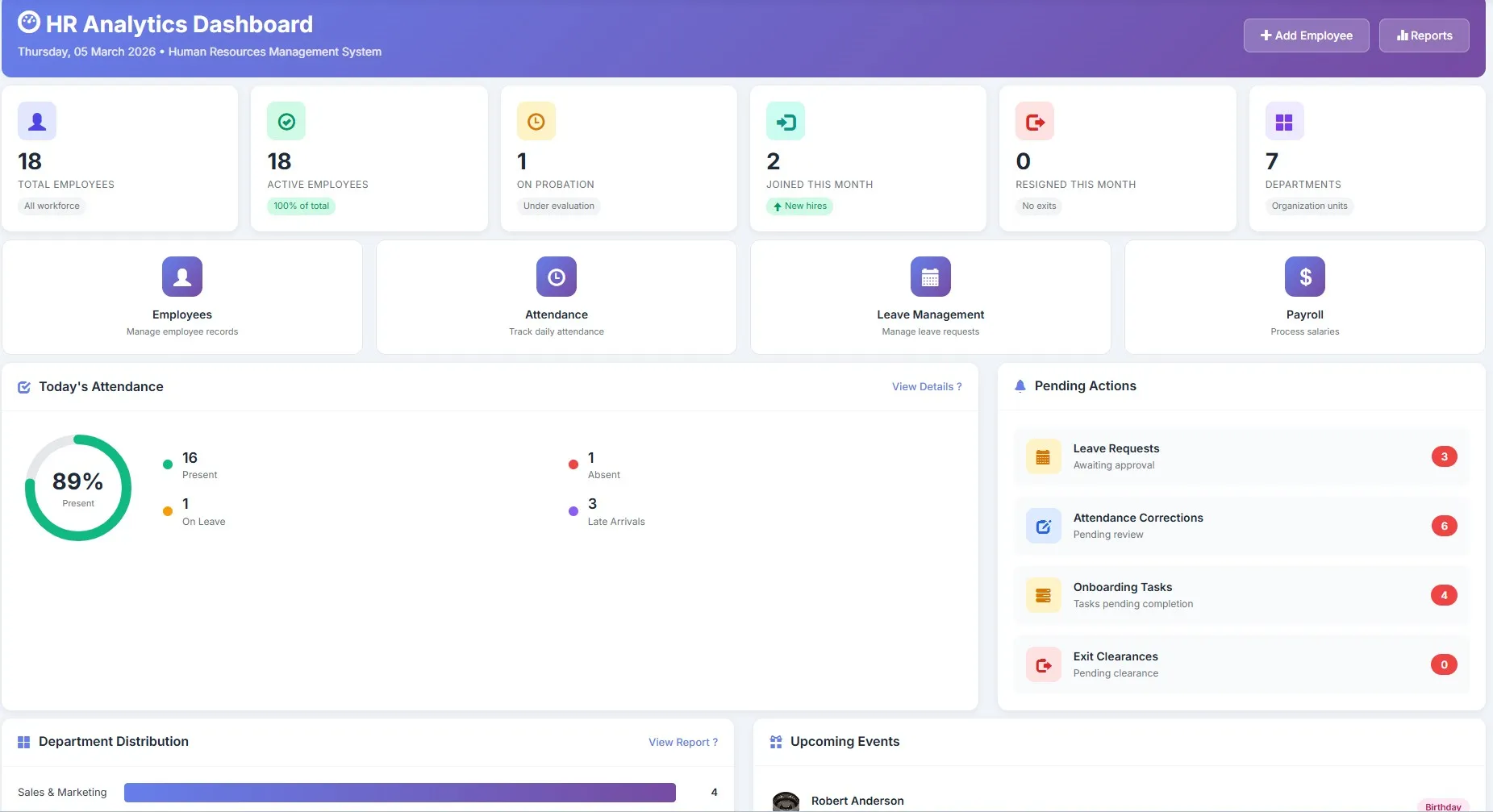
Biznsbook HRMS dashboard showing total employees, departments, and recent HR activities

HR Dashboard

Get a complete overview of your workforce at a glance

Biznsbook HR employee list with department assignments and employment status

Employee Management

Manage employee records, departments, and designations from one view

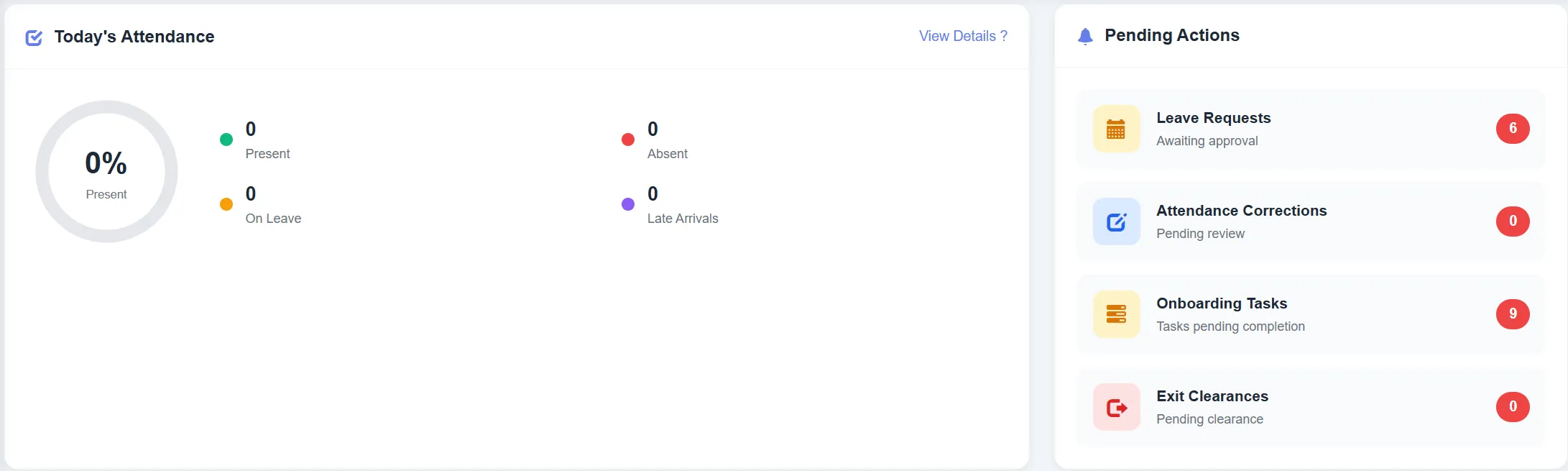
Biznsbook HR attendance and leave dashboard with daily records and leave balances

Attendance & Leave

Track attendance, manage leave requests, and configure leave policies

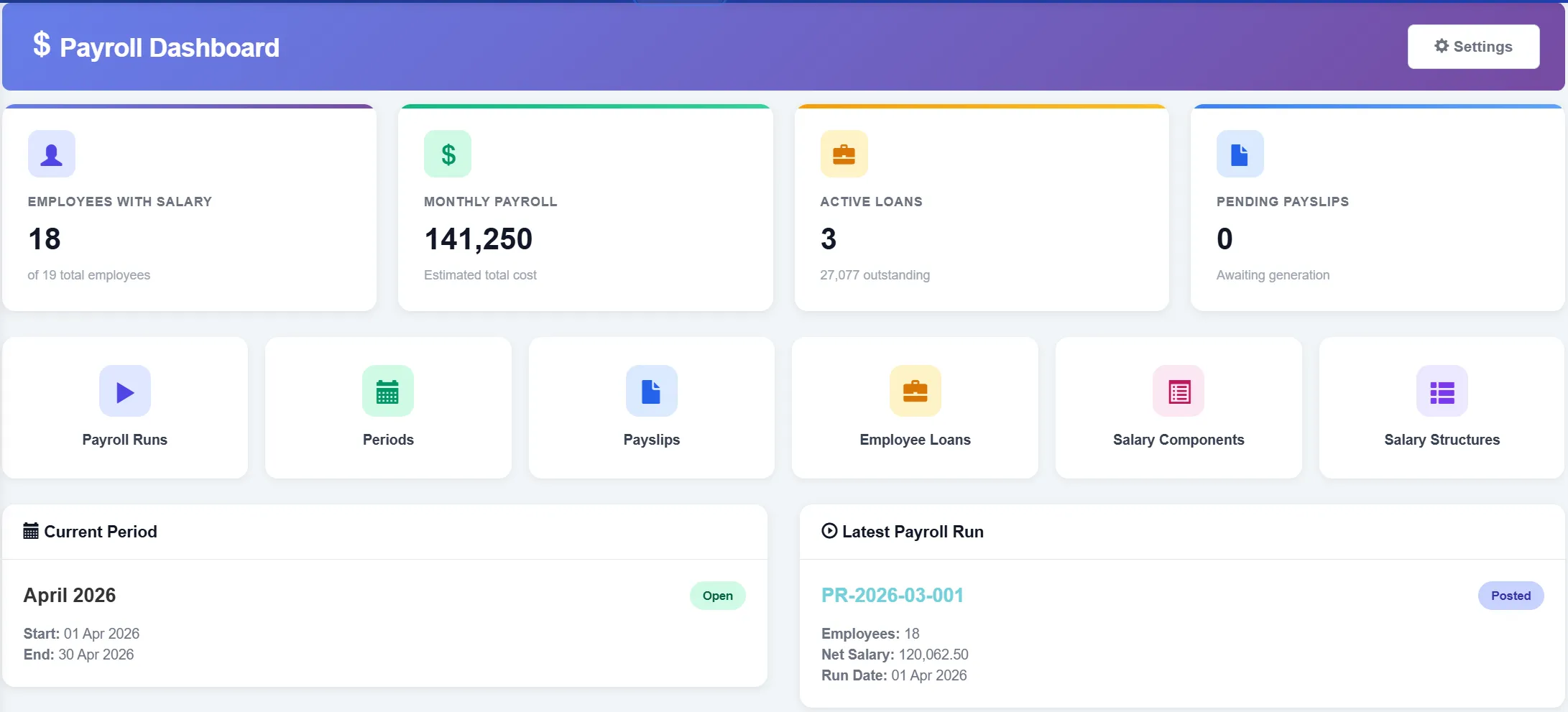
Biznsbook payroll dashboard showing payroll run status and salary summaries

Payroll Dashboard

Process payroll for your entire workforce in minutes

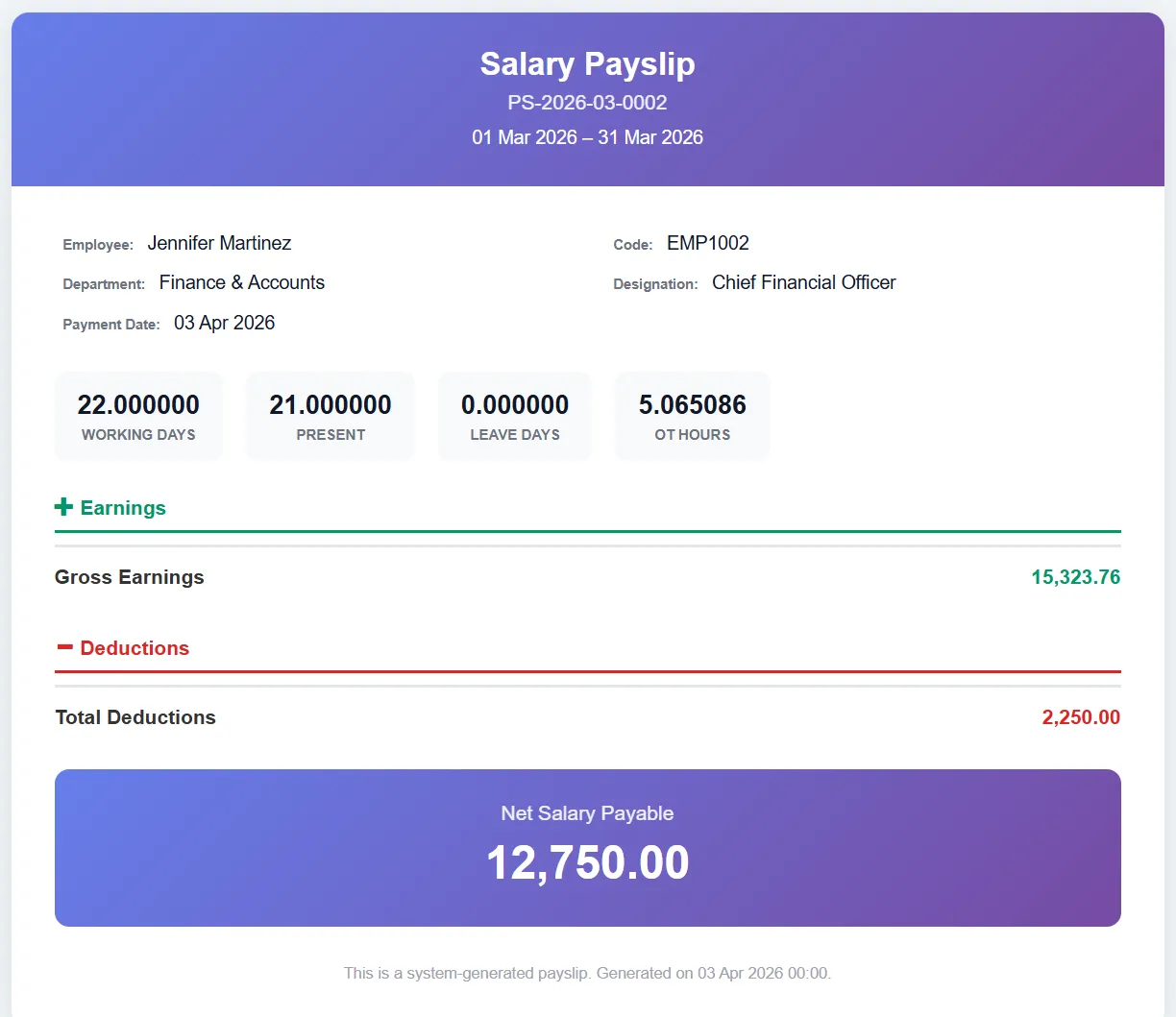
Biznsbook payslip generation showing earnings breakdown, deductions, and net pay

Payslip Generation

Detailed payslips with salary breakdown, tax, and deductions

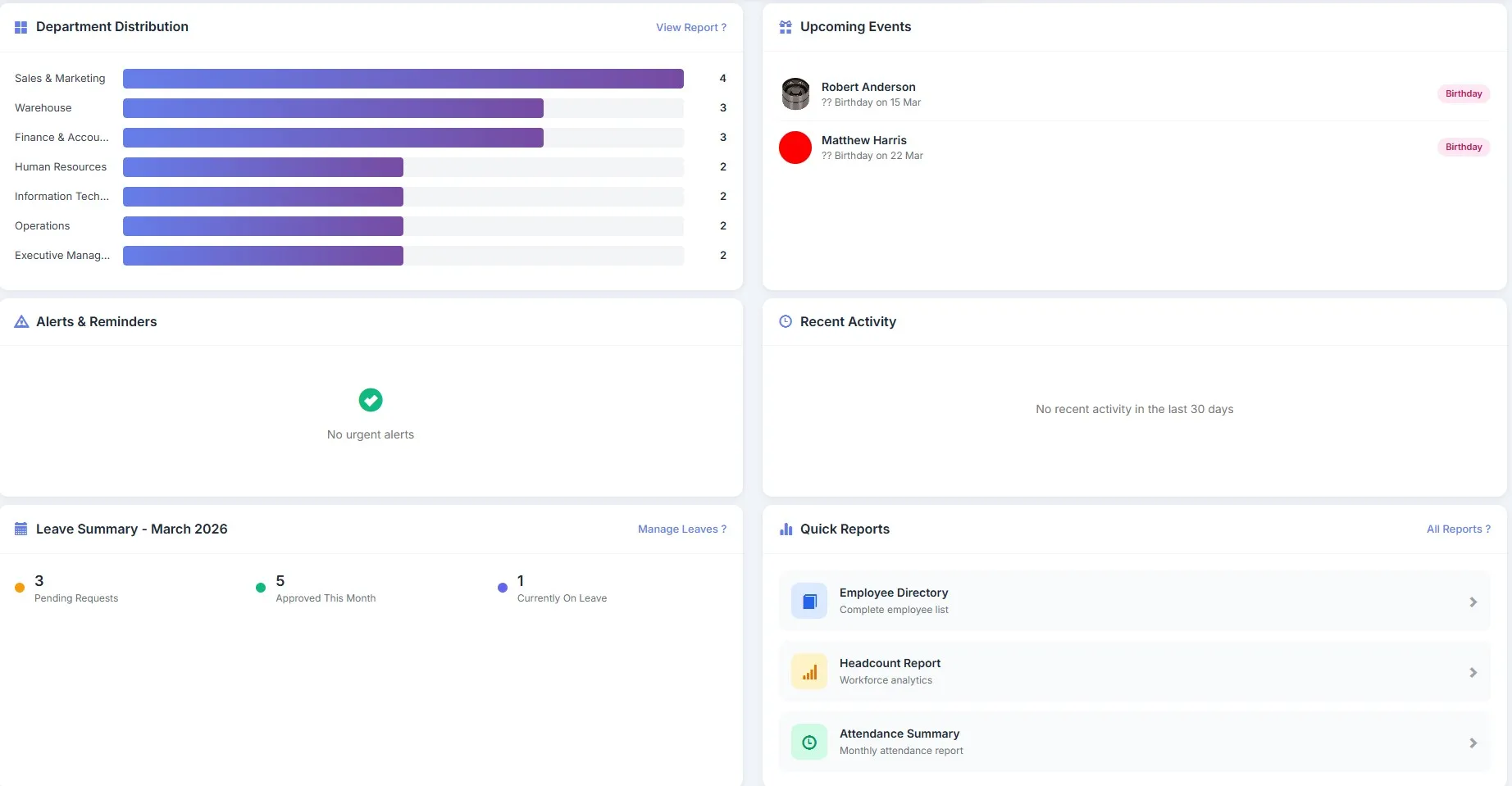
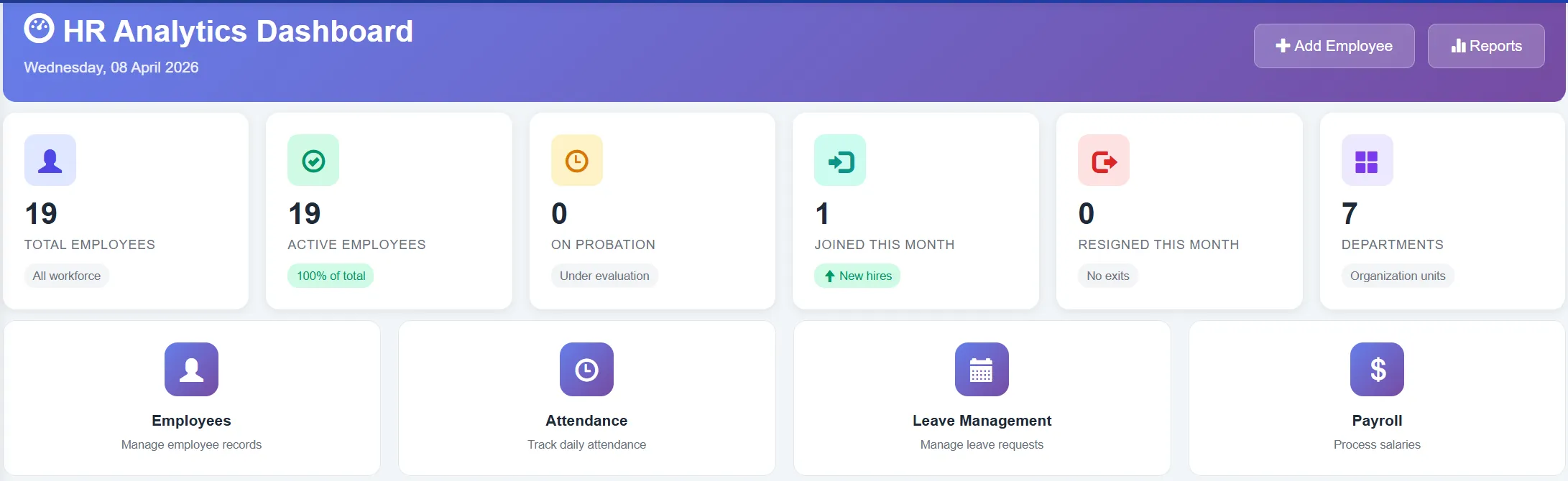
Biznsbook HR analytics with workforce metrics, turnover rates, and department charts

HR Analytics

Workforce insights with department metrics and trend analysis

Time, Leave and Talent — Without Extra Tools

Self-service clock-in, automatic leave years, encashment, recruitment and training sit on the same employee record as attendance and payroll.

Clock-In, Overtime & Rosters

Staff clock in and out from Self Service, with optional location. Lateness, early exit, half days and overtime are worked out from each person’s shift.

  • ✓ Self Service clock-in with optional location
  • ✓ Overtime approval before payroll pays it
  • ✓ Shift rosters by date range
  • ✓ Time-clock CSV import

Leave Automation & Encashment

The leave year opens on its own with carry-forward, lapse and proration for new joiners. Long leave can need HR after the manager, and unused leave can be encashed within policy limits.

  • ✓ Automatic leave year and monthly accrual
  • ✓ Two-step approval for long leave
  • ✓ Leave encashment paid by payroll
  • ✓ Team leave calendar for managers

Recruitment Pipeline

Track every opening and candidate from application to offer, with interview feedback on each one. Hire opens the employee form already filled in.

  • ✓ Openings with positions and hiring manager
  • ✓ Pipeline board by stage
  • ✓ Interview ratings and feedback
  • ✓ Offer to employee record in one step

Training & Certificates

Plan sessions, enrol staff and record who completed. Courses such as first aid or forklift issue or renew the certificate on the employee with its expiry date.

  • ✓ Courses and sessions with seats
  • ✓ Completion results and scores
  • ✓ Certificates with expiry dates
  • ✓ Feeds Labour Scheduling qualification checks

Reminders, History & Announcements

Email reminders before probation ends, contracts end and certificates expire. Every change to an employee is kept, and HR notices appear on the Self Service home page.

  • ✓ Expiry and probation reminder emails
  • ✓ Employee change history
  • ✓ Announcements by department
  • ✓ Self reviews in appraisals

HR Reports & Analytics

Headcount, attendance, leave and department reports, each downloadable to Excel, plus an HR dashboard and an in-app guide for every screen.

  • ✓ Headcount & turnover reports
  • ✓ Attendance & punctuality summaries
  • ✓ Leave balance reports
  • ✓ Excel export on every report

Employee Self Service

Staff see and act on their own information from any browser: profile, leave, attendance, appraisals and payslips, plus expense claims and purchase requests when those modules are licensed.

  • ✓ My Profile, My Leave and My Attendance
  • ✓ Clock in / out and correction requests
  • ✓ My Payslips and My Documents
  • ✓ My Expenses and My Purchases (purchase requests)
  • ✓ Manager approvals and team leave calendar

Company Assets & Credentials

Record the company assets each person holds and get them back at exit. Keep operational credentials such as forklift or food-handler certificates with issue and expiry dates on the employee.

  • ✓ Assign, return or mark assets lost
  • ✓ Staff confirm receipt in My Assets (Fixed Assets Tracking)
  • ✓ Credentials with expiry reminder emails
  • ✓ Same credential codes as Labour Scheduling positions

Ready to Streamline Your HR Operations?

Join 2,000+ businesses already managing their workforce with Biznsbook HRMS.

HR & payroll guides (30) · Enable ESS · Directory & org chart · Help Center

HR Impact
Measurable results from day one
70%
Less Admin Time
99%
Payroll Accuracy
50%
Faster Onboarding
100%
Audit Readiness

Why HR Teams Switch to Biznsbook HRMS

Transform your HR operations and give your team the tools they deserve.

  • ✓
    70% Less Admin Work
    Automate attendance, leave, and document management — reclaim hours every week for strategic HR initiatives.
  • ✓
    Zero Payroll Errors
    Attendance and leave data flows directly into payroll. No manual re-entry means no salary mistakes.
  • ✓
    50% Faster Onboarding
    Digital onboarding checklists, document collection, and profile setup — get new hires productive faster.
  • ✓
    Always Audit-Ready
    Complete employee records, attendance logs, and leave history with audit trails — ready for inspection at any time.
  • ✓
    Employee Self-Service
    With the ESS license and a Linked User on the employee record, staff use My Profile, My Leave, My Attendance, My Payslips and My Documents, and raise expense claims and purchase requests — reducing HR inbox load.

See the Difference Automated HR Makes

70% less admin work. 99% payroll accuracy. Results from day one.

How Does Biznsbook HRMS Work?

Get started in minutes. Our HRMS follows a straightforward four-step process.

1

Add Employees

Create employee profiles with personal details, job roles, departments, and upload documents.

2

Track Attendance

Record daily check-ins and check-outs. Monitor late arrivals, overtime, and absences in real time.

3

Manage Leave

Employees apply for leave online. Managers approve with one click. Balances update automatically.

4

Process Payroll

Attendance and leave data flows into payroll. Salaries calculate accurately with zero manual entry.

Set Up in Minutes. See Results Immediately.

No complex configuration. Add employees, track attendance, and process payroll automatically.

Who Uses HRMS Software?

Whether you need HR software for a small team or enterprise-grade workforce management, Biznsbook scales with you.

Small Businesses

Perfect for startups and small teams that need simple employee records, attendance, and leave management without complexity.

  • Simple employee profiles
  • Basic attendance tracking
  • Easy leave management
Popular

Growing Companies

Ideal for companies scaling their workforce and needing multi-department management with approval workflows.

  • Department hierarchy
  • Approval workflows
  • HR analytics & reports

Enterprises

Enterprise-grade HRMS for large organisations managing hundreds of employees across multiple locations and departments.

  • Multi-location management
  • Full ERP integration
  • Enterprise security

Not Just HRMS. Your Entire ERP, Connected.

Biznsbook HRMS is built into your ERP — not bolted on. Every module shares the same data.

Payroll

Attendance, leave, and overtime flow directly into payroll. Salaries calculate automatically with zero manual entry or data transfer.

Accounting

Payroll journal entries auto-post to your general ledger. Salary expenses, tax liabilities, and provisions are always up to date.

Expenses

Employee expense claims link to HR profiles. Approval workflows follow department hierarchy. Reimbursements process through payroll.

Security & Compliance

Your employee data is protected with enterprise-grade security measures.

Data Security

Industry-standard encryption protects employee data in transit and at rest. Role-based access ensures only authorised HR personnel see sensitive information.

Backup Systems

Your employee records are backed up daily across multiple geographically isolated Azure data centers, ensuring zero data loss even if a localized server fails.

Audit Trails

Every change to employee records is logged with user, timestamp, and action. Full accountability for compliance audits and internal reviews.

HRMS Is Included in Your Biznsbook ERP Subscription

No separate HR license. No per-employee fee. Just activate the HRMS module. Manage your workforce alongside Payroll, Accounting, and CRM — all in one plan.

30 days free on every planNo credit card neededTry the demo account

More Biznsbook HRMS videos

7:03
How a Professional Services Firm Automates HR & Payroll | Biznsbook-Harbor Story

HRMS Software — Frequently Asked Questions

Quick answers to common questions about HR management, attendance tracking, leave management, and payroll integration.

What is HRMS software?

HRMS (Human Resource Management System) software is a digital platform that manages the complete employee lifecycle. It covers hiring, onboarding, attendance tracking, leave management, payroll integration, and offboarding — replacing manual spreadsheets and paper files with a centralized, automated system.

How does attendance tracking work?

Attendance tracking records employee check-in and check-out times automatically. Managers can view real-time attendance dashboards, track late arrivals, monitor overtime, and generate attendance reports. All data syncs directly with payroll for accurate salary calculations.

Can I manage employee leave online?

Yes. Employees apply for leave through the system, managers approve or reject with one click, and leave balances update automatically. The system tracks leave history, supports multiple leave types, and reflects absences in payroll calculations — no manual tracking required.

Is HRMS suitable for small businesses?

Absolutely. Small businesses benefit from HRMS by eliminating manual record-keeping and automating attendance and leave. Biznsbook HRMS is designed to be simple enough for small teams yet powerful enough for growing enterprises. There are no per-employee fees — just activate the module.

Does the HRMS integrate with payroll?

Yes. Biznsbook HRMS is natively integrated with the Payroll module. Attendance data, leave deductions, overtime hours, and allowances flow directly into payroll calculations — eliminating manual data entry and ensuring accurate salary processing every month.

How do I set up department hierarchy?

You can create departments, designations, and reporting managers within the HRMS. The interactive org chart visualizes the hierarchy from each employee’s manager. Assign employees to departments, set managers for leave approval, and control access with HRMS permission roles such as HR Manager and People Manager.

Is employee data secure?

Yes. Employee data is secured with enterprise-grade encryption, role-based access controls, and complete audit trails. Only authorised HR personnel can access sensitive information. Every change is logged with user, timestamp, and action for full accountability.

Can I generate HR reports?

Yes. Generate headcount reports, attendance summaries, leave balance reports, department-wise analytics, and more. All reports can be exported to Excel or PDF for deeper analysis, team sharing, or compliance documentation.

Does HRMS support employee lifecycle management?

Yes. Onboarding task templates, probation tracking, and separation workflows with exit clearance are built in. Attendance corrections use a request-and-approve flow, and shift rules support grace periods and night-shift logic.

How much does HRMS software cost?

HRMS is a licensed Biznsbook module: choose it as one of your plan's modules, or add it to any plan for $5 a month. Plans start at $19 a month and there are no per-employee fees. Payroll is a separate premium add-on, and Employee Self Service has its own licence. View pricing

Does it work on mobile?

Yes. Biznsbook HRMS is fully responsive and works on any modern mobile browser. Employees can apply for leave, view payslips, and check attendance from their phones. Managers can approve requests on the go — no app installation needed.

Can employees clock in from their phones?

Yes, when HR turns it on. Employees open My Attendance in Self Service on any browser and tap Clock in and Clock out, optionally with their location. Lateness, early exit and overtime are worked out from their shift, and forgotten clock-ins are fixed with a correction request their manager or HR approves.

Does Biznsbook HRMS handle recruitment?

Yes. Track job openings and candidates through applied, screening, interview, offer and hired. Interviewers record ratings and feedback on each candidate, and Hire opens the Add employee form already filled in from the candidate, so onboarding, probation and leave start at once. See how to run a hiring pipeline.

Can I track employee training and certificates?

Yes. Plan training sessions, enrol staff and record who completed. Courses with a credential code issue or renew that certificate on the employee with an expiry date, and HR reminder emails warn before it runs out. See how to track training and certifications.

Does it support leave encashment?

Yes, for leave policies that allow it. Employees request encashment in Self Service or HR records it, within the policy’s yearly maximum and minimum remaining balance. HR approves it, the days leave the balance, and Payroll pays approved encashments once. See how to handle leave encashment.

What can employees do in Self Service?

With the Self Service licence and a login linked to their employee record, staff see only their own information. They update contact details, apply for leave and ask for encashment, clock in and out, request attendance corrections, write appraisal self reviews, and open payslips and documents. With Expense Management they file expense claims in My Expenses, and with Procurement they raise purchase requests in My Purchases. Managers approve their team's leave and see a team leave calendar.

How are resignations and exits handled?

Record the resignation, then accept it: the employee stays active through the notice period and an exit clearance checklist is created. Clearance covers ID card, equipment, access, loans, final settlement, letters and the assets the person holds. Record the exit interview on the resignation, then relieve the employee on or after the last working day. With Payroll, Final settlement leads to their last pay.

Can I import attendance from a time clock?

Yes, by CSV file. Download the sample, fill in the employee code or biometric ID, date and optional check-in, check-out and status, and upload it. Days corrected by hand and days on leave are left alone, and importing the same file again updates the same days instead of duplicating them. There is no direct device integration.

Does overtime need approval before it is paid?

Yes, by default. Overtime is worked out from each person's shift, and HR approves or declines the days under Time, Overtime. Payroll pays only approved overtime, short overtime under a set number of minutes is ignored, and a day whose times change goes back for approval.

Can I put people on a different shift for a period?

Yes. A roster assigns a shift to chosen employees for a date range, such as night cover for a month. On those dates the roster shift replaces the shift on the employee record. For weekly staff schedules with open shifts and swaps, use Labour Scheduling.

Is there a free trial of Biznsbook HRMS?

Yes. Every Biznsbook plan starts with a 30-day free trial, no credit card needed. Start your free trial and pick a plan on the pricing page whenever you are ready. Prefer a guided tour first? Book a demo and we will walk you through HRMS.

Try Biznsbook HRMS free for 30 days

Start a 30-day free trial on any plan and run HRMS together with the rest of your business: one platform, one login.

30 days free on every planNo credit card neededTry the demo account

Start free trialBook a demo