How to Park and Resume POS Bills
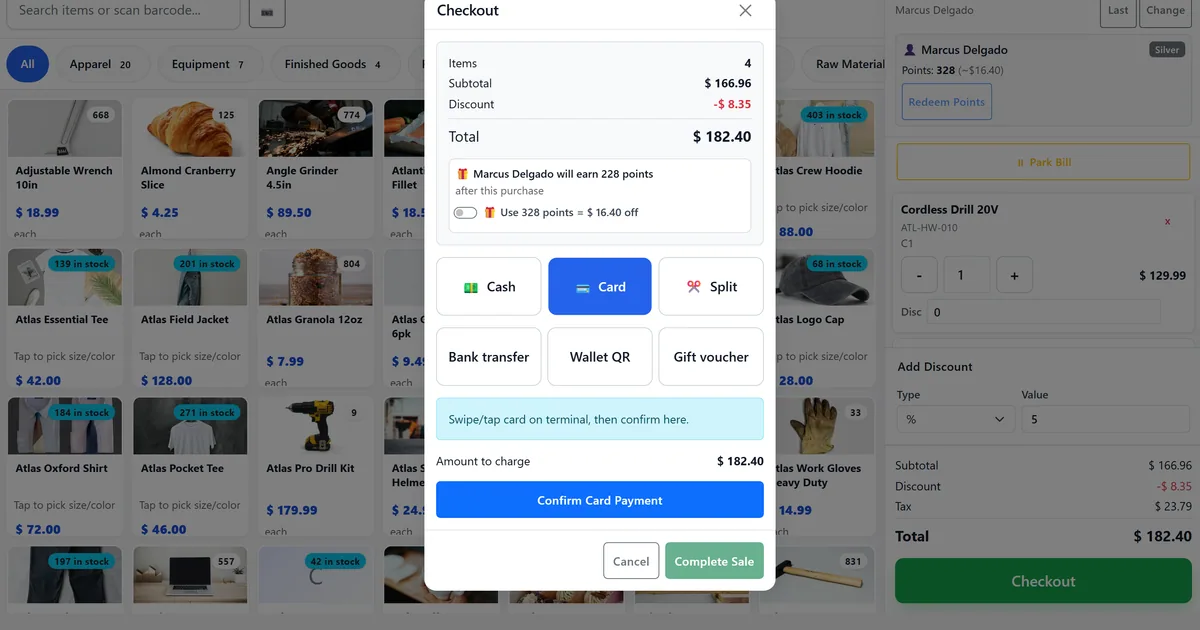
Interrupted customers force void-and-restart on a single cart
A customer steps away; the next shopper needs the till immediately.
Browser refresh wipes an unparked cart and re-keying starts fights.
Managers cannot see how many held bills are waiting.
Why this happens
- No hold/park feature on the till.
- Active cart only in memory with no draft backup.
- No keyboard path to park or resume quickly.
- Confusing park with close session.
Biznsbook addresses this through park resume void bills, draft cart sessionStorage, keyboard park shortcuts when the POS module is licensed — terminal and back-office checkout share unified SaleBill posting.
Finance teams lose days each month reconciling versions that should never have diverged. Naming Biznsbook screens as the system of record — and closing periods when agreed — prevents silent edits that auditors flag immediately.
Step-by-step: Park and Resume POS Bills
Built for retailers who need a fast till, float discipline, and the same INV-* sale bill in stock and GL — not a standalone cash register.
- Build the cart. Add items as usual on /pos with an open session.
- Park with a label. F2 or Park Bill — enter a short label (table name, customer nickname).
- Serve the next customer. The active cart clears; parked bills appear in the drawer.
- Resume later. F3 cycles highlight; Alt+number or Numpad Enter resumes. Cart JSON restores lines and discounts.
- Void if abandoned. Void parked bill when the customer will not return.
- Recover after refresh. If you refresh without parking, confirm Restore unfinished cart when prompted.
- Exit carefully. Leaving POS warns when cart or parked bills still exist.
Review results after the first full weekly cycle. Adjust roles, mappings, or approvals where the same exception repeats.
Screen-level flows live in the Help Center. This guide focuses on the business process; help articles cover click-by-click navigation.
Common mistakes to avoid
- Mistake 1: No hold/park feature on the till. Repeating this each month usually shows up first in cash reconciliation and till speed.
- Mistake 2: Active cart only in memory with no draft backup. Repeating this each month usually shows up first in cash reconciliation and till speed.
- Mistake 3: No keyboard path to park or resume quickly. Repeating this each month usually shows up first in cash reconciliation and till speed.
- Mistake 4: Confusing park with close session. Repeating this each month usually shows up first in cash reconciliation and till speed.
Track recurring exceptions in month-end notes; each should map to a control above.
Best practices that hold up as you scale
- Build the cart — Add items as usual on /pos with an open session.
- Park with a label — F2 or Park Bill — enter a short label (table name, customer nickname).
- Serve the next customer — The active cart clears; parked bills appear in the drawer.
- Resume later — F3 cycles highlight; Alt+number or Numpad Enter resumes.
- Void if abandoned — Void parked bill when the customer will not return.
Teams that open on a named register, park holds, and close with expected cash keep variance disputes short.
How Biznsbook supports this workflow
park resume void bills is documented in Biznsbook POS capabilities. Use it as part of a controlled finance process — posting, review, and period close — not as an isolated export. When Sales, Purchase, Inventory, Taxation, Expense, or Finance Management modules are enabled, related documents can post through the central accounting posting service with double-entry validation.
draft cart sessionStorage is documented in Biznsbook POS capabilities. Use it as part of a controlled finance process — posting, review, and period close — not as an isolated export. When Sales, Purchase, Inventory, Taxation, Expense, or Finance Management modules are enabled, related documents can post through the central accounting posting service with double-entry validation.
keyboard park shortcuts is documented in Biznsbook POS capabilities. Use it as part of a controlled finance process — posting, review, and period close — not as an isolated export. When Sales, Purchase, Inventory, Taxation, Expense, or Finance Management modules are enabled, related documents can post through the central accounting posting service with double-entry validation.
Sessions, barcode, split tender, X/Z reports, and receipt branding are covered in Docs/POS — use Help Center for click-level screens.
Suggested implementation timeline
- Week 1: Document current process gaps and configure park resume void bills with finance owner sign-off.
- Weeks 2–3: Pilot on one month or one entity; post all test transactions through Biznsbook; freeze parallel spreadsheet journals.
- Week 4: Run first trial balance or report tie-out; fix mapping and permission issues.
- Month 2–3: Roll out to full team; add approvals and period close cadence from this guide.
- Ongoing: Monthly review using ops tip and leadership dashboard.
Metrics to track monthly
- Open sessions with a selected POS terminal
- Cash sales with ClientRequestId retries that stay single INV-*
- Parked bills resolved before close
- X-reports run mid-shift without closing
- Terminal Z generated per register/day
Start with three metrics; trend direction matters more than a single point-in-time snapshot.
Spreadsheet / manual books vs integrated ERP
Compare typical manual finance work with Biznsbook park resume void bills and related capabilities.
| Capability | Manual / Spreadsheet | Biznsbook |
|---|---|---|
| Hold cart | ❌ Paper note | ✅ ParkedBill with label |
| Multi-cart | ❌ One browser tab hack | ✅ Many parks per session |
| Refresh | ❌ Cart lost | ✅ Draft restore prompt |
| Keyboard | ❌ Mouse hunt | ✅ F2 / F3 / Alt+1–9 |
| Void hold | ❌ Delete rows manually | ✅ Void parked API |
| Handoff | ❌ Verbal only | ✅ Labeled parks on session |
Ops tip
End of day: void or resume every park before close session so nothing is stranded.
Document this in your finance SOP and revisit each quarter as transaction volume or entity structure changes.
Frequently asked questions
Does park deduct stock?
No. Stock moves only when you Complete sale.
Is draft the same as park?
No. Draft is local recovery for one active cart. Park is server-side multi-cart handoff.
Can another cashier resume my park?
Parks belong to the cashier session; switch cashier carefully and communicate held bills.
What if both draft and parks exist?
Restore draft only when the active cart is empty; parks stay listed separately.
How this differs by industry
Retail
Fashion fitting rooms park under customer names while associates help the next shopper.
Wholesale & distribution
Counter staff park while a buyer fetches a purchase order number.
Manufacturing
Outlet clerks park when a supervisor must approve a discount before tender.