How to Track Employee Attendance
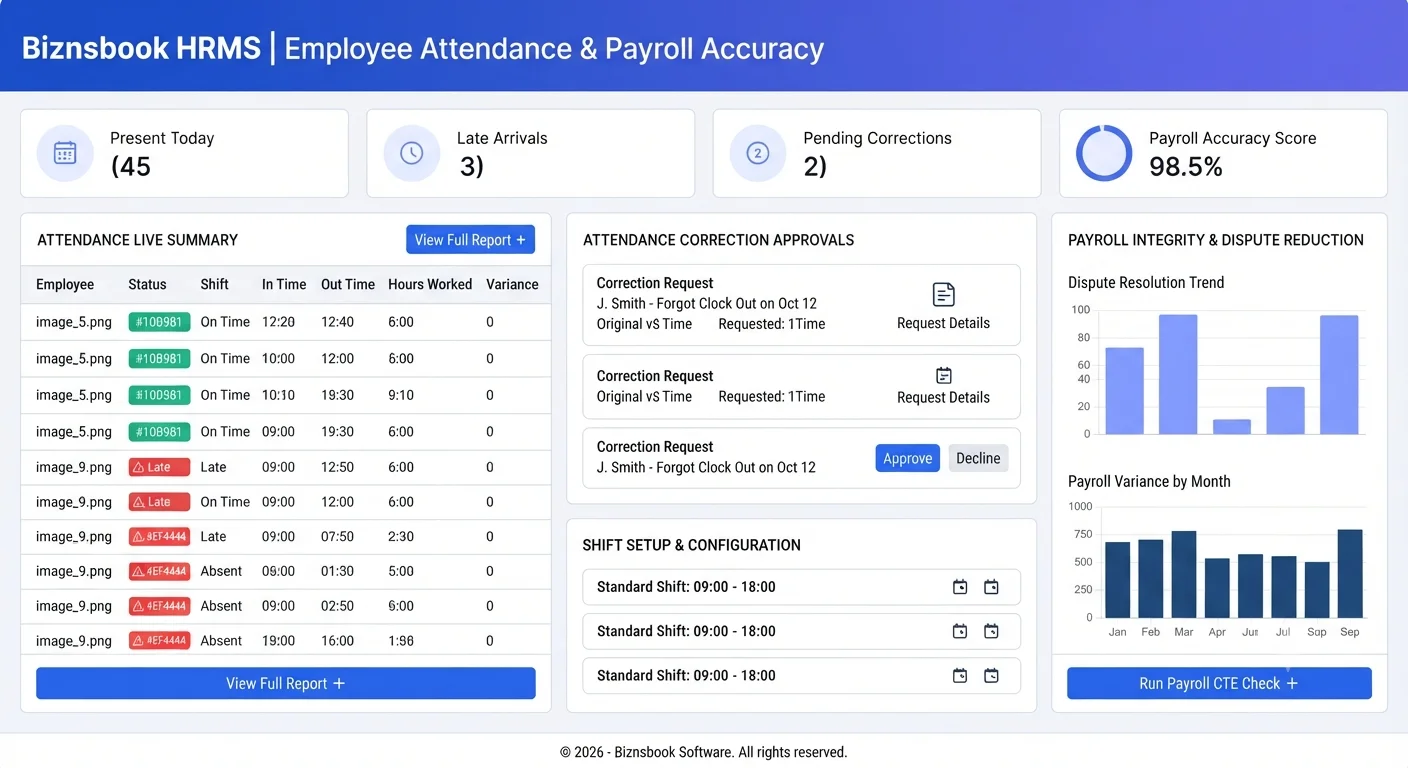
Attendance tracking fails when data is delayed
Teams often record attendance in multiple places, then merge data near payroll day. This creates missing punches, duplicate entries, and uncertainty about real worked hours.
Correction requests become another source of confusion when they are accepted informally. Without approval workflow, managers cannot distinguish valid exceptions from uncontrolled edits.
When attendance remains unresolved, payroll teams spend extra time reconciling differences. A daily HRMS routine closes gaps earlier and keeps salary processing smooth.
Why this happens
- Shift timings are not configured consistently across departments.
- Attendance corrections are handled without approval workflow discipline.
- Daily exception review is skipped until payroll week.
- Managers rely on spreadsheet edits outside HRMS records.
Biznsbook addresses this through Daily attendance, attendance corrections, shift config when HR Management is enabled; add the Payroll module for salary structures, pay runs, and payslips, and Accounting for GL posting when configured.
Finance teams lose days each month reconciling versions that should never have diverged. Naming Biznsbook screens as the system of record — and closing periods when agreed — prevents silent edits that auditors flag immediately.
Step-by-step: Track Employee Attendance
Built for HR generalists, payroll administrators, and owners who need hire-to-pay discipline without spreadsheet chaos.
- Configure shifts properly. Create shift definitions with start time, grace policy, and weekend settings for each employee group.
- Capture attendance daily. Record check-in and check-out entries in HRMS so day-level history stays complete.
- Route correction requests. Use attendance correction approval workflow instead of direct manual edits.
- Review pending approvals. Ask reporting managers to clear correction queues before payroll cutoff dates.
- Audit attendance summary. Track present, absent, late, and corrected records in daily attendance summary views.
- Lock final attendance period. Freeze verified period data before payroll runs move to calculated state.
- Analyze recurring gaps. Identify frequent exceptions by team and improve shift setup or manager practices.
Review results after the first full monthly cycle. Adjust roles, mappings, or approvals where the same exception repeats.
Screen-level flows live in the Help Center (tax setup, expense claims, sale invoices). This guide focuses on finance process; help articles cover navigation.
Common mistakes to avoid
- Mistake 1: Shift timings are not configured consistently across departments. Repeating this each month usually shows up first in payroll runs or attendance summary reports.
- Mistake 2: Attendance corrections are handled without approval workflow discipline. Repeating this each month usually shows up first in payroll runs or attendance summary reports.
- Mistake 3: Daily exception review is skipped until payroll week. Repeating this each month usually shows up first in payroll runs or attendance summary reports.
- Mistake 4: Managers rely on spreadsheet edits outside HRMS records. Repeating this each month usually shows up first in payroll runs or attendance summary reports.
Track recurring exceptions in month-end notes; each should map to a control above.
Best practices that hold up as you scale
- Configure shifts properly — Create shift definitions with start time, grace policy, and weekend settings for each employee group.
- Capture attendance daily — Record check-in and check-out entries in HRMS so day-level history stays complete.
- Route correction requests — Use attendance correction approval workflow instead of direct manual edits.
- Review pending approvals — Ask reporting managers to clear correction queues before payroll cutoff dates.
- Audit attendance summary — Track present, absent, late, and corrected records in daily attendance summary views.
Teams that close attendance and leave before payroll cut-off day avoid the rework cycle that erodes trust in payslips.
How Biznsbook supports this workflow
Daily attendance is documented in Biznsbook HRMS / Payroll capabilities. Use it as part of a controlled finance process — posting, review, and period close — not as an isolated export. When Sales, Purchase, Inventory, Taxation, Expense, or Finance Management modules are enabled, related documents can post through the central accounting posting service with double-entry validation.
attendance corrections is documented in Biznsbook HRMS / Payroll capabilities. Use it as part of a controlled finance process — posting, review, and period close — not as an isolated export. When Sales, Purchase, Inventory, Taxation, Expense, or Finance Management modules are enabled, related documents can post through the central accounting posting service with double-entry validation.
shift config is documented in Biznsbook HRMS / Payroll capabilities. Use it as part of a controlled finance process — posting, review, and period close — not as an isolated export. When Sales, Purchase, Inventory, Taxation, Expense, or Finance Management modules are enabled, related documents can post through the central accounting posting service with double-entry validation.
HRMS and Payroll permissions separate employee edits, attendance, leave approval, and payroll approval. Payroll requires HRMS as the employee system of record.
Suggested implementation timeline
- Week 1: Document current process gaps and configure Daily attendance with finance owner sign-off.
- Weeks 2–3: Pilot on one month or one entity; post all test transactions through Biznsbook; freeze parallel spreadsheet journals.
- Week 4: Run first trial balance or report tie-out; fix mapping and permission issues.
- Month 2–3: Roll out to full team; add approvals and period close cadence from this guide.
- Ongoing: Monthly review using attendance governance rhythm and leadership dashboard.
Metrics to track monthly
- Attendance correction backlog and approval time
- Leave requests pending approval count
- Payroll run cycle time (draft to paid)
- Headcount and joiner/leaver trend monthly
- Payslip exceptions or manual adjustments per run
Start with three metrics; trend direction matters more than a single point-in-time snapshot.
Spreadsheet / manual books vs integrated ERP
Compare typical manual finance work with Biznsbook Daily attendance and related capabilities.
| Capability | Manual / Spreadsheet | Biznsbook |
|---|---|---|
| Daily capture | ❌ Late monthly entry | ✅ Real-time daily attendance logs |
| Correction control | ❌ Open manual edits | ✅ Approval-based correction workflow |
| Shift policy | ❌ Generic timing | ✅ Configured shift-specific rules |
| Dispute handling | ❌ Payroll-day arguments | ✅ Pre-cutoff exception closure |
| Manager visibility | ❌ Email follow-ups | ✅ Attendance summary dashboards |
| Payroll readiness | ❌ Frequent rework | ✅ Verified attendance lock before run |
Attendance governance rhythm
Run a short daily ritual for pending corrections, late entries, and shift exceptions. A predictable rhythm keeps records clean and payroll preparation faster.
Document this in your finance SOP and revisit each quarter as transaction volume or entity structure changes.
Frequently asked questions
Why does attendance correction need approval workflow?
Approval workflow keeps accountability clear. It records who requested, reviewed, and approved each change so attendance history stays auditable before payroll.
How often should attendance exceptions be reviewed?
Review exceptions daily and clear queues before payroll cutoff. Frequent review prevents stacked corrections and last-minute disputes.
Can shift setup impact payroll accuracy?
Yes. Incorrect shift timing and weekend rules directly distort working-day and overtime calculations.
What is the first metric to monitor?
Start with pending correction count and unresolved late entries. These two indicators show whether attendance operations are under control.
How this differs by industry
Retail
Retail teams should monitor branch-wise attendance daily because shift swaps and weekend traffic spikes can quickly create correction backlogs.
Wholesale & distribution
Office and services teams can standardize attendance by role-based shifts and manager approvals, reducing confusion across support and administration staff.
Manufacturing
Factory and manufacturing teams should align shifts and corrections tightly, since missed punches can distort labor costing and overtime payouts.