How to Automate Bookkeeping Tasks
Manual bookkeeping drains time and creates variability
Finance teams often spend days repeating predictable entries instead of analyzing business performance.
Manual copy-paste posting increases the risk of missed entries, duplicate journals, and classification mistakes.
When key staff are absent, undocumented routines can delay close and create dependency risk.
Why this happens
- Recurring entries are posted manually.
- No journal templates exist.
- Schedule ownership is unclear.
- Review happens only at month-end.
Biznsbook addresses this through automatic journal posting, recurring transactions, posting templates when Accounting is enabled; add Finance Management, Taxation, Expense, Sales, or Purchase modules as your operating model requires.
Finance teams lose days each month reconciling versions that should never have diverged. Naming Biznsbook screens as the system of record — and closing periods when agreed — prevents silent edits that auditors flag immediately.
Step-by-step: Automate Bookkeeping Tasks
Designed for owners, bookkeepers, and controllers who need repeatable month-end discipline. Adapt roles to team size — separation of duties matters more than headcount.
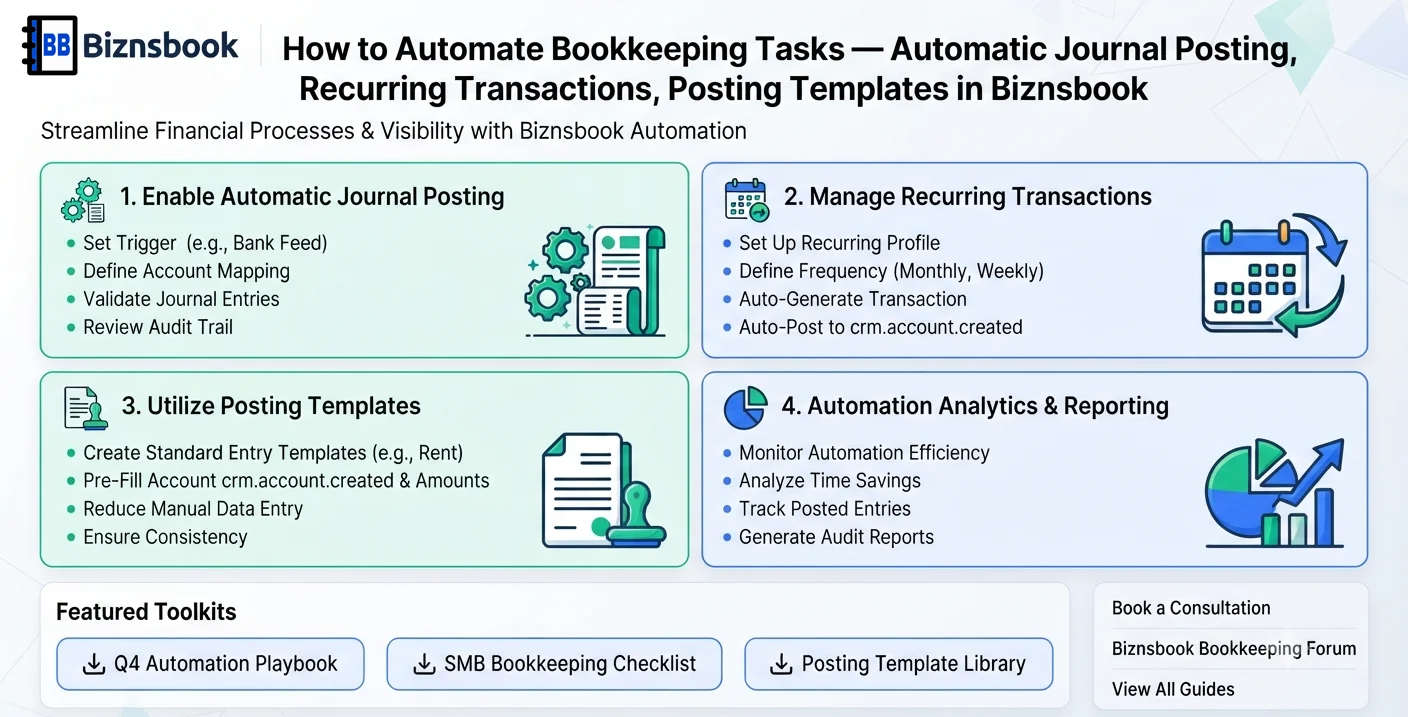
- Identify repetitive entries. List transactions that recur monthly or on fixed schedules.
- Configure recurring transactions. Set frequency, amount logic, and account mapping for each recurring item.
- Enable automatic journal posting. Use posting automation for defined workflows with approval safeguards.
- Create template controls. Standardize narration and account mapping to prevent drift over time.
- Set review checkpoints. Review auto-posted items mid-period and at close for exceptions.
- Document ownership. Assign finance owners for monitoring schedules and handling anomalies.
- Track automation coverage. Measure percentage of postings automated and expand gradually.
Review results after the first full monthly cycle. Adjust roles, mappings, or approvals where the same exception repeats.
Screen-level flows live in the Help Center. This guide focuses on the business process; help articles cover click-by-click navigation.
Common mistakes to avoid
- Mistake 1: Recurring entries are posted manually. Repeating this each month usually shows up first in trial balance or AR/AP aging.
- Mistake 2: No journal templates exist. Repeating this each month usually shows up first in trial balance or AR/AP aging.
- Mistake 3: Schedule ownership is unclear. Repeating this each month usually shows up first in trial balance or AR/AP aging.
- Mistake 4: Review happens only at month-end. Repeating this each month usually shows up first in trial balance or AR/AP aging.
Track recurring exceptions in month-end notes; each should map to a control above.
Best practices that hold up as you scale
- Identify repetitive entries — List transactions that recur monthly or on fixed schedules.
- Configure recurring transactions — Set frequency, amount logic, and account mapping for each recurring item.
- Enable automatic journal posting — Use posting automation for defined workflows with approval safeguards.
- Create template controls — Standardize narration and account mapping to prevent drift over time.
- Set review checkpoints — Review auto-posted items mid-period and at close for exceptions.
Consistency beats heroics at month-end. A smaller team that closes the same calendar every month outperforms a larger team that posts sporadically.
How Biznsbook supports this workflow
automatic journal posting is documented in Biznsbook Accounting / Finance capabilities. Use it as part of a controlled finance process — posting, review, and period close — not as an isolated export. When Sales, Purchase, Inventory, Taxation, Expense, or Finance Management modules are enabled, related documents can post through the central accounting posting service with double-entry validation.
recurring transactions is documented in Biznsbook Accounting / Finance capabilities. Use it as part of a controlled finance process — posting, review, and period close — not as an isolated export. When Sales, Purchase, Inventory, Taxation, Expense, or Finance Management modules are enabled, related documents can post through the central accounting posting service with double-entry validation.
posting templates is documented in Biznsbook Accounting / Finance capabilities. Use it as part of a controlled finance process — posting, review, and period close — not as an isolated export. When Sales, Purchase, Inventory, Taxation, Expense, or Finance Management modules are enabled, related documents can post through the central accounting posting service with double-entry validation.
Permissions are role-based: separate chart maintenance, journal creation, report viewing, period close, and bank reconciliation per tenant policy.
Suggested implementation timeline
- Week 1: Document current process gaps and configure automatic journal posting with finance owner sign-off.
- Weeks 2–3: Pilot on one month or one entity; post all test transactions through Biznsbook; freeze parallel spreadsheet journals.
- Week 4: Run first trial balance or report tie-out; fix mapping and permission issues.
- Month 2–3: Roll out to full team; add approvals and period close cadence from this guide.
- Ongoing: Monthly review using automation rollout and leadership dashboard.
Automation boundaries finance should keep manual
Recurring journals, bank rule suggestions, and scheduled depreciation are strong automation candidates. Judgment entries — provisions, impairments, related-party allocations — should stay manual with reviewer sign-off even when templates exist.
Document which accounts are automation-eligible in your chart of accounts policy so new bookkeepers do not auto-post sensitive lines.
Reconciliation cadence after automation
Automation reduces data entry, not review. Bank reconciliation, AR/AP aging tie-out, and tax liability checks still run on calendar rhythm — faster posting means exceptions surface sooner if you skip review.
Compare automated posting volume to manual journals monthly; a rising manual ratio often signals master data drift automation cannot fix.
Change control for automated rules
Version recurring journal templates when GL accounts change — silent edits post to wrong departments until someone notices in consolidated reports.
Disable automation temporarily during acquisitions when chart of accounts is in flux; re-enable only after mapping workshop sign-off.
Metrics to track monthly
- Days to complete month-end close
- Unreconciled bank lines outstanding
- AR and AP aging buckets over 30/60/90 days
- Trial balance out-of-balance exceptions
- Manual journal count vs automated postings ratio
Start with three metrics; trend direction matters more than a single point-in-time snapshot.
Spreadsheet / manual books vs integrated ERP
Compare typical manual finance work with Biznsbook automatic journal posting and related capabilities.
| Capability | Manual / Spreadsheet | Biznsbook |
|---|---|---|
| Entry workload | ❌ Manual repetition | ✅ Recurring automation |
| Posting consistency | ❌ Varies by user | ✅ Template-driven |
| Close speed | ❌ Delayed | ✅ Faster routine completion |
| Error exposure | ❌ Higher | ✅ Controlled by rules |
| Knowledge dependency | ❌ Single person | ✅ Documented schedules |
| Scalability | ❌ Limited | ✅ Process-driven growth |
Automation rollout
Start with low-risk recurring entries, validate results for one close, then expand to broader posting workflows. Pilot automation on one entity or branch for a full month before enabling group-wide — parallel manual checklists catch mapping errors early.
Document this in your finance SOP and revisit each quarter as transaction volume or entity structure changes.
Frequently asked questions
Which tasks are best to automate first?
Start with fixed monthly items like rent, subscriptions, and regular accrual postings.
Can automated entries still be reviewed?
Yes, teams should review automated postings through routine exception checks.
Will automation remove finance jobs?
It shifts effort from data entry to analysis, control, and decision support.
How do we avoid duplicate automation?
Maintain one owner and one schedule per recurring transaction template.
Does automation replace an external accountant?
No. Automation handles repeatable operational postings inside Biznsbook. Tax filing, statutory accounts, and complex advisory work still need qualified professionals.
How this differs by industry
Retail
Retail finance teams can automate recurring store-level entries and focus on margin and shrink analysis.
Wholesale & distribution
Wholesale companies can automate routine accruals and rebate-related postings for cleaner monthly closes.
Manufacturing
Manufacturers can automate standard overhead journals while finance reviews production variance deeply.