How to Manage Multi-Currency Accounting
Why multi-currency books become inconsistent
Cross-currency transactions introduce complexity in recognition, settlement, and reporting. If exchange rates are entered inconsistently, balances quickly diverge across invoices, payments, and ledgers.
Teams often manage foreign currency values in side spreadsheets, then post summary adjustments later. This delays visibility and increases risk of incorrect period reporting.
Tax and statutory reporting can be affected when functional-rate handling is unclear. Small rate mismatches at transaction level can compound materially across high volumes.
Why this happens
- Exchange rate entry practices vary by user and transaction type.
- Foreign-currency transactions are reconciled outside the ERP.
- Functional-rate implications are not reviewed in tax-sensitive flows.
- Cross-currency reporting checks are missing during period close.
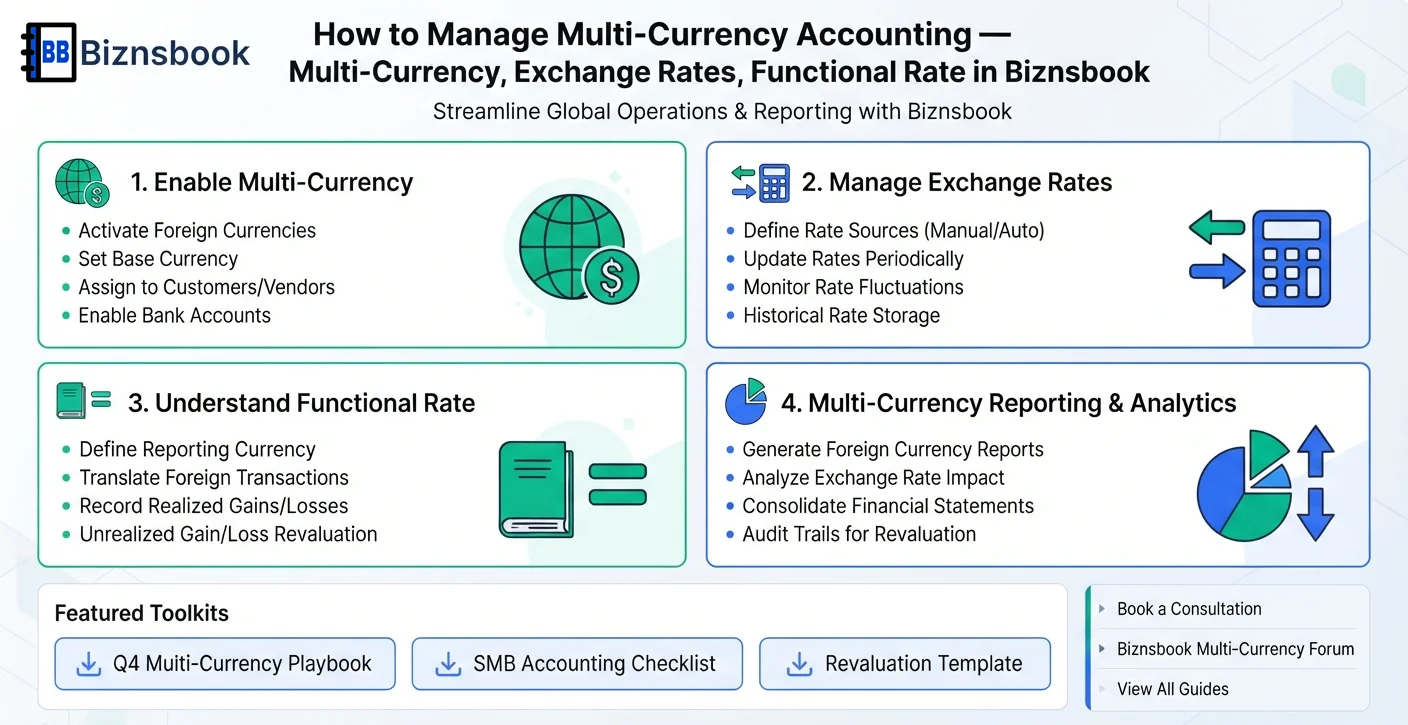
Biznsbook addresses this through multi-currency, exchange rates, functional rate when Accounting is enabled; add Finance Management, Taxation, Expense, Sales, or Purchase modules as your operating model requires.
Finance teams lose days each month reconciling versions that should never have diverged. Naming Biznsbook screens as the system of record — and closing periods when agreed — prevents silent edits that auditors flag immediately.
Step-by-step: Manage Multi-Currency Accounting
Designed for owners, bookkeepers, and controllers who need repeatable month-end discipline. Adapt roles to team size — separation of duties matters more than headcount.
- Define currency policies. Set clear rules on transaction currency, rate sources, and approval for manual rate overrides.
- Capture rates at source. Use Biznsbook document headers to record currency and exchange rate at invoice or purchase entry time.
- Validate functional impact. Review translated values in ledger and tax-sensitive scenarios where functional rate may apply.
- Reconcile foreign balances. In Biznsbook, reconcile customer and supplier balances by currency before period close.
- Review statement consistency. Check that P&L, balance sheet, and cash views reflect expected currency effects for the period.
- Audit rate-change exceptions. Use Biznsbook controls and review logs to identify unusual rates or late-entry corrections.
- Train teams on cross-currency controls. Ensure finance and operations teams understand when and how to apply exchange and functional rates.
Review results after the first full monthly cycle. Adjust roles, mappings, or approvals where the same exception repeats.
Screen-level flows live in the Help Center. This guide focuses on the business process; help articles cover click-by-click navigation.
Common mistakes to avoid
- Mistake 1: Exchange rate entry practices vary by user and transaction type. Repeating this each month usually shows up first in trial balance or AR/AP aging.
- Mistake 2: Foreign-currency transactions are reconciled outside the ERP. Repeating this each month usually shows up first in trial balance or AR/AP aging.
- Mistake 3: Functional-rate implications are not reviewed in tax-sensitive flows. Repeating this each month usually shows up first in trial balance or AR/AP aging.
- Mistake 4: Cross-currency reporting checks are missing during period close. Repeating this each month usually shows up first in trial balance or AR/AP aging.
Track recurring exceptions in month-end notes; each should map to a control above.
Best practices that hold up as you scale
- Define currency policies — Set clear rules on transaction currency, rate sources, and approval for manual rate overrides.
- Capture rates at source — Use Biznsbook document headers to record currency and exchange rate at invoice or purchase entry time.
- Validate functional impact — Review translated values in ledger and tax-sensitive scenarios where functional rate may apply.
- Reconcile foreign balances — In Biznsbook, reconcile customer and supplier balances by currency before period close.
- Review statement consistency — Check that P&L, balance sheet, and cash views reflect expected currency effects for the period.
Consistency beats heroics at month-end. A smaller team that closes the same calendar every month outperforms a larger team that posts sporadically.
How Biznsbook supports this workflow
multi-currency is documented in Biznsbook Accounting / Finance capabilities. Use it as part of a controlled finance process — posting, review, and period close — not as an isolated export. When Sales, Purchase, Inventory, Taxation, Expense, or Finance Management modules are enabled, related documents can post through the central accounting posting service with double-entry validation.
exchange rates is documented in Biznsbook Accounting / Finance capabilities. Use it as part of a controlled finance process — posting, review, and period close — not as an isolated export. When Sales, Purchase, Inventory, Taxation, Expense, or Finance Management modules are enabled, related documents can post through the central accounting posting service with double-entry validation.
functional rate is documented in Biznsbook Accounting / Finance capabilities. Use it as part of a controlled finance process — posting, review, and period close — not as an isolated export. When Sales, Purchase, Inventory, Taxation, Expense, or Finance Management modules are enabled, related documents can post through the central accounting posting service with double-entry validation.
Permissions are role-based: separate chart maintenance, journal creation, report viewing, period close, and bank reconciliation per tenant policy.
Suggested implementation timeline
- Week 1: Document current process gaps and configure multi-currency with finance owner sign-off.
- Weeks 2–3: Pilot on one month or one entity; post all test transactions through Biznsbook; freeze parallel spreadsheet journals.
- Week 4: Run first trial balance or report tie-out; fix mapping and permission issues.
- Month 2–3: Roll out to full team; add approvals and period close cadence from this guide.
- Ongoing: Monthly review using multi-currency control pack and leadership dashboard.
Metrics to track monthly
- Days to complete month-end close
- Unreconciled bank lines outstanding
- AR and AP aging buckets over 30/60/90 days
- Trial balance out-of-balance exceptions
- Manual journal count vs automated postings ratio
Start with three metrics; trend direction matters more than a single point-in-time snapshot.
Spreadsheet / manual books vs integrated ERP
Compare typical manual finance work with Biznsbook multi-currency and related capabilities.
| Capability | Manual / Spreadsheet | Biznsbook |
|---|---|---|
| Rate capture | ❌ Manual after-the-fact updates | ✅ Rate captured at transaction entry |
| Currency consistency | ❌ Mixed user practices | ✅ Defined multi-currency policy controls |
| Functional-rate handling | ❌ Unclear treatment | ✅ Documented review in tax-sensitive flows |
| Reconciliation | ❌ Spreadsheet tie-outs | ✅ System-based balance checks by currency |
| Reporting confidence | ❌ Frequent conversion adjustments | ✅ Cleaner statement alignment |
| Exception control | ❌ Hidden rate overrides | ✅ Trackable rate anomaly review |
Multi-currency control pack
Maintain a monthly checklist covering rate source validation, foreign balance reconciliation, and statement reasonableness review. Consistent controls prevent silent conversion drift.
Document this in your finance SOP and revisit each quarter as transaction volume or entity structure changes.
Frequently asked questions
What is the biggest multi-currency risk?
Inconsistent exchange-rate usage across transactions. It can create avoidable differences in receivables, payables, and final statements.
Should rates be entered at invoice time?
Yes. Capturing rates at source improves traceability and reduces adjustment workload during close.
Where does functional rate matter?
It matters in tax and reporting contexts where transaction currency must be translated to the reporting currency consistently.
Can small businesses manage multi-currency reliably?
Yes, with clear data-entry rules, routine reconciliations, and report-level validation before period lock.
How this differs by industry
Retail
Retail importers can reduce currency noise by standardizing rate entry on purchases and reconciling supplier balances frequently.
Wholesale & distribution
Wholesale distributors handling cross-border trade gain better control when currency policy, settlement routines, and reporting checks are enforced together.
Manufacturing
Manufacturers sourcing globally can protect margin accuracy by validating currency effects across material purchases and outbound invoicing.