How to Split Restaurant Checks at POS
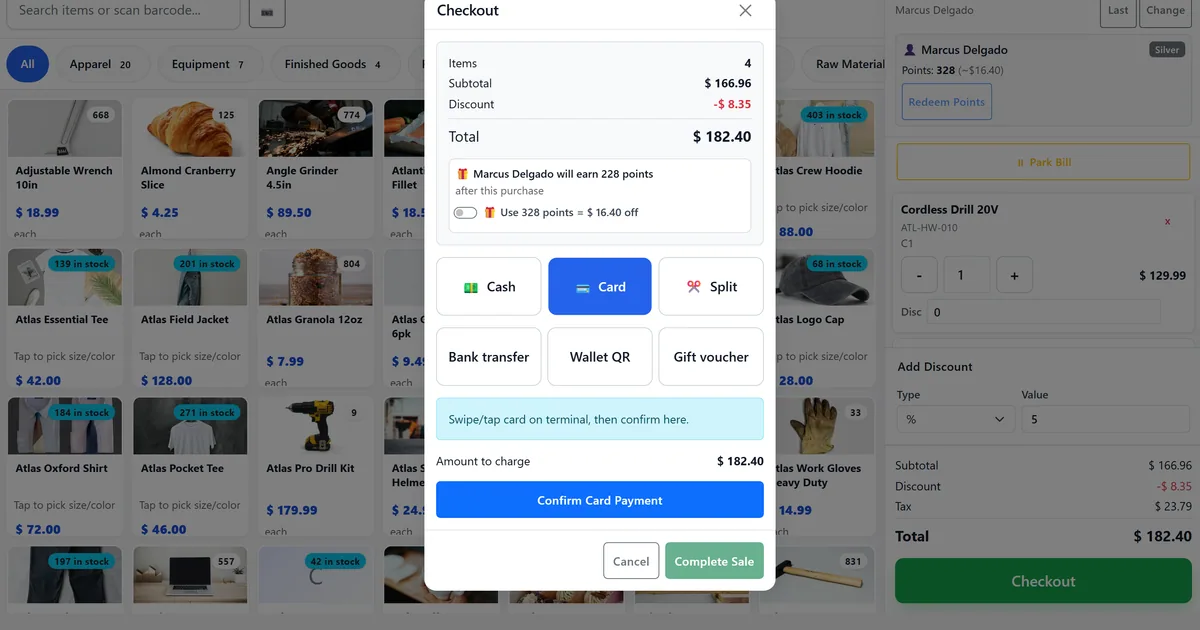
Split payments stall service and confuse kitchen
Parties ask to split after food is fired. Cashiers void and re-ring lines, creating duplicate kitchen tickets or unpaid remnants on the wrong guest.
Even-share tips and card payments are calculated on paper. One guest pays cash, another pays card, and the till never shows which share still has balance.
Without session-aware bills, revenue lands on the wrong table history and turn analytics understate covers for that seat.
Managers cannot explain table revenue when one party paid three ways but only one SaleBill remains on the session history.
Why this happens
- No table session — Split only appears when a sale is linked to an open table.
- Attempting to move every line off the source bill.
- Splitting after KDS tickets already fired, expecting kitchen to re-ticket.
- Closing the table before all share bills are settled.
Biznsbook addresses this through bill-split modal, item move to new check, even payment shares when Restaurant and POS are licensed — floor plans poll without SignalR, POS table sessions link sales, and KDS boards respect course hold/fire with ETag polling.
Finance teams lose days each month reconciling versions that should never have diverged. Naming Biznsbook screens as the system of record — and closing periods when agreed — prevents silent edits that auditors flag immediately.
Step-by-step: Split Restaurant Checks at POS
Built for hosts, cashiers, and kitchen leads running live floor plans, table sessions, bill split, and course-paced KDS in Biznsbook.
- Open or resume the table. From the POS floor selector, open Available or Reserved or resume Occupied or Billed so a table session exists.
- Ring and link the first sale. Complete at least one sale against the session so bills appear on GET table-sessions bills.
- Open Split on the table chip. Use the session banner chip Split to open the bill-split modal for that table session.
- Move selected items. Pick lines on a source bill and move them to a new check. Leave at least one item on the original bill; totals recalculate on both.
- Or split evenly. Choose 2–12 parts to create payment-share bills for equal amounts while items remain on the source bill.
- Settle each bill. Take payment on each check. Close or Cleaning is blocked while any linked bill still has unpaid balance.
- Prefer split before fire. When possible, split before sending courses to KDS so kitchen tickets match payment intent; after send, tickets stay on the original sale.
Review results after the first full weekly cycle. Adjust roles, mappings, or approvals where the same exception repeats.
Screen-level flows live in the Help Center. This guide focuses on the business process; help articles cover click-by-click navigation.
Common mistakes to avoid
- Mistake 1: No table session — Split only appears when a sale is linked to an open table. Repeating this each month usually shows up first in table turns, unpaid checks, or kitchen pacing.
- Mistake 2: Attempting to move every line off the source bill. Repeating this each month usually shows up first in table turns, unpaid checks, or kitchen pacing.
- Mistake 3: Splitting after KDS tickets already fired, expecting kitchen to re-ticket. Repeating this each month usually shows up first in table turns, unpaid checks, or kitchen pacing.
- Mistake 4: Closing the table before all share bills are settled. Repeating this each month usually shows up first in table turns, unpaid checks, or kitchen pacing.
Track recurring exceptions in month-end notes; each should map to a control above.
Best practices that hold up as you scale
- Open or resume the table — From the POS floor selector, open Available or Reserved or resume Occupied or Billed so a table session exists.
- Ring and link the first sale — Complete at least one sale against the session so bills appear on GET table-sessions bills.
- Open Split on the table chip — Use the session banner chip Split to open the bill-split modal for that table session.
- Move selected items — Pick lines on a source bill and move them to a new check.
- Or split evenly — Choose 2–12 parts to create payment-share bills for equal amounts while items remain on the source bill.
Teams that settle shares before Cleaning, Fire courses only when expo is ready, and review table analytics weekly keep turns and kitchen pacing aligned.
How Biznsbook supports this workflow
bill-split modal is documented in Biznsbook Restaurant capabilities. Use it as part of a controlled finance process — posting, review, and period close — not as an isolated export. When Sales, Purchase, Inventory, Taxation, Expense, or Finance Management modules are enabled, related documents can post through the central accounting posting service with double-entry validation.
item move to new check is documented in Biznsbook Restaurant capabilities. Use it as part of a controlled finance process — posting, review, and period close — not as an isolated export. When Sales, Purchase, Inventory, Taxation, Expense, or Finance Management modules are enabled, related documents can post through the central accounting posting service with double-entry validation.
even payment shares is documented in Biznsbook Restaurant capabilities. Use it as part of a controlled finance process — posting, review, and period close — not as an isolated export. When Sales, Purchase, Inventory, Taxation, Expense, or Finance Management modules are enabled, related documents can post through the central accounting posting service with double-entry validation.
Manage Floor Plan gates the editor; View covers Live View and POS table ops; ViewKDS operates boards; bill split and Fire use View (or ViewKDS for fire-course).
Suggested implementation timeline
- Week 1: Document current process gaps and configure bill-split modal with finance owner sign-off.
- Weeks 2–3: Pilot on one month or one entity; post all test transactions through Biznsbook; freeze parallel spreadsheet journals.
- Week 4: Run first trial balance or report tie-out; fix mapping and permission issues.
- Month 2–3: Roll out to full team; add approvals and period close cadence from this guide.
- Ongoing: Monthly review using bill-split tip and leadership dashboard.
Kitchen timing and settlement
Split before Fire whenever possible so kitchen tickets match payment ownership. After tickets exist, split still settles FOH payment but does not re-ticket the line — cooks keep working the original sale.
Mark Cleaning only after every share balance is paid. The same settlement guard that protects Close also keeps unpaid shares from vanishing into Closed status.
When a guest leaves early, item-move their lines first, settle that share, then continue service on the remaining check without reopening the floor selector.
Training script for cashiers
Teach a three-beat script: confirm table session chip, open Split, choose move or even, then settle each bill before Cleaning. Pair with the floor-plan guide so hosts understand why amber tables linger after partial payments.
Post a one-page card at the till listing the 2–12 even-share range and the leave-one-item rule so rush-hour mistakes drop without manager intervention.
Metrics to track monthly
- Tables Occupied Now and Bill Requested dashboard tiles
- Sessions closed only after linked bill balances settle
- Swap/merge events without orphaned KDS table numbers
- Course 2+ fired after starters clear (held lines cleared)
- KDS boards returning 304 on unchanged ticket polls
Start with three metrics; trend direction matters more than a single point-in-time snapshot.
Spreadsheet / manual books vs integrated ERP
Compare typical manual finance work with Biznsbook bill-split modal and related capabilities.
| Capability | Manual / Spreadsheet | Biznsbook |
|---|---|---|
| Item split | ❌ Void and re-ring | ✅ Move SaleBillItem rows to new bill |
| Even share | ❌ Calculator + cash tips | ✅ 2–12 payment-share bills |
| Kitchen impact | ❌ Duplicate tickets | ✅ Tickets stay on original sale after send |
| Table close | ❌ Close with open balance | ✅ Blocked until shares settled |
| Audit trail | ❌ Paper guest checks | ✅ Multiple SaleBills on one session |
| POS UX | ❌ Separate split app | ✅ Modal on table session chip |
Bill-split tip
Train cashiers to settle every share before Cleaning. Unpaid balance blocks close and keeps the table amber or purple until finance is clean. If a guest leaves early, item-move their lines first, settle that share, then continue service on the remaining check without reopening the floor selector.
Document this in your finance SOP and revisit each quarter as transaction volume or entity structure changes.
Frequently asked questions
Can I move every item off a bill?
No. At least one item must remain on the source bill when using item move.
Does even split re-issue stock?
No. Even-split creates payment-share bills only — no stock re-issue.
What happens to KDS after a split?
Prefer splitting before kitchen send. After tickets exist, they remain on the original sale; payment shares settle FOH only.
Who can split checks?
Restaurant.View with an active table session is enough for the POS bill-split APIs.
How many even-share parts can I create?
Between 2 and 12 payment-share bills on the same table session.
How this differs by industry
Retail
Full-service tables of four use item move so starters stay on one card and mains on another without re-entering the kitchen.
Wholesale & distribution
Private dining invoices use even shares for corporate guests who each need a receipt against the same banquet session.
Manufacturing
Franchise playbooks teach Split before Fire so course pacing and check ownership stay clear during training services.