How to Book a Field Visit Online
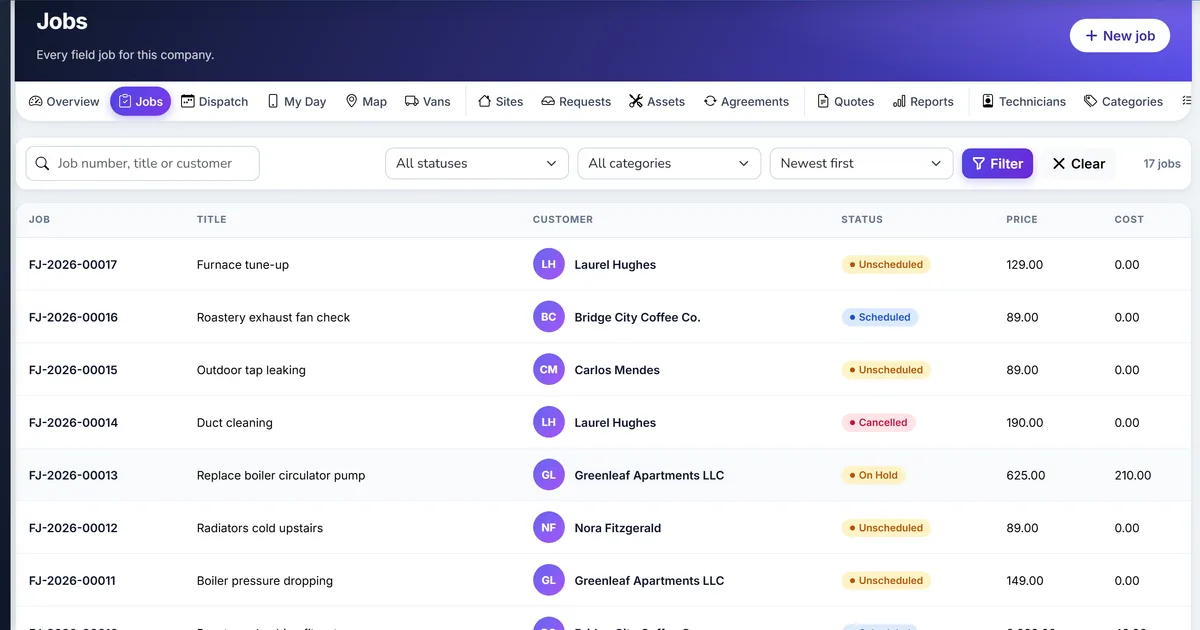
The web form creates a job nobody approved
A public form writes a confirmed visit, and the technician is booked before anyone has read the request.
The same address submits the form all afternoon and the queue fills with copies.
The request names a person who is already a party, and a second party is created.
Why this happens
- Approval is turned off when the office still needs to accept the work.
- The honeypot is removed from a copied form.
- The customer is not matched on email or phone before a new party is created.
- The booking page is confused with the appointment booking module at /book.
Biznsbook addresses this through Public booking page, approval queue, embed widget when Field Service is licensed. Customers are parties you already keep. The van is a warehouse. The invoice is one sale invoice for the job.
A second dispatcher, a van, and a deposit are where a private list drifts. Making Biznsbook the place that books the visit, issues the part, and raises the one invoice keeps those three on the same job.
Step-by-step: Book a Field Visit Online
Built for owners and dispatchers who send technicians to a customer site in Biznsbook Field Service.
- Turn the portal on. Settings hold the public slug and the portal switch. The page is /service/{your-slug}. It is not the Booking module page at /book. Field Service does not write Booking tables.
- Choose approval or instant booking. Portal requires approval is the default: new requests wait for the office. Turn it off and a request with a chosen window becomes a job and a booked visit straight away, assigned to a technician who is free, with a confirmation and a tracking link.
- Keep the form protections. The form includes a honeypot field. A limit of 20 requests an hour per address sits on the form. Those checks are part of the page, not a separate product.
- Convert or reject. The office converts a request into a party, a site, and a job, or rejects it. Matching uses email, then phone, so an existing party is reused. The company needs a country on file or the new party cannot be saved.
- Let customers pick a real window. The page lists arrival windows (the allocation window length from settings) between the lead time and the booking horizon. A window is offered only when a technician with the category’s skills works through it, is not on approved leave, and has the visit length free inside it, travel buffer included. The window is checked again when the form is sent.
- Embed the page. /service/widget/{slug}.js writes a frame of the booking page. Use it on your own site. The frame still posts to the same form.
- Tell the customer what happens next. With approval on, the request is not a confirmed visit. Say that in the message you send after conversion, using the confirmation template if that channel is on.
Review results after the first full weekly cycle. Adjust roles, mappings, or approvals where the same exception repeats.
Screen names in this guide match Field Service in the product: Home, Jobs, Dispatch, My day, Quotes, Agreements, and Settings.
Common mistakes to avoid
- Mistake 1: Approval is turned off when the office still needs to accept the work. Repeating this each month usually shows up first in double-booked visits, van counts, or a second invoice.
- Mistake 2: The honeypot is removed from a copied form. Repeating this each month usually shows up first in double-booked visits, van counts, or a second invoice.
- Mistake 3: The customer is not matched on email or phone before a new party is created. Repeating this each month usually shows up first in double-booked visits, van counts, or a second invoice.
- Mistake 4: The booking page is confused with the appointment booking module at /book. Repeating this each month usually shows up first in double-booked visits, van counts, or a second invoice.
Note each recurring gap in the weekly review. Each one should map to a step in this guide.
Best practices that hold up as you scale
- Turn the portal on — Settings hold the public slug and the portal switch.
- Choose approval or instant booking — Portal requires approval is the default: new requests wait for the office.
- Keep the form protections — The form includes a honeypot field.
- Convert or reject — The office converts a request into a party, a site, and a job, or rejects it.
- Let customers pick a real window — The page lists arrival windows (the allocation window length from settings) between the lead time and the booking horizon.
Teams that schedule on the board, issue parts from the van before they invoice, and refuse a second invoice keep the visit and the ledger on the same job.
How Biznsbook supports this workflow
Public booking page is part of Biznsbook Field Service for companies that send a person to a customer site. The customer is a party you already keep, the address you visit is a site, and the visit sits on a job. Parts move through a van warehouse. The bill is one sale invoice, and a deposit taken first is an advance on that same job. Technicians quote, invoice, or collect only when settings allow it.
approval queue is part of Biznsbook Field Service for companies that send a person to a customer site. The customer is a party you already keep, the address you visit is a site, and the visit sits on a job. Parts move through a van warehouse. The bill is one sale invoice, and a deposit taken first is an advance on that same job. Technicians quote, invoice, or collect only when settings allow it.
embed widget is part of Biznsbook Field Service for companies that send a person to a customer site. The customer is a party you already keep, the address you visit is a site, and the visit sits on a job. Parts move through a van warehouse. The bill is one sale invoice, and a deposit taken first is an advance on that same job. Technicians quote, invoice, or collect only when settings allow it.
Technicians do not quote, invoice, or collect unless those settings are on. Labour cost is for job costing and does not post a wage journal. Email sends through the company’s outbound email and SMS through the company’s own Twilio connection.
Suggested implementation timeline
- Week 1: License Field Service, add sites on the parties you already keep, and try Public booking page on one real job.
- Week 2: Create a van warehouse, transfer the stock that is in the van, and issue one part on a visit.
- Week 3: Schedule on the board, including one forced conflict, and complete a visit with the checklist rules you actually want.
- Week 4: Create the one sale invoice, apply a deposit if you took one, and turn the public page on if customers should request visits.
- Ongoing: Weekly review of unscheduled jobs, overdue complete-by times, and van items under minimum, using what the request does not include.
Approval, convert, schedule
The request is the queue. Convert creates the party if needed, the site, and the job. Reject leaves the request closed without a job. Turning approval off skips the queue: the job is created and, when the customer picked a window, the visit is booked with a technician who is free.
Windows are worked out from who is free: working hours, approved leave, skills, booked visits, and the travel buffer. If none fit, the customer can still send the request and the office calls back.
Tell the customer the request is received, not that a technician is already on the way. Confirmation, if you turn that message on, uses the job number and the time after you have scheduled a visit. The widget on your own site posts to the same request queue as the page at /service.
Metrics to track monthly
- Jobs still unscheduled past the attention window
- Jobs past their complete-by time
- Van items below the minimum you set
- Visits forced past a conflict
- Jobs completed and not yet invoiced
Start with three metrics; trend direction matters more than a single point-in-time snapshot.
Spreadsheet or paper day sheet vs Biznsbook Field Service
Compare a typical list of jobs with Biznsbook Public booking page and the rest of the field job.
| Capability | Manual / Spreadsheet | Biznsbook |
|---|---|---|
| What the customer submits | ❌ A confirmed job | ✅ A request, unless approval is off |
| Repeats | ❌ Unlimited posts | ✅ 20 an hour per address, plus a honeypot |
| Who the customer is | ❌ A new name every time | ✅ Email, then phone, against parties |
| Where it lives | ❌ The appointment book | ✅ /service, separate from /book |
| Embed | ❌ A copied form | ✅ A widget script that frames the page |
| Next step | ❌ A technician is already assigned | ✅ The office converts, then schedules |
What the request does not include
The public page does not optimise a route, take a tip, or open a CRM lead. Working hours come from the technician profile, not Labour Scheduling shifts. Tracking, quotes, payment, and reviews use their own links once there is a job.
Write this into the way the office hands work to technicians, and revisit it when you add a van or a second dispatcher.
Frequently asked questions
Does the public page confirm a time?
With approval off, yes: the chosen window is booked with a free technician and the customer gets a confirmation. With approval on, the office confirms it.
Is this the Booking module?
No. Appointments, classes, and stays stay at /book. Field visits use /service/{slug} and Field Service tables.
What stops a script filling the form?
A honeypot field and a limit of 20 requests an hour per address. The page does not add a captcha vendor.
Can the same person book under a new party?
Conversion matches email, then phone. A match reuses the party. A brand-new person needs a country on the company or the save fails.
How this differs by industry
Retail
An appliance shop that also repairs machines in the home can keep the customer as a party, the kitchen as a site, and the van as the warehouse the part comes out of.
Wholesale & distribution
A parts distributor that sends a technician with the delivery can issue the part from the van and still raise one sale invoice for that job.
Manufacturing
A plant that calls an outside technician can be the bill-to party while the site is the building the work was done in.