How to Manage Business Finances Without Spreadsheets
Why spreadsheet finance breaks at scale
Spreadsheets can look tidy until transaction volume rises. Different files for sales, purchases, and cash entries drift apart quickly, so finance spends more time reconciling versions than interpreting performance.
Manual journal entry from multiple departments introduces delays and posting mistakes. A single missing line can distort profit and loss, while duplicate entries overstate costs and confuse month-end decisions.
As the business grows, leadership needs dependable statements and audit traceability. Spreadsheet formulas and copy-paste workflows rarely provide document-level drill-down when accountants need to explain balances.
Why this happens
- Finance data is split across disconnected files maintained by different users.
- Posting depends on manual re-entry from operational documents.
- Chart of accounts governance is weak, so accounts are used inconsistently.
- No controlled period workflow exists for monthly close and reopen decisions.
Biznsbook addresses this through chart of accounts, automated posting, financial statements when Accounting is enabled; add Finance Management, Taxation, Expense, Sales, or Purchase modules as your operating model requires.
Finance teams lose days each month reconciling versions that should never have diverged. Naming Biznsbook screens as the system of record — and closing periods when agreed — prevents silent edits that auditors flag immediately.
Step-by-step: Manage Business Finances Without Spreadsheets
Designed for owners, bookkeepers, and controllers who need repeatable month-end discipline. Adapt roles to team size — separation of duties matters more than headcount.
- Standardize your chart structure. Define main, sub, and transaction accounts so each business event has a clear posting destination and reporting roll-up.
- Map source documents to system accounts. In Biznsbook, configure sales, purchase, inventory, and tax system accounts to automate debit-credit postings consistently.
- Stop duplicate manual journals. Use manual journals only for true adjustments, not daily re-keying of invoices already captured in operational modules.
- Review journals with source references. Use Biznsbook Journal Entry Viewer filters by reference type and date to verify unusual balances before close.
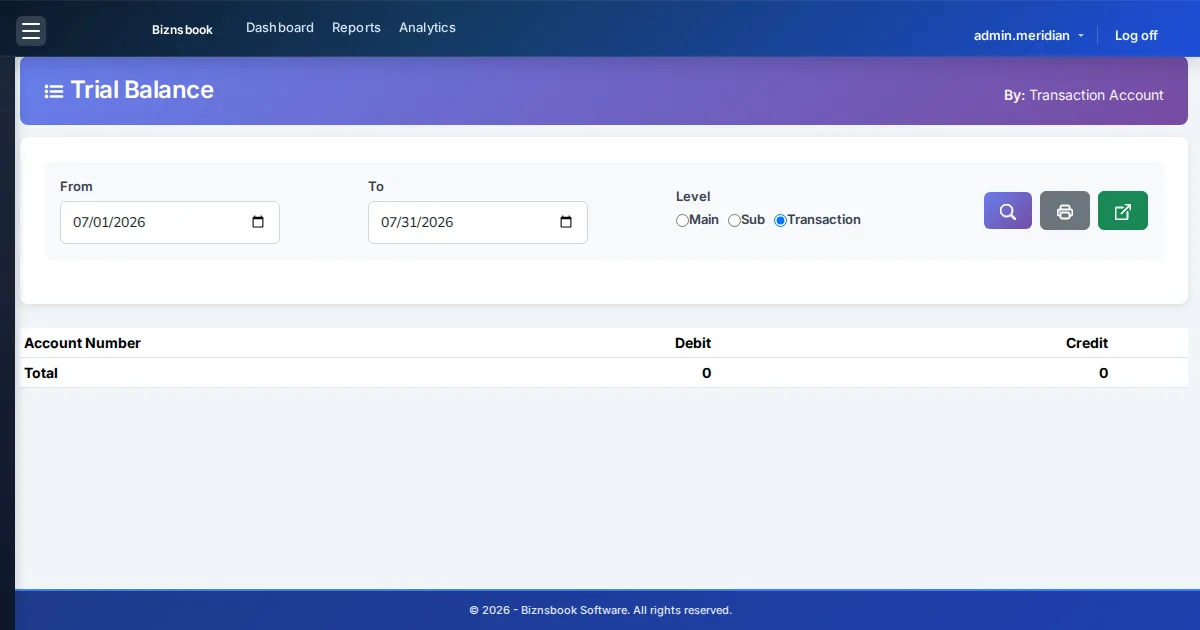
- Run statements from the same ledger. Generate trial balance, profit and loss, and balance sheet from one posting pipeline instead of separate files.
- Close periods with approval discipline. Use Biznsbook accounting period controls to close months after checks and restrict reopen to authorized users only.
- Measure close-cycle improvement. Track time to close, reconciliation adjustments, and suspense entries to prove process maturity over each quarter.
Review results after the first full monthly cycle. Adjust roles, mappings, or approvals where the same exception repeats.
Screen-level flows live in the Help Center. This guide focuses on the business process; help articles cover click-by-click navigation.
Common mistakes to avoid
- Mistake 1: Finance data is split across disconnected files maintained by different users. Repeating this each month usually shows up first in trial balance or AR/AP aging.
- Mistake 2: Posting depends on manual re-entry from operational documents. Repeating this each month usually shows up first in trial balance or AR/AP aging.
- Mistake 3: Chart of accounts governance is weak, so accounts are used inconsistently. Repeating this each month usually shows up first in trial balance or AR/AP aging.
- Mistake 4: No controlled period workflow exists for monthly close and reopen decisions. Repeating this each month usually shows up first in trial balance or AR/AP aging.
Track recurring exceptions in month-end notes; each should map to a control above.
Best practices that hold up as you scale
- Standardize your chart structure — Define main, sub, and transaction accounts so each business event has a clear posting destination and reporting roll-up.
- Map source documents to system accounts — In Biznsbook, configure sales, purchase, inventory, and tax system accounts to automate debit-credit postings consistently.
- Stop duplicate manual journals — Use manual journals only for true adjustments, not daily re-keying of invoices already captured in operational modules.
- Review journals with source references — Use Biznsbook Journal Entry Viewer filters by reference type and date to verify unusual balances before close.
- Run statements from the same ledger — Generate trial balance, profit and loss, and balance sheet from one posting pipeline instead of separate files.
Consistency beats heroics at month-end. A smaller team that closes the same calendar every month outperforms a larger team that posts sporadically.
How Biznsbook supports this workflow
chart of accounts is documented in Biznsbook Accounting / Finance capabilities. Use it as part of a controlled finance process — posting, review, and period close — not as an isolated export. When Sales, Purchase, Inventory, Taxation, Expense, or Finance Management modules are enabled, related documents can post through the central accounting posting service with double-entry validation.
automated posting is documented in Biznsbook Accounting / Finance capabilities. Use it as part of a controlled finance process — posting, review, and period close — not as an isolated export. When Sales, Purchase, Inventory, Taxation, Expense, or Finance Management modules are enabled, related documents can post through the central accounting posting service with double-entry validation.
financial statements is documented in Biznsbook Accounting / Finance capabilities. Use it as part of a controlled finance process — posting, review, and period close — not as an isolated export. When Sales, Purchase, Inventory, Taxation, Expense, or Finance Management modules are enabled, related documents can post through the central accounting posting service with double-entry validation.
Permissions are role-based: separate chart maintenance, journal creation, report viewing, period close, and bank reconciliation per tenant policy.
Suggested implementation timeline
- Week 1: Document current process gaps and configure chart of accounts with finance owner sign-off.
- Weeks 2–3: Pilot on one month or one entity; post all test transactions through Biznsbook; freeze parallel spreadsheet journals.
- Week 4: Run first trial balance or report tie-out; fix mapping and permission issues.
- Month 2–3: Roll out to full team; add approvals and period close cadence from this guide.
- Ongoing: Monthly review using when to retire spreadsheet finance and leadership dashboard.
Metrics to track monthly
- Days to complete month-end close
- Unreconciled bank lines outstanding
- AR and AP aging buckets over 30/60/90 days
- Trial balance out-of-balance exceptions
- Manual journal count vs automated postings ratio
Start with three metrics; trend direction matters more than a single point-in-time snapshot.
Spreadsheet / manual books vs integrated ERP
Compare typical manual finance work with Biznsbook chart of accounts and related capabilities.
| Capability | Manual / Spreadsheet | Biznsbook |
|---|---|---|
| Ledger source of truth | ❌ Multiple spreadsheet versions | ✅ Single posted ledger across modules |
| Chart governance | ❌ Ad hoc account additions | ✅ Structured main/sub/transaction accounts |
| Posting process | ❌ Manual re-entry of invoices | ✅ Automated posting from source transactions |
| Statement reliability | ❌ Formula and link risk | ✅ System-generated financial statements |
| Audit trail | ❌ Limited change history | ✅ Document-linked journal references |
| Period control | ❌ No formal lock process | ✅ Accounting period open/close workflow |
When to retire spreadsheet finance
If month-end close depends on copy-paste, staff cannot agree on final balances, or management asks for reports you cannot produce quickly, you have outgrown spreadsheets. A system-led accounting process improves control and confidence.
Document this in your finance SOP and revisit each quarter as transaction volume or entity structure changes.
Frequently asked questions
Can small businesses skip accounting software and stay on Excel?
Only briefly. Once transaction volume grows, Excel usually creates version conflicts, posting delays, and unreliable statements. A unified ledger is safer for compliance and decision-making.
What is the first setup step in Biznsbook Accounting?
Start with chart of accounts and system account mapping. This foundation ensures automated postings land correctly when invoices, receipts, and inventory events are recorded.
Do I still need manual journals?
Yes, but less often. Manual journals remain useful for adjustments, accruals, and corrections while routine operational transactions should post automatically.
How does this help audits?
Journal lines can be traced back to source references, making it easier to explain balances and support external audit requests with less manual evidence gathering.
How this differs by industry
Retail
Retail teams benefit when POS and sales activity posts to the same ledger as expenses and bank movements, reducing nightly spreadsheet consolidation.
Wholesale & distribution
Wholesale businesses can align purchase invoices, receivables, and party balances in one ledger, improving credit control and statement confidence.
Manufacturing
Manufacturers gain clearer margin analysis when inventory and production-linked postings flow directly into accounting statements without manual allocation files.