How to Manage Fixed Assets
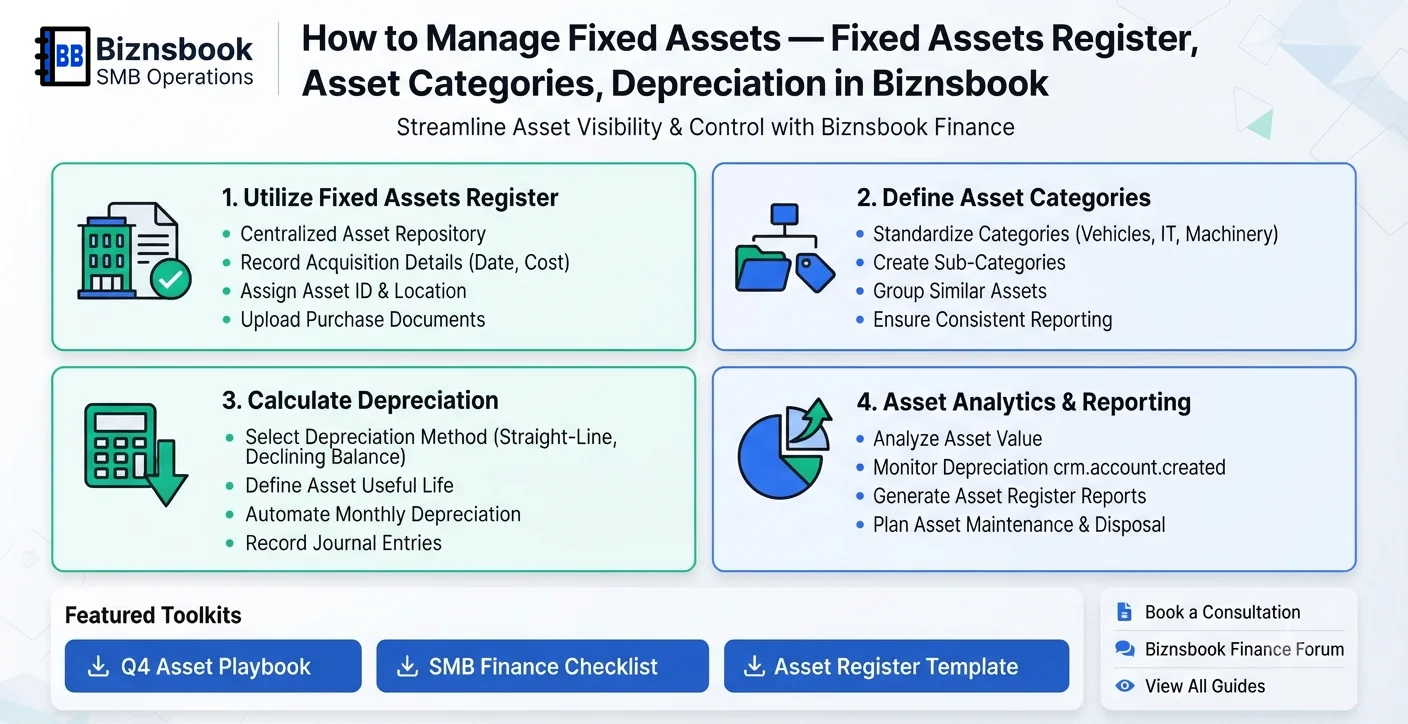
Fixed assets get recorded but not governed
Teams often capture purchases but skip ongoing control, causing depreciation, disposal, and audit issues later.
Inconsistent category usage creates unreliable totals for planning maintenance, insurance, and replacement budgets.
If register updates are delayed, financial statements can overstate asset values.
Why this happens
- Register updates are infrequent.
- Category standards are unclear.
- Depreciation checks are skipped.
- Finance Management module not in use.
Biznsbook addresses this through fixed assets register, asset categories, depreciation when Accounting is enabled; add Finance Management, Taxation, Expense, Sales, or Purchase modules as your operating model requires.
Finance teams lose days each month reconciling versions that should never have diverged. Naming Biznsbook screens as the system of record — and closing periods when agreed — prevents silent edits that auditors flag immediately.
Step-by-step: Manage Fixed Assets
Designed for owners, bookkeepers, and controllers who need repeatable month-end discipline. Adapt roles to team size — separation of duties matters more than headcount.
- Enable Finance Management access. Verify the module is active because fixed asset management features are delivered there.
- Standardize asset categories. Use consistent category policies for capitalization and reporting treatment.
- Maintain fixed assets register. Record acquisition date, value, location, and status for each item.
- Review depreciation schedule. Check monthly depreciation logic and ensure postings align with policy.
- Track disposals and transfers. Update the register immediately when assets move, retire, or are sold.
- Reconcile register to statements. Match fixed asset totals to financial reports before period close.
- Run periodic physical verification. Perform spot checks and annual counts to confirm register accuracy.
Review results after the first full monthly cycle. Adjust roles, mappings, or approvals where the same exception repeats.
Screen-level flows live in the Help Center. This guide focuses on the business process; help articles cover click-by-click navigation.
Common mistakes to avoid
- Mistake 1: Register updates are infrequent. Repeating this each month usually shows up first in trial balance or AR/AP aging.
- Mistake 2: Category standards are unclear. Repeating this each month usually shows up first in trial balance or AR/AP aging.
- Mistake 3: Depreciation checks are skipped. Repeating this each month usually shows up first in trial balance or AR/AP aging.
- Mistake 4: Finance Management module not in use. Repeating this each month usually shows up first in trial balance or AR/AP aging.
Track recurring exceptions in month-end notes; each should map to a control above.
Best practices that hold up as you scale
- Enable Finance Management access — Verify the module is active because fixed asset management features are delivered there.
- Standardize asset categories — Use consistent category policies for capitalization and reporting treatment.
- Maintain fixed assets register — Record acquisition date, value, location, and status for each item.
- Review depreciation schedule — Check monthly depreciation logic and ensure postings align with policy.
- Track disposals and transfers — Update the register immediately when assets move, retire, or are sold.
Consistency beats heroics at month-end. A smaller team that closes the same calendar every month outperforms a larger team that posts sporadically.
How Biznsbook supports this workflow
fixed assets register is documented in Biznsbook Accounting / Finance capabilities. Use it as part of a controlled finance process — posting, review, and period close — not as an isolated export. When Sales, Purchase, Inventory, Taxation, Expense, or Finance Management modules are enabled, related documents can post through the central accounting posting service with double-entry validation.
asset categories is documented in Biznsbook Accounting / Finance capabilities. Use it as part of a controlled finance process — posting, review, and period close — not as an isolated export. When Sales, Purchase, Inventory, Taxation, Expense, or Finance Management modules are enabled, related documents can post through the central accounting posting service with double-entry validation.
depreciation is documented in Biznsbook Accounting / Finance capabilities. Use it as part of a controlled finance process — posting, review, and period close — not as an isolated export. When Sales, Purchase, Inventory, Taxation, Expense, or Finance Management modules are enabled, related documents can post through the central accounting posting service with double-entry validation.
Permissions are role-based: separate chart maintenance, journal creation, report viewing, period close, and bank reconciliation per tenant policy.
Suggested implementation timeline
- Week 1: Document current process gaps and configure fixed assets register with finance owner sign-off.
- Weeks 2–3: Pilot on one month or one entity; post all test transactions through Biznsbook; freeze parallel spreadsheet journals.
- Week 4: Run first trial balance or report tie-out; fix mapping and permission issues.
- Month 2–3: Roll out to full team; add approvals and period close cadence from this guide.
- Ongoing: Monthly review using depreciation governance and leadership dashboard.
Metrics to track monthly
- Days to complete month-end close
- Unreconciled bank lines outstanding
- AR and AP aging buckets over 30/60/90 days
- Trial balance out-of-balance exceptions
- Manual journal count vs automated postings ratio
Start with three metrics; trend direction matters more than a single point-in-time snapshot.
Spreadsheet / manual books vs integrated ERP
Compare typical manual finance work with Biznsbook fixed assets register and related capabilities.
| Capability | Manual / Spreadsheet | Biznsbook |
|---|---|---|
| Register quality | ❌ Partial lists | ✅ Complete asset register |
| Category consistency | ❌ Mixed treatment | ✅ Standardized categories |
| Depreciation control | ❌ Manual checks | ✅ Scheduled review process |
| Disposal handling | ❌ Late updates | ✅ Immediate lifecycle entries |
| Close confidence | ❌ Frequent adjustments | ✅ Better first-pass accuracy |
| Audit readiness | ❌ Backtracking | ✅ Traceable asset history |
Depreciation governance
A reliable register plus monthly depreciation review prevents year-end cleanup and protects management reporting quality.
Document this in your finance SOP and revisit each quarter as transaction volume or entity structure changes.
Frequently asked questions
Is depreciation part of fixed asset management?
Yes, periodic depreciation is central to reporting accurate carrying values.
Do I need Finance Management for this?
Yes, fixed assets register workflows in Biznsbook require the Finance Management module.
How often should the register be updated?
Update it whenever lifecycle events occur, and review it at least monthly.
What happens if disposals are not recorded?
Statements may overstate assets and create compliance and audit problems.
How this differs by industry
Retail
Retail chains should map fixtures by store to simplify audit visits and refurbishment planning.
Wholesale & distribution
Wholesale operations should track forklifts and handling equipment with ownership and maintenance accountability.
Manufacturing
Manufacturers should prioritize machine-level records because utilization and depreciation directly affect cost analysis.