How to Prepare for Tax Season
Why tax season becomes stressful
Tax preparation often becomes a last-minute sprint when setup gaps are discovered near filing deadlines. Missing tax group assignments and mapping issues then require urgent corrections.
Manual tax tracking across modules makes liability visibility inconsistent. Finance may not trust output and input tax positions until extensive reconciliations are completed.
Without checklist-driven governance, compliance tasks depend on individual memory. Important validations can be skipped, increasing risk of late filing or inaccurate returns.
Why this happens
- Tax authorities, components, and groups are not reviewed regularly.
- Filing period status is not monitored until deadlines approach.
- Compliance tasks are unmanaged or undocumented.
- Tax positions are reconciled too late in the cycle.
Biznsbook addresses this through Taxation module, filing periods, compliance checklist when Accounting is enabled; add Finance Management, Taxation, Expense, Sales, or Purchase modules as your operating model requires.
Finance teams lose days each month reconciling versions that should never have diverged. Naming Biznsbook screens as the system of record — and closing periods when agreed — prevents silent edits that auditors flag immediately.
Step-by-step: Prepare for Tax Season
Designed for owners, bookkeepers, and controllers who need repeatable month-end discipline. Adapt roles to team size — separation of duties matters more than headcount.
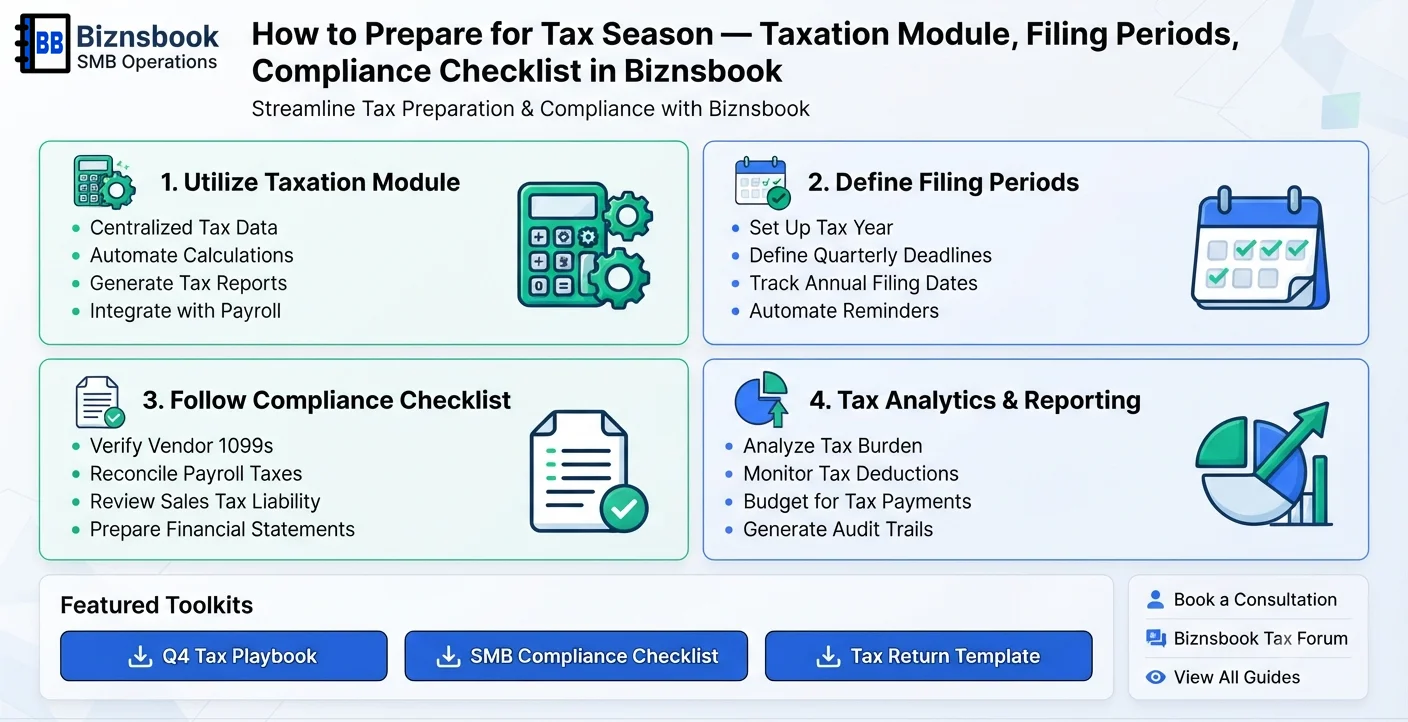
- Refresh tax master data. Review tax authorities, component rates, and group assignments for current legal requirements.
- Validate filing period readiness. In Biznsbook Taxation, check filing periods by status and resolve draft issues before submission windows.
- Run compliance checklist weekly. Use compliance checklist items to catch overdue filings, missing mappings, and control gaps early.
- Reconcile tax positions. Compare output and input tax trends and investigate anomalies before generating filing packs.
- Review adjustment approvals. Ensure tax adjustments follow approval workflow and supporting documentation standards.
- Export filing evidence. Generate Biznsbook filing reports with PDF or Excel support for internal review and submission preparation.
- Document submission outcomes. Record filed, amended, and payment statuses so next period starts with a clean control baseline.
Review results after the first full monthly cycle. Adjust roles, mappings, or approvals where the same exception repeats.
Screen-level flows live in the Help Center. This guide focuses on the business process; help articles cover click-by-click navigation.
Common mistakes to avoid
- Mistake 1: Tax authorities, components, and groups are not reviewed regularly. Repeating this each month usually shows up first in trial balance or AR/AP aging.
- Mistake 2: Filing period status is not monitored until deadlines approach. Repeating this each month usually shows up first in trial balance or AR/AP aging.
- Mistake 3: Compliance tasks are unmanaged or undocumented. Repeating this each month usually shows up first in trial balance or AR/AP aging.
- Mistake 4: Tax positions are reconciled too late in the cycle. Repeating this each month usually shows up first in trial balance or AR/AP aging.
Track recurring exceptions in month-end notes; each should map to a control above.
Best practices that hold up as you scale
- Refresh tax master data — Review tax authorities, component rates, and group assignments for current legal requirements.
- Validate filing period readiness — In Biznsbook Taxation, check filing periods by status and resolve draft issues before submission windows.
- Run compliance checklist weekly — Use compliance checklist items to catch overdue filings, missing mappings, and control gaps early.
- Reconcile tax positions — Compare output and input tax trends and investigate anomalies before generating filing packs.
- Review adjustment approvals — Ensure tax adjustments follow approval workflow and supporting documentation standards.
Consistency beats heroics at month-end. A smaller team that closes the same calendar every month outperforms a larger team that posts sporadically.
How Biznsbook supports this workflow
Taxation module is documented in Biznsbook Accounting / Finance capabilities. Use it as part of a controlled finance process — posting, review, and period close — not as an isolated export. When Sales, Purchase, Inventory, Taxation, Expense, or Finance Management modules are enabled, related documents can post through the central accounting posting service with double-entry validation.
filing periods is documented in Biznsbook Accounting / Finance capabilities. Use it as part of a controlled finance process — posting, review, and period close — not as an isolated export. When Sales, Purchase, Inventory, Taxation, Expense, or Finance Management modules are enabled, related documents can post through the central accounting posting service with double-entry validation.
compliance checklist is documented in Biznsbook Accounting / Finance capabilities. Use it as part of a controlled finance process — posting, review, and period close — not as an isolated export. When Sales, Purchase, Inventory, Taxation, Expense, or Finance Management modules are enabled, related documents can post through the central accounting posting service with double-entry validation.
Permissions are role-based: separate chart maintenance, journal creation, report viewing, period close, and bank reconciliation per tenant policy.
Suggested implementation timeline
- Week 1: Document current process gaps and configure Taxation module with finance owner sign-off.
- Weeks 2–3: Pilot on one month or one entity; post all test transactions through Biznsbook; freeze parallel spreadsheet journals.
- Week 4: Run first trial balance or report tie-out; fix mapping and permission issues.
- Month 2–3: Roll out to full team; add approvals and period close cadence from this guide.
- Ongoing: Monthly review using pre-filing readiness score and leadership dashboard.
Metrics to track monthly
- Days to complete month-end close
- Unreconciled bank lines outstanding
- AR and AP aging buckets over 30/60/90 days
- Trial balance out-of-balance exceptions
- Manual journal count vs automated postings ratio
Start with three metrics; trend direction matters more than a single point-in-time snapshot.
Spreadsheet / manual books vs integrated ERP
Compare typical manual finance work with Biznsbook Taxation module and related capabilities.
| Capability | Manual / Spreadsheet | Biznsbook |
|---|---|---|
| Tax setup governance | ❌ One-time static setup | ✅ Ongoing authority/component/group review |
| Deadline control | ❌ Calendar reminders only | ✅ Filing period status workflow |
| Compliance execution | ❌ Memory-based tasks | ✅ Checklist-driven controls |
| Liability visibility | ❌ Manual reconciliations | ✅ Dashboard and trend insights |
| Adjustment discipline | ❌ Unapproved journal changes | ✅ Tax adjustment approvals |
| Filing evidence | ❌ Scattered report exports | ✅ Structured filing report outputs |
Pre-filing readiness score
Track completion rate for checklist items, unresolved tax exceptions, and pending approvals. A simple readiness score highlights whether your team is truly submission-ready.
Document this in your finance SOP and revisit each quarter as transaction volume or entity structure changes.
Frequently asked questions
What should be checked first before tax filing?
Start with tax master data integrity and filing period status. Incorrect setup can invalidate calculations and delay submissions.
How does a compliance checklist help?
It provides actionable controls for overdue tasks, missing tax mappings, and risk items, reducing reliance on memory.
Can tax reports be exported for review?
Yes. Filing reports can be generated and exported in formats suitable for internal review and documentation.
Should tax preparation happen only near deadlines?
No. Continuous preparation throughout the period dramatically lowers filing stress and correction workload.
How this differs by industry
Retail
Retail businesses can reduce filing pressure by reviewing tax positions frequently across high-volume sales and refund activity.
Wholesale & distribution
Wholesale teams benefit from structured filing period management where cross-state or multi-channel transactions increase tax complexity.
Manufacturing
Manufacturers improve compliance by validating tax mappings on purchases, production-related costs, and sale flows before filing deadlines.