How to Raise a Purchase Requisition
Why purchase requests get lost before anyone orders
A purchase often starts as a message. Someone needs cartons, a spare part, or a service, and they ask a buyer in chat or email. The buyer then types a purchase order from memory. When the request was never a record, nobody can see who asked, why, or whether it was approved.
Spreadsheets do not fix that on their own. A row can be edited after the order is placed, two people can request the same item, and the purchase order in the buying system has no link back to the request. Finance later sees a bill with no story.
A requisition is the record that sits in front of the purchase order. It names the items, the quantity, the estimated price, the reason, and, when you know them, the supplier and the warehouse. Approval happens on that record. The purchase order is created only after that.
Why this happens
- Requests live in email, so the buyer retypes them.
- A line has no inventory item, so it cannot become a purchase order line.
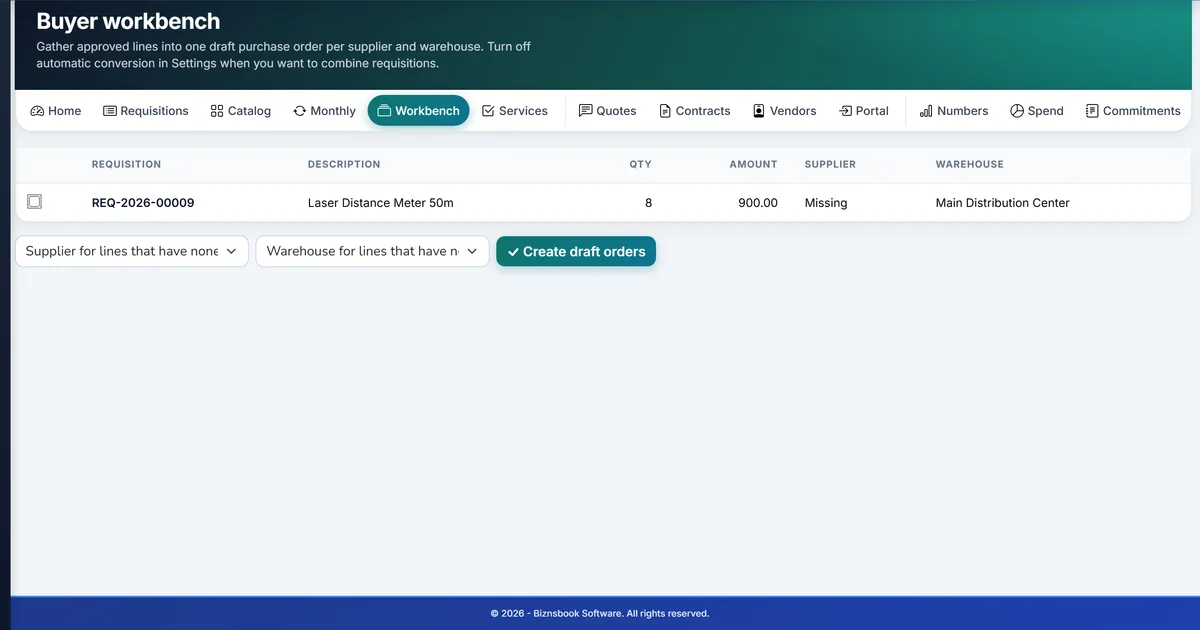
- Supplier or warehouse is missing, so an approved request cannot convert.
- The same person both requests and approves the buy.
Biznsbook addresses this through item lines on one requisition, a written reason for the buy, a preferred supplier and deliver-to warehouse, draft then submit in the Procurement module. The module creates a draft purchase order in Purchase. It does not receive stock and it does not post journals.
Buying problems rarely come from one large order. They come from requests that were approved in email, retyped, and then impossible to match. One requisition, with the decision and the draft order attached, removes that gap.
Step-by-step: Raise a Purchase Requisition
Written for buyers and approvers who need a request on record before a purchase order. The steps follow Procurement in Biznsbook.
- Open a new requisition. Go to Procurement, then Requisitions, and choose New requisition. The number looks like REQ-2026-00001. The prefix is set in Settings and defaults to REQ.
- Add the supplier and warehouse if you know them. A preferred supplier and a deliver-to warehouse are optional at this point. Both are required later if the approved requisition should become a purchase order on its own.
- Write why the purchase is needed. The reason stays on the requisition so an approver can decide without opening the original email.
- Add a department or cost center only when a budget uses them. These ids are used when a budget is limited to that department or cost center. Leave them blank for a company-wide budget.
- Add item lines. Every line needs an inventory item, a description, a quantity, and an estimated unit price. Service items are allowed. Free-text lines are not, because a purchase order line must be an item.
- Force quotes only when this buy should be sourced. Tick Send for quotes even under the threshold when a small buy should still go out for quotes. A blank sourcing threshold never forces quotes by amount.
- Save, then submit. Save keeps a draft you can edit or delete. Submit moves it to pending approval. There is no separate submitted status.
Review results after the first full monthly cycle. Adjust roles, mappings, or approvals where the same exception repeats.
Inside Biznsbook, open Procurement and then Guide for the seven setup checks. This article explains the business process behind those screens.
Common mistakes to avoid
- Mistake 1: Requests live in email, so the buyer retypes them. Repeating this each month usually shows up first in a purchase that skipped approval or no longer matches the request.
- Mistake 2: A line has no inventory item, so it cannot become a purchase order line. Repeating this each month usually shows up first in a purchase that skipped approval or no longer matches the request.
- Mistake 3: Supplier or warehouse is missing, so an approved request cannot convert. Repeating this each month usually shows up first in a purchase that skipped approval or no longer matches the request.
- Mistake 4: The same person both requests and approves the buy. Repeating this each month usually shows up first in a purchase that skipped approval or no longer matches the request.
Each of these shows up as an order that does not match the request, or a request nobody can find. Fix it on the requisition rather than with another spreadsheet tab.
Best practices that hold up as you scale
- Open a new requisition — Go to Procurement, then Requisitions, and choose New requisition.
- Add the supplier and warehouse if you know them — A preferred supplier and a deliver-to warehouse are optional at this point.
- Write why the purchase is needed — The reason stays on the requisition so an approver can decide without opening the original email.
- Add a department or cost center only when a budget uses them — These ids are used when a budget is limited to that department or cost center.
- Add item lines — Every line needs an inventory item, a description, a quantity, and an estimated unit price.
Keep the request, the approval, and the draft purchase order on the same requisition. Purchase still approves, receives, and bills the order.
How Biznsbook supports this workflow
item lines on one requisition is part of Biznsbook Procurement. It stays on the requisition or the request for quote until a draft purchase order is created in Purchase. Procurement does not receive goods and does not post a journal.
a written reason for the buy is part of Biznsbook Procurement. It stays on the requisition or the request for quote until a draft purchase order is created in Purchase. Procurement does not receive goods and does not post a journal.
a preferred supplier and deliver-to warehouse is part of Biznsbook Procurement. It stays on the requisition or the request for quote until a draft purchase order is created in Purchase. Procurement does not receive goods and does not post a journal.
draft then submit is part of Biznsbook Procurement. It stays on the requisition or the request for quote until a draft purchase order is created in Purchase. Procurement does not receive goods and does not post a journal.
Access is permission-based. Procurement Manager covers requisitions, requests for quote, budgets, and settings. Buyer can create and submit requisitions and run requests for quote. Procurement Approver can view and approve assigned requisitions. Company Admin keeps full access. There is no separate reports screen in this release.
Suggested implementation timeline
- Week 1: License Procurement with Purchase, save Settings once, and confirm the approval workflow. Then try item lines on one requisition.
- Week 2: Pilot with one buyer and one approver: raise a real requisition, approve it, and leave the purchase order in Draft until Purchase approval runs.
- Week 3: Add a budget row or leave the mode on Warn, and send one request for quote if you compare suppliers.
- Month 2: Assign Buyer, Procurement Approver, and Procurement Manager. Retire the request spreadsheet for new buys.
- Ongoing: Monthly review using what to check before you submit.
Metrics to track monthly
- Requisitions waiting for approval longer than the escalation hours
- Approved requisitions that still have no purchase order
- Requests for quote past their deadline
- Requisitions warned or blocked by a budget
Start with three metrics; trend direction matters more than a single point-in-time snapshot.
Spreadsheets and email vs Biznsbook Procurement
Compare a typical email-and-spreadsheet buying process with Biznsbook item lines on one requisition and the related Procurement capabilities.
| Capability | Manual / Spreadsheet | Biznsbook |
|---|---|---|
| Where the request lives | ❌ Email or a shared sheet | ✅ A numbered requisition |
| What can be ordered | ❌ Any text the buyer types | ✅ An inventory item, including a service item |
| Who asked and why | ❌ Buried in a thread | ✅ On the requisition |
| Before it is sent | ❌ The buyer starts the order | ✅ A draft that can still be edited or deleted |
| After submit | ❌ No status anyone else can see | ✅ Pending approval |
| Stock and accounts | ❌ Sometimes updated from the sheet | ✅ Unchanged until Purchase receives and bills |
What to check before you submit
Confirm every line is an item, the quantity is greater than zero, and the estimated price is the one you want on the draft purchase order. If this buy must be quoted, tick the sourcing option or set a sourcing threshold in Settings first. If no approval workflow applies, submit is refused and the requisition stays a draft.
Write the rule into your buying policy so requesters, approvers, and buyers follow the same steps, and revisit it each quarter.
Frequently asked questions
Can I raise a requisition without a supplier?
Yes. Supplier and warehouse can wait. The requisition can still be submitted. It will not become a purchase order until both are set, unless you are awarding a request for quote.
Can a line be free text?
No. Every line must be an inventory item before submit, including service items. A purchase order line has to be an item.
What number will I see?
Numbers look like REQ-2026-00001. Settings controls the prefix, which defaults to REQ.
Does submit create a purchase order?
No. Submit moves the requisition to pending approval. A draft purchase order is created only after approval, and only when sourcing is not required and both supplier and warehouse are set.
Who can create a requisition?
A Buyer or a Procurement Manager can create, edit, and submit. A Buyer cannot delete. Company Admin can do all of it.
Does Procurement receive the goods?
No. Procurement does not receive stock and does not post journals. Purchase still approves, receives, and bills the draft order.
How this differs by industry
Retail
A store lead requests shelf stock or a repair service as item lines, with the store warehouse as the deliver-to location, so the buyer is not rebuilding the list from a text message.
Wholesale & distribution
A salesperson requests a customer-specific buy against a preferred supplier. The requisition keeps the reason and the estimated price until an approver signs it off.
Manufacturing
A planner requests components that are inventory items. Manufacturing MRP can also mirror its own requisition into Procurement when the bridge is on.