Procurement

Ask, Approve, Then Hand Purchase a Draft Order

2:43 walkthrough of Biznsbook ProcurementLiked it? Start free →

Biznsbook Procurement is the step before a purchase order. People request items, someone else approves, and the module creates a draft purchase order in Purchase. It does not receive stock and it does not post journals. It is an optional add-on at $10 per month. You can leave it unticked.

1 month free on every planChoose any plan to startExplore the free demo account →

Requisitions Approvals Budgets Requests for quote

What Is Procurement?

Procurement collects the request, the approval, the budget check, and the supplier quotes. Purchase still owns the purchase order, the goods receipt, and the supplier bill.

  • ✓One requisition, several items — Every line is an inventory item, including a service item. Free-text lines are not allowed.
  • ✓Someone else approves — Role, named user, reporting manager, or department head. The requester cannot approve their own requisition.
  • ✓A budget that warns or blocks — Off, warn, or block. It does not post a journal.
  • ✓Quotes without the target price — Suppliers open a link. No login. The page does not show your estimated price.

Biznsbook Procurement at a glance

Best for
Buyers who want a requisition, an approval, and supplier quotes before a draft purchase order
Works with
Purchase, Inventory, Warehouse, Manufacturing and the rest of Biznsbook
Free trial
1 month free on every plan. See plans and pricing
Access
Cloud software in any modern browser, on desktop, tablet or phone

What You Can Run from Procurement

The sidebar appears only when both Procurement and Purchase are licensed. Purchase approval, receiving, and billing stay in Purchase.

Requisitions

A reason, an optional supplier, an optional warehouse, and item lines with a quantity and an estimated price. Numbers look like REQ-2026-00001.

  • ✓ Draft, then submit
  • ✓ Pending approval, approved, or pending sourcing
  • ✓ Reject, then revise into a new round
  • ✓ Service items, not free text

Approvals

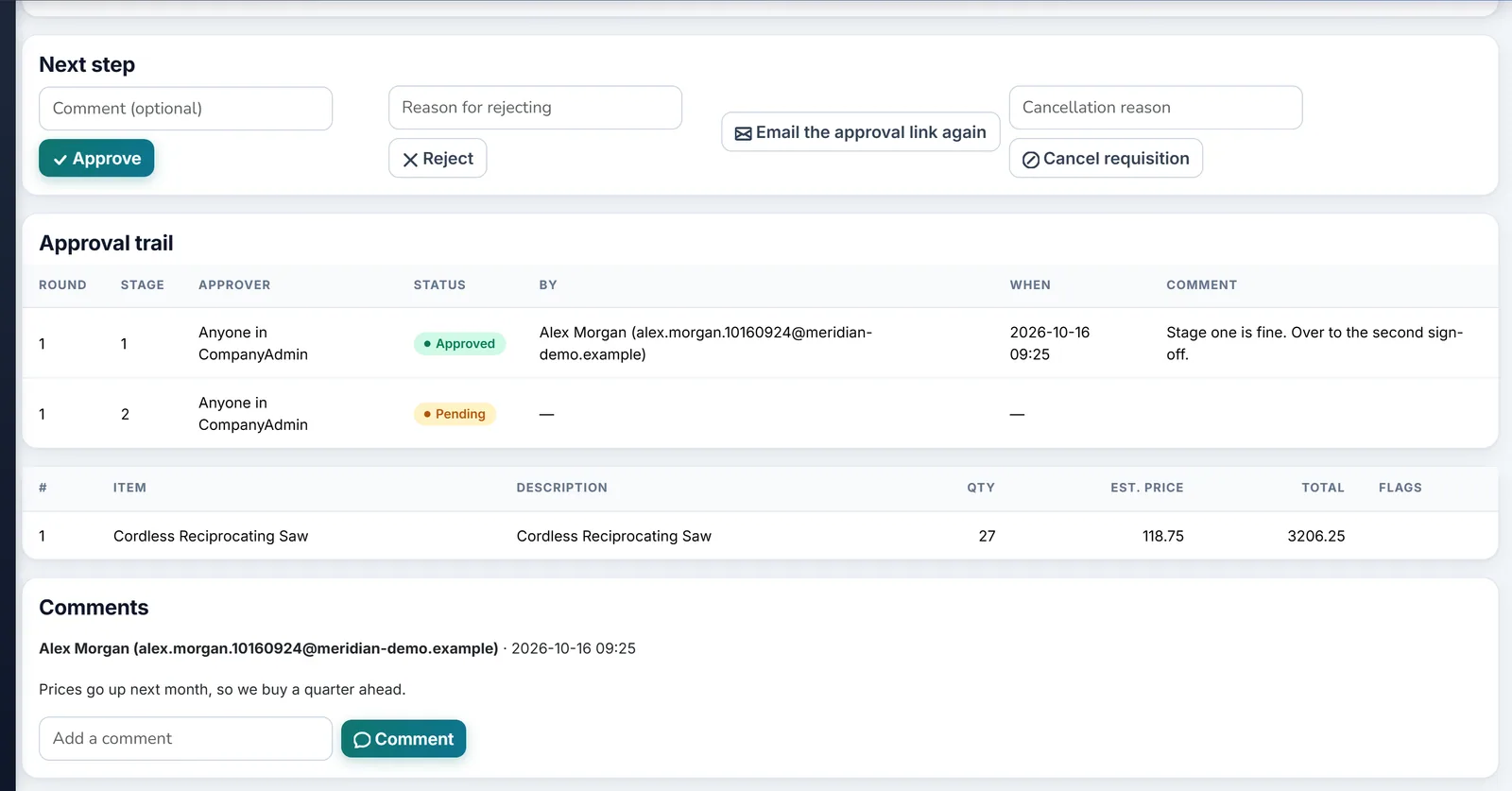
Stages run in order. Licensing starts you with one stage: anyone in the Company Admin role. Delegation covers a date range. Escalation marks a late approval and does not reassign it.

  • ✓ Role, user, manager, or department head
  • ✓ Manager stages need HRMS
  • ✓ No workflow means submit is refused
  • ✓ Hourly escalation, default 48 hours

Budgets

Annual, quarterly, or monthly, with an optional department or cost center. The most specific row wins. Pending requisitions and linked orders that are not cancelled count.

  • ✓ Warn is the default
  • ✓ Block refuses submit
  • ✓ Partial award can skip a supplier group
  • ✓ Not an expense budget

Requests for Quote

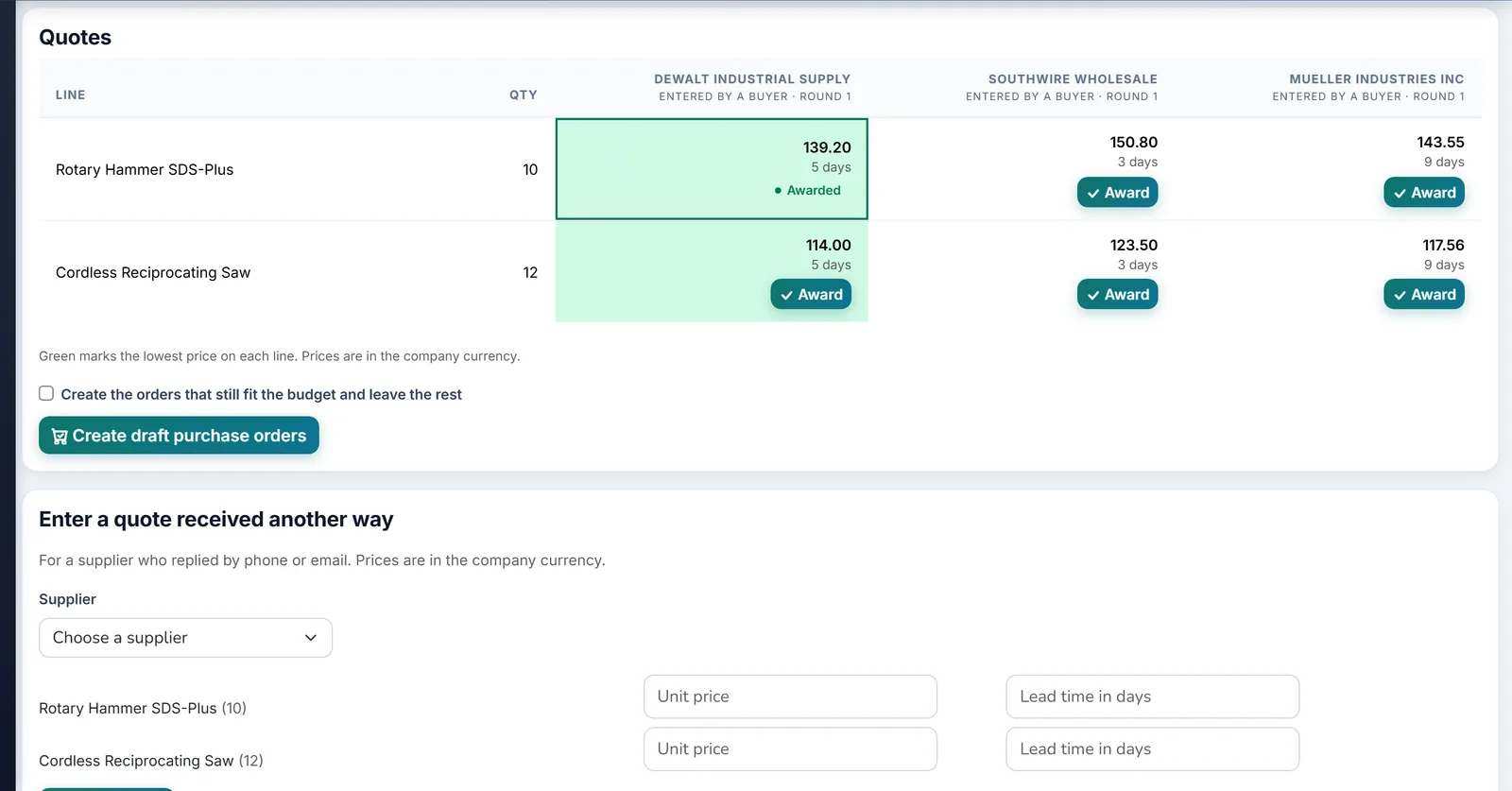
Pick pending-sourcing lines, set a deadline, and send a link. A buyer can also type a quote that arrived by email. Award one quote per line.

  • ✓ A live request holds the line
  • ✓ Sending again replaces the quote
  • ✓ One draft order per awarded supplier
  • ✓ No weighted score or sealed bid

Draft Purchase Order

Auto-convert is on by default. It runs only when the requisition has a supplier and a warehouse and does not need quotes. Otherwise it stays Approved until a buyer converts it.

  • ✓ One supplier on the direct path
  • ✓ The order stays Draft
  • ✓ Purchase still approves it
  • ✓ Requisition node on the order, receipt, and bill

Replenishment and MRP

When the bridge is on, a requisition from Inventory replenishment or Manufacturing MRP is copied in and submitted. The old row is not marked approved.

  • ✓ Bridge on by default
  • ✓ Old approve and reject are blocked
  • ✓ Work in progress is unchanged
  • ✓ Turn the bridge off before you drop the licence

See Biznsbook Procurement in action

Real screens from a Biznsbook demo company, not mock-ups.

Biznsbook RFQ comparison of supplier quotes side by side

RFQ Comparison

Biznsbook RFQ comparison of supplier quotes side by side.

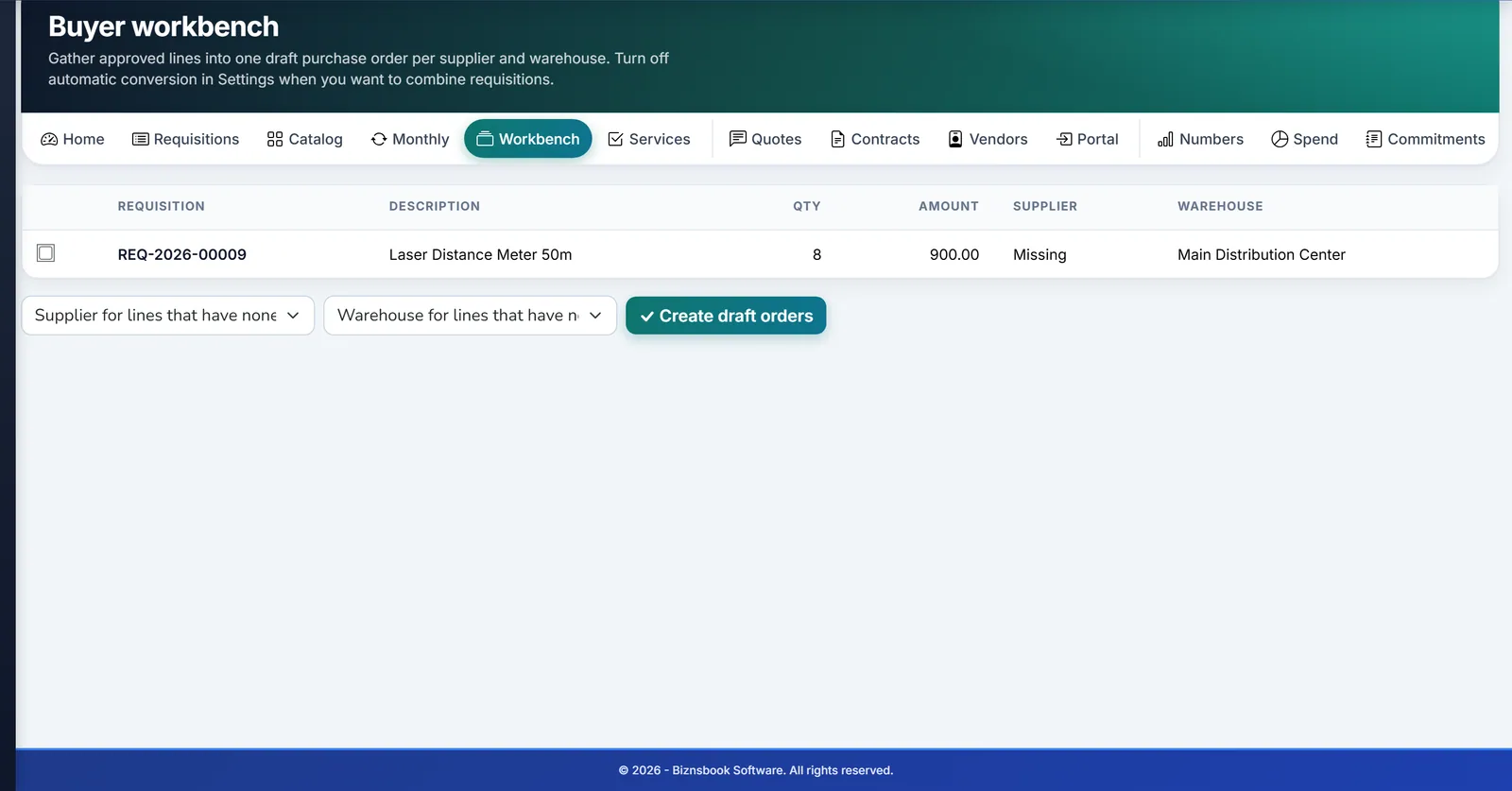
Biznsbook buyer workbench with approved requisitions ready to order

Buyer Workbench

Biznsbook buyer workbench with approved requisitions ready to order.

Biznsbook requisition with a two-stage approval trail

Two-stage Approval

Biznsbook requisition with a two-stage approval trail.

How a Buy Moves

1

Request

Items, a reason, and a supplier and warehouse when you know them.

2

Approve

The assigned person acts. The requester cannot approve their own requisition.

3

Quote, if you must

Over the threshold, or when you force it, the buy waits for quotes.

4

Draft order

Purchase receives a Draft order. Receipts and bills stay there.

Questions

Do I have to buy Procurement?

No. It is an optional add-on at $10 per month. It needs Purchase. Choosing it also selects Inventory, Sales, and Purchase when those are not already included. Leave it unticked if you only want purchase orders.

Does Procurement receive goods or post journals?

No. The only hand-off is a draft purchase order. Purchase still approves, receives, and bills. Budgets warn or block without posting to the ledger.

Can the requester approve?

No. Approve permission is not enough by itself. The person must be the assigned approver, a member of the assigned role, or an active delegate, and they cannot be the requester.

What is not included?

Contracts, commitment journals, vendor onboarding, a supplier portal, spend analytics, a reports screen, weighted quote scores, sealed bids, and multi-currency quote comparison are not in this release.

Who can do what?

Procurement Manager covers requisitions, requests for quote, budgets, and settings. Buyer can create and submit requisitions and can send and award quotes, and cannot delete or change budgets. Procurement Approver can view and approve assigned requisitions.

Is there a free trial of Biznsbook Procurement?

Yes. Every Biznsbook plan starts with a 1-month free trial. Choose a plan on the pricing page and your first month is free. Prefer a guided tour first? Book a demo and we will walk you through Procurement.

Try Biznsbook Procurement free for a month

Start a 1-month free trial on any plan and run Procurement together with the rest of your business: one platform, one login.

1 month free on every planChoose any plan to startExplore the free demo account →

See a Requisition Become a Draft Purchase Order

Raise a request, approve it, and open the draft order in Purchase.

Start free trialBook a demo