How to Reimburse Employee Expenses Without Errors
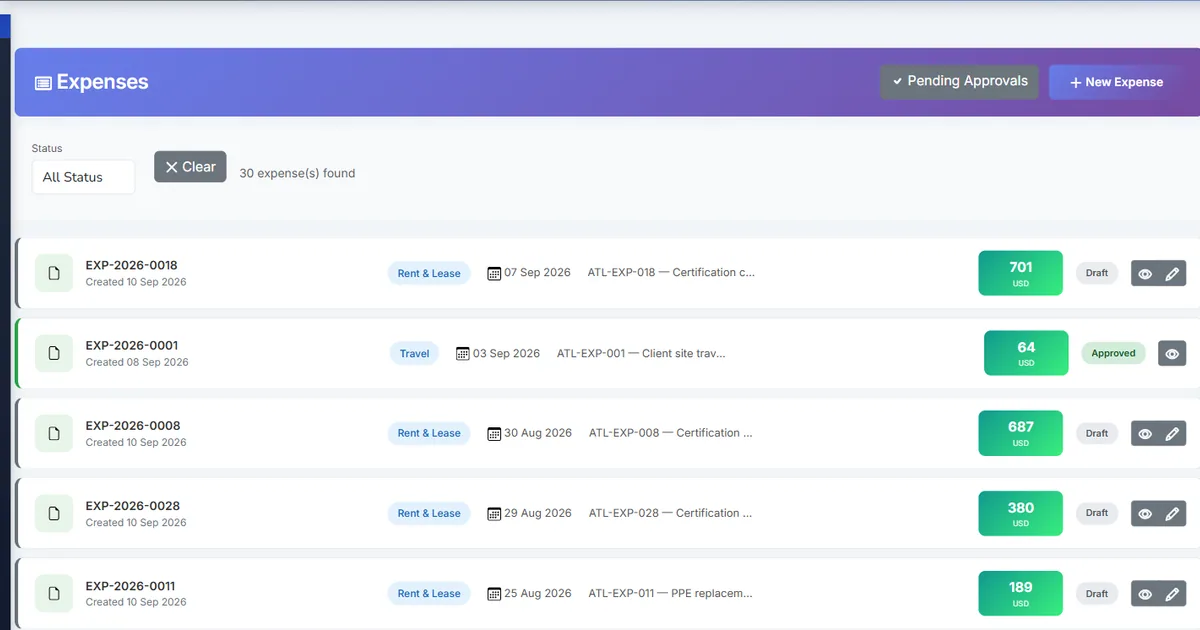
Why employee reimbursements go wrong
Out-of-pocket spending is unavoidable: a taxi to a client, a part bought at the hardware store, a hotel night on a trade trip. The employee pays first and expects the money back. The trouble starts in the gap between those two moments, when the company owes the money but nobody has written that down anywhere a finance team can see.
In a spreadsheet-and-email process, the claim, the approval and the payment live in three different places. Finance pays from a forwarded email, the expense is booked again from the receipt at month-end, and the same claim is sometimes paid twice because the second request looked like a new one. Partial payments make it worse: a claim that was half-paid in cash looks identical to one that was never paid.
The fix is to treat a reimbursement as two separate events with two separate entries. Approval creates a liability to the employee. Payment clears that liability. When both events are recorded against the same claim in the same system, the outstanding amount is always visible and can never be paid twice.
Why this happens
- Approved claims are paid from email or chat messages, not from the claim record itself.
- The expense is booked when it is paid, so approved-but-unpaid claims are invisible in the books.
- Partial payments are not tracked against the claim, so the remaining balance is guesswork.
- Nothing stops a second payment once the claim has already been settled.
Biznsbook addresses this through reimbursable expense claims, the employee payable journal, Record payment on the claim, payment limits that stop overpayment in the Expense Management module, which posts to the same general ledger as the rest of the ERP when Accounting is licensed.
Expense problems rarely come from one big mistake. They come from many small claims handled slightly differently each time. A single record per claim, with every decision and payment attached to it, removes that variation.
Step-by-step: Reimburse Employee Expenses Without Errors
Written for finance teams and office managers running staff spend — employees file claims, approvers sign them off, and finance pays and posts them, all inside the Biznsbook Expense Management module.
- Mark the claim as reimbursable. When an employee paid personally, they tick reimbursable on the expense form, attach the receipt, and save and submit the claim for approval.
- Approve it through the workflow. The claim moves through the configured approval stages. A claim whose category needs no approval, or that matches no stage, is approved straight away.
- Let approval record what you owe. With Auto-Post on Approval switched on in Expense Settings, final approval posts the expense: debit the category's GL account, debit input tax where tax is recorded, credit employee payable.
- Record the reimbursement on the claim. A finance user opens the approved claim and uses Record payment with the payment type set to employee reimbursement, choosing cash, bank, cheque or online.
- Let the payout post itself. Biznsbook posts the payout as a separate journal: debit employee payable, credit the cash account or the selected bank. Credit card is not accepted for employee payouts.
- Pay in parts if you need to. A claim can be paid in more than one payment. It shows partially paid until the payments reach the total, then paid and reimbursed. A payment above what is still owed is refused.
- Or include it in payroll. When the Payroll module is used, approved reimbursable expenses linked to an HRMS employee can be included in the pay run instead. Pick one route per claim.
- Check the employee payable balance. At month-end, the employee payable account should equal approved reimbursable claims not yet paid. Anything else is a claim paid outside the system.
Review results after the first full monthly cycle. Adjust roles, mappings, or approvals where the same exception repeats.
Inside Biznsbook, the Expense module has its own step-by-step Guide (Expenses → Guide) covering claims, approvals, advances, budgets, recurring expenses and payments. This article focuses on the business process behind those screens.
Common mistakes to avoid
- Mistake 1: Approved claims are paid from email or chat messages, not from the claim record itself. Repeating this each month usually shows up first in an expense report finance cannot reconcile to the ledger.
- Mistake 2: The expense is booked when it is paid, so approved-but-unpaid claims are invisible in the books. Repeating this each month usually shows up first in an expense report finance cannot reconcile to the ledger.
- Mistake 3: Partial payments are not tracked against the claim, so the remaining balance is guesswork. Repeating this each month usually shows up first in an expense report finance cannot reconcile to the ledger.
- Mistake 4: Nothing stops a second payment once the claim has already been settled. Repeating this each month usually shows up first in an expense report finance cannot reconcile to the ledger.
Each of these shows up as a difference between the expense reports and the ledger. Fix the process on the claim record rather than with manual journals.
Best practices that hold up as you scale
- Mark the claim as reimbursable — When an employee paid personally, they tick reimbursable on the expense form, attach the receipt, and save and submit the claim for approval.
- Approve it through the workflow — The claim moves through the configured approval stages.
- Let approval record what you owe — With Auto-Post on Approval switched on in Expense Settings, final approval posts the expense: debit the category's GL account, debit input tax where tax is recorded, credit employee payable.
- Record the reimbursement on the claim — A finance user opens the approved claim and uses Record payment with the payment type set to employee reimbursement, choosing cash, bank, cheque or online.
- Let the payout post itself — Biznsbook posts the payout as a separate journal: debit employee payable, credit the cash account or the selected bank.
Keep the process inside the claim record. Every approval, payment and settlement recorded on the claim is one less manual journal to explain at month-end.
How Biznsbook supports this workflow
reimbursable expense claims is part of Biznsbook Expense Management and follows the claim through the same record — submission, approval, payment and posting — rather than living in a separate spreadsheet. With Accounting licensed, each journal is posted as a balanced double entry under its own reference, so a payout or reversal can never be mistaken for the original expense.
the employee payable journal is part of Biznsbook Expense Management and follows the claim through the same record — submission, approval, payment and posting — rather than living in a separate spreadsheet. With Accounting licensed, each journal is posted as a balanced double entry under its own reference, so a payout or reversal can never be mistaken for the original expense.
Record payment on the claim is part of Biznsbook Expense Management and follows the claim through the same record — submission, approval, payment and posting — rather than living in a separate spreadsheet. With Accounting licensed, each journal is posted as a balanced double entry under its own reference, so a payout or reversal can never be mistaken for the original expense.
payment limits that stop overpayment is part of Biznsbook Expense Management and follows the claim through the same record — submission, approval, payment and posting — rather than living in a separate spreadsheet. With Accounting licensed, each journal is posted as a balanced double entry under its own reference, so a payout or reversal can never be mistaken for the original expense.
Access is permission-based: Expense Manager holds approve, categories, budgets, settings and reports; Expense Approver can approve and view reports. Every company user can still file their own claims and advance requests, and company admins see everything.
Suggested implementation timeline
- Week 1: Set up categories with GL accounts and the Expense Settings default accounts, then configure reimbursable expense claims.
- Week 2: Pilot with one team: file real claims, approve them and record payments in Biznsbook only.
- Week 3: Check the postings: approved claims, employee payable and advances should match the expense reports.
- Month 2: Roll out to all staff, assign Expense Manager and Expense Approver roles, and retire the spreadsheet.
- Ongoing: Monthly review using reconciling employee payable.
Metrics to track monthly
- Approved claims waiting for payment, and their total
- Average days from submission to final approval
- Outstanding employee advances past their expected settlement date
- Spend against budget by category for the month
Start with three metrics; trend direction matters more than a single point-in-time snapshot.
Spreadsheets and email vs Biznsbook Expense Management
Compare a typical email-and-spreadsheet expense process with Biznsbook reimbursable expense claims and the related Expense capabilities.
| Capability | Manual / Spreadsheet | Biznsbook |
|---|---|---|
| Amount owed to staff | ❌ Not recorded until paid | ✅ Employee payable posted on approval |
| Paying a claim | ❌ From an email or chat | ✅ Record payment on the approved claim |
| Partial payments | ❌ Remembered or lost | ✅ Partially paid status until the total is reached |
| Paying twice | ❌ Easy to do by accident | ✅ Refused once nothing is left to pay |
| Payout journal | ❌ Typed in by hand | ✅ Debit payable, credit cash or bank, posted automatically |
| Cancelled claims | ❌ Journal left behind | ✅ A posted claim is reversed before it is cancelled |
Reconciling employee payable
Run the employee payable ledger for the month and compare it with approved reimbursable claims that are not fully paid. They should match. A difference usually means a payout was made outside Biznsbook, or a reimbursement was included in payroll and also recorded as a payment. Correct it on the claim, not with a manual journal, so the claim and the ledger keep telling the same story.
Write the rule into your expense policy so employees, approvers and finance follow the same steps, and revisit it each quarter.
Frequently asked questions
When does Biznsbook record the money owed to an employee?
When the reimbursable claim is finally approved and Auto-Post on Approval is on in Expense Settings. The journal debits the expense category account and credits employee payable, so the amount owed appears in the books before it is paid.
Can I pay a reimbursement in more than one payment?
Yes. Record each payment on the claim. The claim shows partially paid until the payments reach the total, then paid. A payment larger than the amount still owed is refused.
Which payment methods work for employee reimbursements?
Cash, bank transfer, cheque and online payments. Bank, cheque and online need a company bank account. Credit card is not accepted for paying employees back.
Can reimbursements be paid through payroll instead?
Yes, when the Payroll module is used: approved reimbursable expenses linked to an HRMS employee can be included in the pay run. Use one route per claim — either payroll or Record payment — not both.
What happens if a reimbursable claim is cancelled after approval?
If it was posted, Biznsbook reverses the journal first. If Accounting refuses the reversal, for example because the period is closed, the claim is not cancelled. A claim that already has payments cannot be cancelled.
Do I need the Accounting module for reimbursements?
Claims, approvals and payment records work in the Expense module on their own. Posting the employee payable and payout journals needs Accounting, a GL account on each category and default accounts in Expense Settings.
How this differs by industry
Retail
Store staff often buy small supplies with their own money. Marking those claims reimbursable keeps every store's out-of-pocket spend in one employee payable figure instead of a till float nobody reconciles.
Wholesale & distribution
Drivers and sales reps pay for fuel, tolls and meals on the road. Approving their claims records the liability the same week, so the payable is right even when payouts run on a fixed weekly day.
Manufacturing
Maintenance technicians buying urgent parts can claim them as reimbursable expenses and tag a cost center, so the cost lands on the right line while the payout follows the normal reimbursement route.