How to Track Field Service Job Costs and Margin
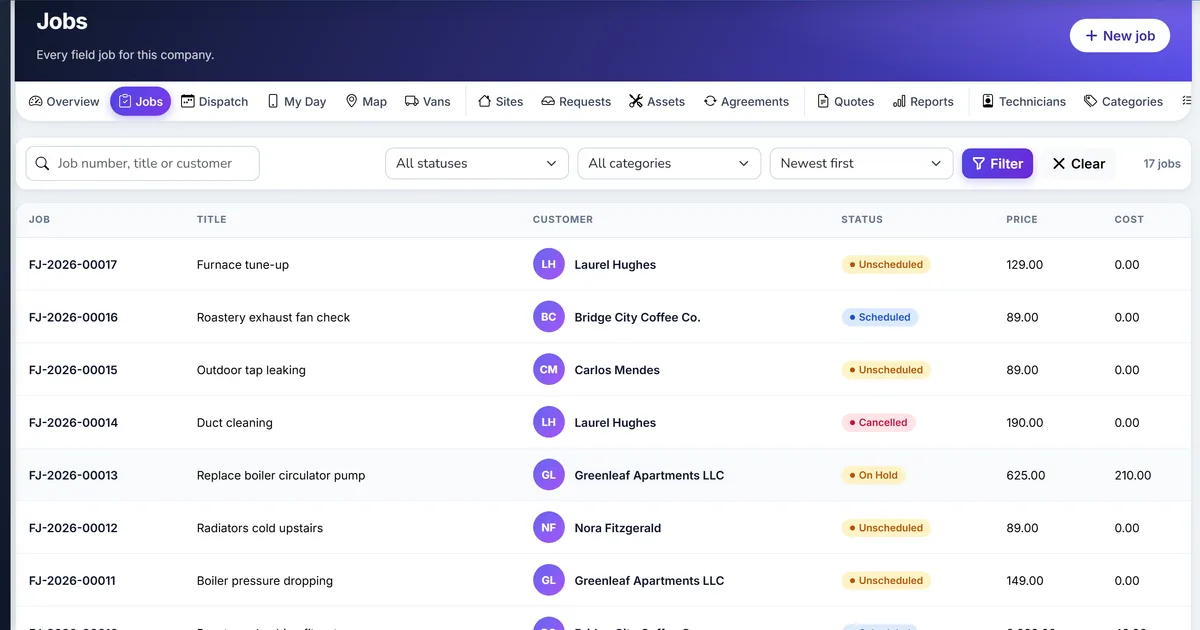
The job was paid, but did it make money?
The invoice total is known, but the parts and hours behind it are spread across a van, a timesheet, and a supplier bill.
A part used on site is costed at the price on the last purchase order, not the cost the stock was actually valued at.
Technician time is a rough number written at the end of the day, so labour cost is a guess and margin is fiction.
Why this happens
- Parts are typed onto the invoice instead of being issued from the van, so no cost is recorded against the job.
- Time on site is not captured as the work happens.
- The estimate is never compared with what actually happened.
- Nobody looks at margin until the month is closed.
Biznsbook addresses this through job costing, labour from recorded time, low-margin flag when Field Service is licensed. Customers are parties you already keep. The van is a warehouse. The invoice is one sale invoice for the job.
A second dispatcher, a van, and a deposit are where a private list drifts. Making Biznsbook the place that books the visit, issues the part, and raises the one invoice keeps those three on the same job.
Step-by-step: Track Field Service Job Costs and Margin
Built for owners and dispatchers who send technicians to a customer site in Biznsbook Field Service.
- Quote with costs. Add estimate lines on the job card. A part line takes its unit cost from the item’s current average cost when you leave cost blank, and its price from the customer’s price list or the base price. The quote total includes tax worked out the way the invoice will work it out.
- Issue parts as they are used. Technicians issue parts from their van on the phone, or the office issues them from the job card. The cost recorded on the line is the costing engine’s figure for that issue, so the job matches the inventory valuation. Each partial issue is costed on its own.
- Let time record itself. On my way opens travel time, arriving opens on-site time, pause opens a break, and complete closes everything for every technician on the visit. Each entry keeps the technician’s cost and bill rate at the time it was recorded.
- Turn time into labour. Bill recorded time creates labour lines, one per technician per visit, rounded up to your billing step and priced at the category rate or the technician’s bill rate. Time and materials invoicing does this automatically. Billed time is marked so it is never counted twice.
- Compare estimate and actual. Users with the View costing permission see an estimate and actual table on the job card: price, cost, and margin with a percentage. Technicians and dispatchers without that permission do not see cost.
- Review margin by period. Reports shows every job in the period with quoted and actual price, estimated and actual cost, and margin. Set a low-margin percentage in settings and jobs under it are highlighted and counted.
- Fix the cause, not the number. A low margin usually means an underpriced quote, extra visits, or parts not on the estimate. Look at the visits count and the lines on the job before changing prices.
Review results after the first full weekly cycle. Adjust roles, mappings, or approvals where the same exception repeats.
Screen names in this guide match Field Service in the product: Home, Jobs, Dispatch, My day, Quotes, Agreements, and Settings.
Common mistakes to avoid
- Mistake 1: Parts are typed onto the invoice instead of being issued from the van, so no cost is recorded against the job. Repeating this each month usually shows up first in double-booked visits, van counts, or a second invoice.
- Mistake 2: Time on site is not captured as the work happens. Repeating this each month usually shows up first in double-booked visits, van counts, or a second invoice.
- Mistake 3: The estimate is never compared with what actually happened. Repeating this each month usually shows up first in double-booked visits, van counts, or a second invoice.
- Mistake 4: Nobody looks at margin until the month is closed. Repeating this each month usually shows up first in double-booked visits, van counts, or a second invoice.
Note each recurring gap in the weekly review. Each one should map to a step in this guide.
Best practices that hold up as you scale
- Quote with costs — Add estimate lines on the job card.
- Issue parts as they are used — Technicians issue parts from their van on the phone, or the office issues them from the job card.
- Let time record itself — On my way opens travel time, arriving opens on-site time, pause opens a break, and complete closes everything for every technician on the visit.
- Turn time into labour — Bill recorded time creates labour lines, one per technician per visit, rounded up to your billing step and priced at the category rate or the technician’s bill rate.
- Compare estimate and actual — Users with the View costing permission see an estimate and actual table on the job card: price, cost, and margin with a percentage.
Teams that schedule on the board, issue parts from the van before they invoice, and refuse a second invoice keep the visit and the ledger on the same job.
How Biznsbook supports this workflow
job costing is part of Biznsbook Field Service for companies that send a person to a customer site. The customer is a party you already keep, the address you visit is a site, and the visit sits on a job. Parts move through a van warehouse. The bill is one sale invoice, and a deposit taken first is an advance on that same job. Technicians quote, invoice, or collect only when settings allow it.
labour from recorded time is part of Biznsbook Field Service for companies that send a person to a customer site. The customer is a party you already keep, the address you visit is a site, and the visit sits on a job. Parts move through a van warehouse. The bill is one sale invoice, and a deposit taken first is an advance on that same job. Technicians quote, invoice, or collect only when settings allow it.
low-margin flag is part of Biznsbook Field Service for companies that send a person to a customer site. The customer is a party you already keep, the address you visit is a site, and the visit sits on a job. Parts move through a van warehouse. The bill is one sale invoice, and a deposit taken first is an advance on that same job. Technicians quote, invoice, or collect only when settings allow it.
Technicians do not quote, invoice, or collect unless those settings are on. Labour cost is for job costing and does not post a wage journal. Email sends through the company’s outbound email and SMS through the company’s own Twilio connection.
Suggested implementation timeline
- Week 1: License Field Service, add sites on the parties you already keep, and try job costing on one real job.
- Week 2: Create a van warehouse, transfer the stock that is in the van, and issue one part on a visit.
- Week 3: Schedule on the board, including one forced conflict, and complete a visit with the checklist rules you actually want.
- Week 4: Create the one sale invoice, apply a deposit if you took one, and turn the public page on if customers should request visits.
- Ongoing: Weekly review of unscheduled jobs, overdue complete-by times, and van items under minimum, using what counts as actual cost.
Reading the costing table
The estimate row is what you quoted: estimate lines at their price and cost. The actual row is what happened: lines promoted when the quote was accepted, parts issued on site, labour from time, and anything the office added.
A large gap between estimated and actual cost on a fixed-price job is margin you gave away. On a time and materials job the price moves with the cost, so watch the margin percentage instead of the total.
Use the visits count on Reports beside the margin. A job that needed three visits usually explains its own margin.
Metrics to track monthly
- Jobs still unscheduled past the attention window
- Jobs past their complete-by time
- Van items below the minimum you set
- Visits forced past a conflict
- Jobs completed and not yet invoiced
Start with three metrics; trend direction matters more than a single point-in-time snapshot.
Spreadsheet or paper day sheet vs Biznsbook Field Service
Compare a typical list of jobs with Biznsbook job costing and the rest of the field job.
| Capability | Manual / Spreadsheet | Biznsbook |
|---|---|---|
| Part cost | ❌ Last purchase price typed by hand | ✅ Costing engine cost at the moment of issue |
| Labour cost | ❌ Hours guessed at the end of the day | ✅ Recorded time at the technician’s cost rate |
| Estimate vs actual | ❌ Two spreadsheets | ✅ Side by side on the job and in Reports |
| Low margin | ❌ Found at month end | ✅ Highlighted against your threshold |
| Who sees cost | ❌ Anyone with the file | ✅ Only users with View costing |
| Double counting | ❌ Easy to bill time twice | ✅ Billed time is marked |
What counts as actual cost
Actual cost is the sum of actual lines: issued parts at their issued cost, labour lines at the technician’s cost rate, and any fee or expense line with a cost you entered. Estimate lines count only toward the estimate. Cancelled jobs are left out of the period totals.
Write this into the way the office hands work to technicians, and revisit it when you add a van or a second dispatcher.
Frequently asked questions
Does labour cost post a wage journal?
No. Labour cost is for job costing. Payroll, when you use it, is where wages are expensed.
Why is the part cost different from the purchase price?
Biznsbook uses the costing engine’s figure (average or FIFO) when the part is issued, so the job agrees with the stock valuation and the cost of goods journal.
Can technicians see margin?
Not unless they have the View costing permission. The technician role does not include it.
Where do I set the low-margin threshold?
In Field Service settings. Jobs below it are highlighted on Reports and counted at the top.
How this differs by industry
Retail
An appliance retailer that repairs machines in customers’ homes can see whether repair visits make money once parts and technician time are counted, not just whether the invoice was paid.
Wholesale & distribution
A distributor that installs what it sells can keep the install visit, the parts from the van, and the one sale invoice on the same job as the delivery customer.
Manufacturing
A manufacturer with field engineers servicing installed machines can treat each machine as customer equipment with a service history and an agreement that books the next visit.