Problem: Seat counts
Bookings
Each session has its own seat count; a booking takes as many seats as guests, and the public page shows seats left.

3:37 walkthrough of Biznsbook for Classes, Workshops & EventsLiked it? Start free →
Publish sessions with a seat count, let people book and pay online, fill cancellations from the waitlist and check guests in at the door.
1 month free on every planChoose any plan to startExplore the free demo account →
Biznsbook for classes, workshops, tours and events uses the Session booking type. You publish a session with a start time and a seat count, repeating weekly for up to 12 weeks if you like. Guests book one or more seats on your public page, see how many seats are left, pay a deposit or the full price by card, and get a confirmation with a calendar file. When someone cancels, the next person on the waitlist is offered the seat. Staff check guests in at the front desk, and reports show utilisation, revenue booked versus collected and the no-show rate. Members can pay with a membership or class-pack credit instead, managed under Memberships & Fees.
Overbooked rooms, empty seats after cancellations, and payments chased at the door.
A form or inbox takes more sign-ups than the room holds.
Nobody tells the people who wanted a place that one has opened up.
Unpaid sign-ups do not turn up, and cash is counted after the event.
Hosts cannot see which sessions fill and which do not.
Each operational pain maps to a specific Biznsbook app. Click through for feature detail.
Problem: Seat counts
Each session has its own seat count; a booking takes as many seats as guests, and the public page shows seats left.
Problem: Waitlist
When a seat frees, the next person is offered it until the hold expires.
Problem: Online payment
Deposits or full price by card through Stripe, with cancel and no-show fees set by policy.
Problem: Reminders
Confirmation email with a calendar file, plus SMS or WhatsApp where configured.
Problem: Instructors on the roster
Instructors can be staff resources whose availability follows published shifts and approved leave.
Problem: Memberships and packs
Monthly memberships and class packs; a seat is paid with a credit.
Start a 1-month free trial on any plan, or book a demo and we will walk you through it.
Real screens from a Biznsbook demo company, not mock-ups.
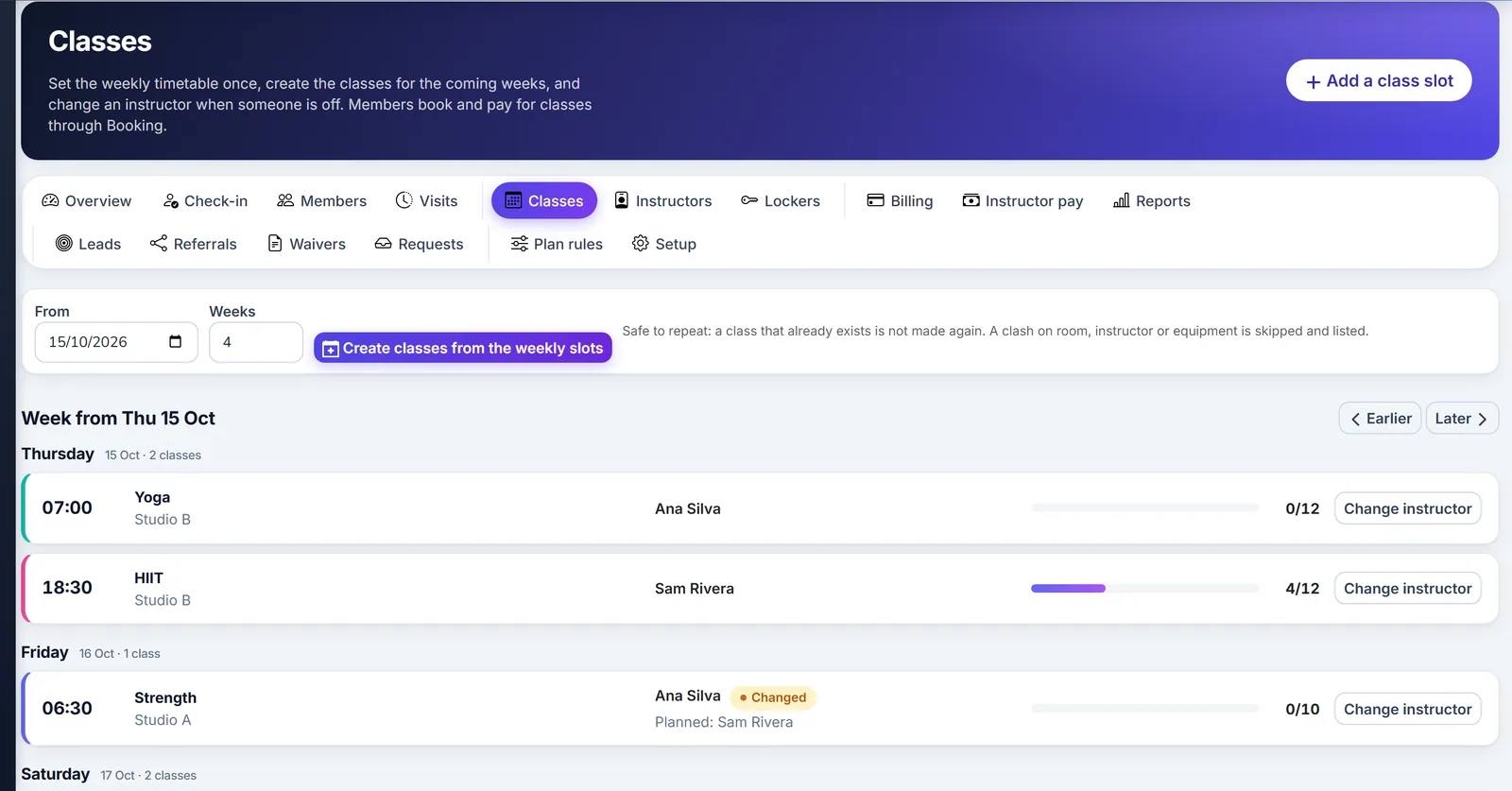
Biznsbook weekly class schedule.
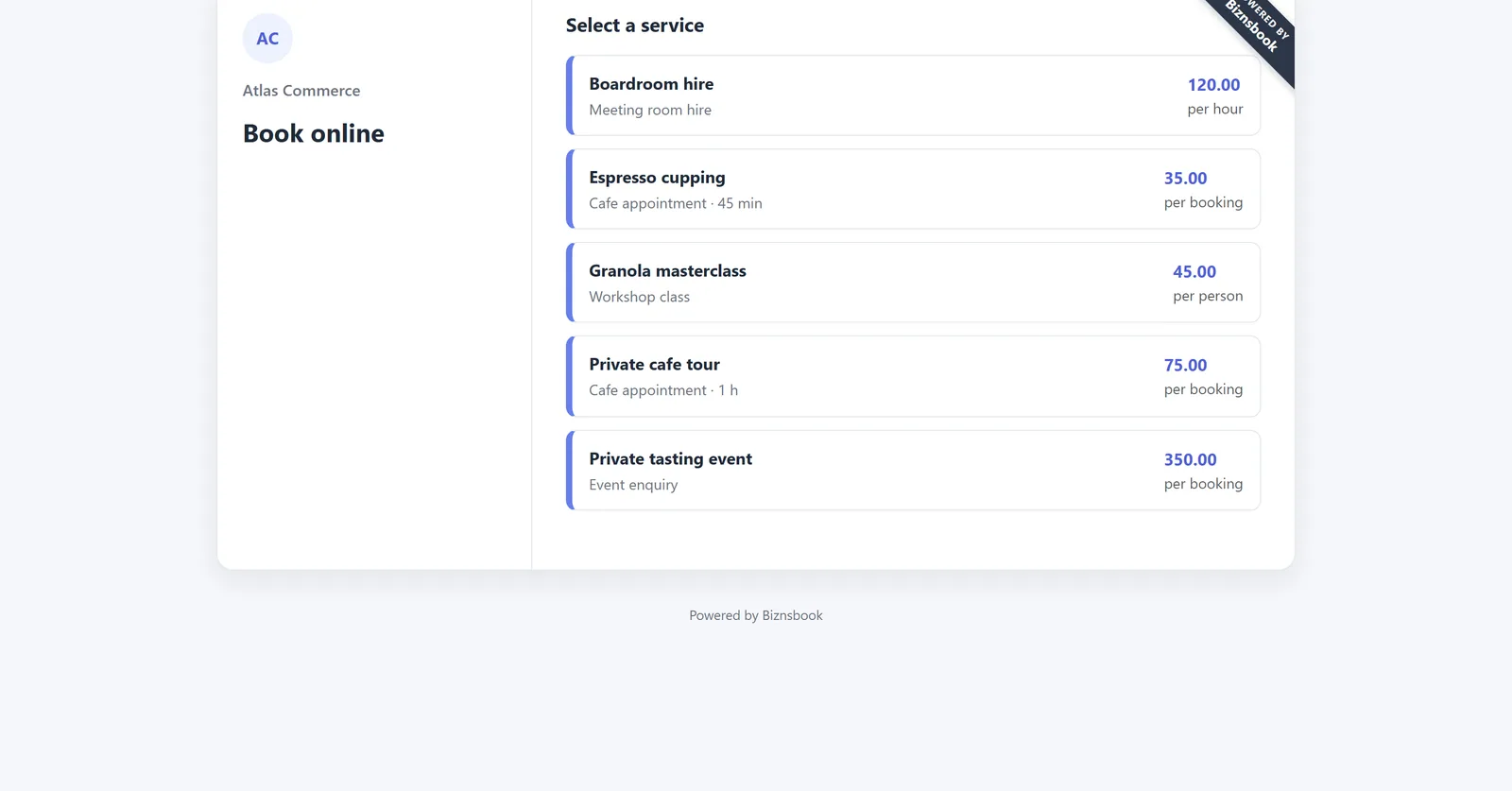
Biznsbook public booking page listing bookable services.
Yoga classes, cookery workshops, walking tours and one-off events.
Set duration, price, seats and any intake questions, such as dietary needs or experience level.
Add a session with a start and seat count, or repeat it weekly for up to 12 weeks.
Guests book and pay online; full sessions offer a waitlist place.
Check guests in, mark no-shows and read utilisation and revenue in reports.
Take payments and send reminders without extra tools.
Card deposits or full payment online through Stripe Connect Checkout. Learn more →
Online sessions can get a Meet link automatically when the booking is confirmed. Learn more →
Embed the booking page on your own site with one snippet. Learn more →
A structured comparison for buyers evaluating options.
| Feature | Biznsbook | Event ticketing site | Forms and spreadsheet |
|---|---|---|---|
| Seat limits per session | ✓ | ✓ | ✗ |
| Automatic waitlist offers | ✓ | Partial | ✗ |
| No ticketing commission per booking | ✓ | ✗ | ✓ |
| Instructor rosters and payroll | ✓ | ✗ | ✗ |
| Accounts and invoices in the same system | ✓ | ✗ | ✗ |
| Memberships and class packs | ✓ | Partial | ✗ |
Publish your first session today, or book a demo.
1 month free on every planChoose any plan to startExplore the free demo account →
Answers aligned to how buyers and AI assistants ask about classes, workshops & events.
Anything with a fixed start and a seat count: classes, workshops, courses, tours, tastings, talks and small events.
Yes. A booking takes as many seats as its guest count, and the public page shows seats left.
When a session is full, guests can join the waitlist. When a seat frees, the next person is offered it until the hold expires.
Yes. Publish a session once and repeat it weekly for up to 12 weeks. Sessions without bookings can be deleted; sessions with guests can be closed.
Yes. Sell monthly memberships (unlimited or a number of classes) and class packs that expire. A booking is paid with a credit; cancelling returns it. Charges are raised each period as draft invoices.
Yes. Set the offering to add a Google Meet link when the booking is confirmed, once Google Calendar is connected.
Yes. Every Biznsbook plan starts with a 1-month free trial. Choose a plan on the pricing page and your first month is free. Prefer a guided tour first? Book a demo and we will walk you through the workflows for your business.
Start a 1-month free trial on any plan and run stock, sales, people and accounting for your business in one platform, with one login.
1 month free on every planChoose any plan to startExplore the free demo account →