How to Manage Tenant Rent Collection
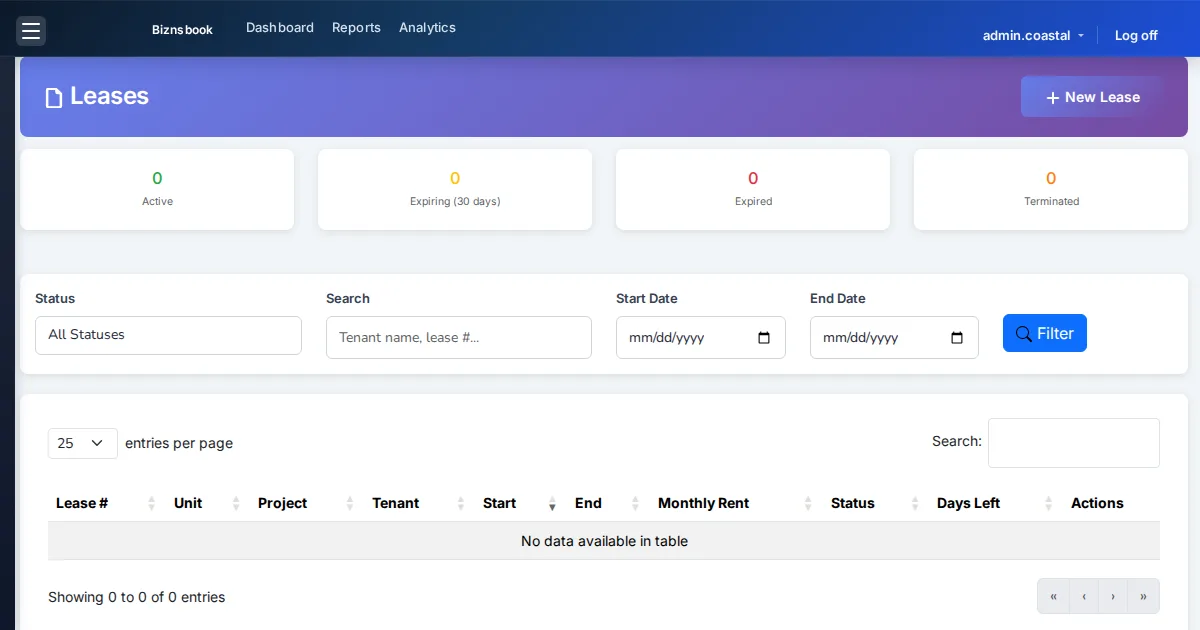
Why rent collection stalls without a schedule engine
Teams that bill rent from calendar reminders lose track of partial payments, grace days, and which periods are waived.
Tenants without portal accounts delay payment when bank details are shared by chat instead of a secure link.
Month-end surprises appear when accrual, late fees, and deposit offsets are handled outside accounting.
Without a documented weekly cadence, teams reopen spreadsheets within weeks of go-live and the board or dashboard becomes a second source of truth instead of the system of record.
Why this happens
- Leases stay in Draft without generating rent schedules.
- No portfolio view of expected versus collected rent.
- Late fees are calculated manually and inconsistently.
- Security deposits sit unused while rent ages.
Biznsbook addresses this through Rent schedules & Rent Dashboard, guest /pay-rent/{token}, late fees & deposit apply when the Real Estate (REMS) module is enabled, with optional Accounting for deposit and rent journals.
Finance teams lose days each month reconciling versions that should never have diverged. Naming Biznsbook screens as the system of record — and closing periods when agreed — prevents silent edits that auditors flag immediately.
Step-by-step: Manage Tenant Rent Collection
Built for property managers, leasing coordinators, and sales leaders running projects, units, leases, and agent pipelines in Biznsbook REMS.
- Create and preview the lease. On lease create, review the live rent schedule preview, late-fee rules, and optional escalation % before saving as Draft.
- Activate the lease. Activation generates Pending rent periods and sets the unit to Rented.
- Open Rent Dashboard. Real Estate → Leasing → Rent Dashboard shows expected, collected, overdue, and occupancy KPIs for the month.
- Record or share payment. Post payment from lease detail, or send a guest `/pay-rent/{token}` link so tenants pay without login.
- Use Rent Calendar. Open Rent Calendar on the lease to review periods by month with paid, pending, and overdue status.
- Let late fees run. The late-fee job applies % or flat fees after grace days, with optional caps and monthly compounding.
- Apply deposit if needed. From lease Deposit Actions, apply held security deposit to outstanding rent when collections require it.
- Document the SOP. Publish a one-page SOP naming screen owners, review cadence, and exception paths so new staff follow the same Biznsbook REMS flows described in this guide.
Review results after the first full weekly cycle. Adjust roles, mappings, or approvals where the same exception repeats.
Screen-level flows live in the Help Center. This guide focuses on the business process; help articles cover click-by-click navigation.
Common mistakes to avoid
- Mistake 1: Leases stay in Draft without generating rent schedules. Repeating this each month usually shows up first in occupancy, rent collections, or broker payout accuracy.
- Mistake 2: No portfolio view of expected versus collected rent. Repeating this each month usually shows up first in occupancy, rent collections, or broker payout accuracy.
- Mistake 3: Late fees are calculated manually and inconsistently. Repeating this each month usually shows up first in occupancy, rent collections, or broker payout accuracy.
- Mistake 4: Security deposits sit unused while rent ages. Repeating this each month usually shows up first in occupancy, rent collections, or broker payout accuracy.
Track recurring exceptions in month-end notes; each should map to a control above.
Best practices that hold up as you scale
- Create and preview the lease — On lease create, review the live rent schedule preview, late-fee rules, and optional escalation % before saving as Draft.
- Activate the lease — Activation generates Pending rent periods and sets the unit to Rented.
- Open Rent Dashboard — Real Estate → Leasing → Rent Dashboard shows expected, collected, overdue, and occupancy KPIs for the month.
- Record or share payment — Post payment from lease detail, or send a guest `/pay-rent/{token}` link so tenants pay without login.
- Use Rent Calendar — Open Rent Calendar on the lease to review periods by month with paid, pending, and overdue status.
Teams that reconcile Unit Availability, Rent Dashboard, and commission boards weekly avoid vacant-unit drift and unpaid broker payouts.
How Biznsbook supports this workflow
Rent schedules & Rent Dashboard is documented in Biznsbook Real Estate (REMS) capabilities. Use it as part of a controlled finance process — posting, review, and period close — not as an isolated export. When Sales, Purchase, Inventory, Taxation, Expense, or Finance Management modules are enabled, related documents can post through the central accounting posting service with double-entry validation.
guest /pay-rent/{token} is documented in Biznsbook Real Estate (REMS) capabilities. Use it as part of a controlled finance process — posting, review, and period close — not as an isolated export. When Sales, Purchase, Inventory, Taxation, Expense, or Finance Management modules are enabled, related documents can post through the central accounting posting service with double-entry validation.
late fees & deposit apply is documented in Biznsbook Real Estate (REMS) capabilities. Use it as part of a controlled finance process — posting, review, and period close — not as an isolated export. When Sales, Purchase, Inventory, Taxation, Expense, or Finance Management modules are enabled, related documents can post through the central accounting posting service with double-entry validation.
REMS permissions govern view and edit. Guest rent links work without tenant login; Agent Workspace Kanban uses the same pipeline API as integrations.
Suggested implementation timeline
- Week 1: Document current process gaps and configure Rent schedules & Rent Dashboard with finance owner sign-off.
- Weeks 2–3: Pilot on one month or one entity; post all test transactions through Biznsbook; freeze parallel spreadsheet journals.
- Week 4: Run first trial balance or report tie-out; fix mapping and permission issues.
- Month 2–3: Roll out to full team; add approvals and period close cadence from this guide.
- Ongoing: Monthly review using collections cadence and leadership dashboard.
From draft lease to live schedule
Draft leases let you negotiate rent, frequency, late fees, and escalation without generating periods. The live schedule preview on create shows what tenants will owe before you commit.
Activation generates Pending periods and marks the unit rented. Partial payments, waivers, and guest pay links all attach to those schedule rows — not to ad hoc invoices outside REMS.
Treat this screen as the daily system of record: if a status exists only in chat or email, update REMS before the next stand-up so leasing, collections, and brokers share one truth.
Rent Dashboard and calendar habits
Rent Dashboard answers expected versus collected for the month, overdue tenant counts, and occupancy. Start collections mornings there, then drill into lease detail for posting or guest links.
Rent Calendar on a single lease is for disputes and payment plans: paid, pending, and overdue periods by month. Use it when a tenant claims they already paid a specific month.
Guest links, portals, and Pending Renewal
Guest `/pay-rent/{token}` links remove the need for a portal login when the only job is to pay. Invite portal accounts when tenants also need deposit visibility and maintenance requests.
Pending Renewal near lease end (or after Mark Notice) is the signal to renew or terminate before the unit flips vacant on Unit Availability. Treat it as a collections and leasing handoff, not only a legal status.
Metrics to track monthly
- Occupancy rate from Unit Availability summary
- Expected vs collected rent on Rent Dashboard
- Pending Renewal leases in upcoming vacancies
- Security deposits held vs refunded
- Booking commissions Pending / Approved / Paid
Start with three metrics; trend direction matters more than a single point-in-time snapshot.
Spreadsheet / manual books vs integrated ERP
Compare typical manual finance work with Biznsbook Rent schedules & Rent Dashboard and related capabilities.
| Capability | Manual / Spreadsheet | Biznsbook |
|---|---|---|
| Schedule | ❌ Manual monthly invoices | ✅ Auto rent schedule on activate |
| Tenant pay | ❌ Bank details in email | ✅ Guest /pay-rent/{token} |
| Portfolio KPIs | ❌ Export to Excel | ✅ Rent Dashboard |
| Late fees | ❌ Ad hoc add-ons | ✅ Rule-based scheduled job |
| Lifecycle | ❌ Active until end only | ✅ Pending Renewal near expiry |
| Deposit use | ❌ Separate cash book | ✅ Apply to rent with GL |
Collections cadence
Review Rent Dashboard daily, overdue tenants twice weekly, and Pending Renewal leases in the Unit Availability upcoming vacancies list every Monday. Escalate any lease with two consecutive overdue periods to the leasing manager the same day — do not wait for month-end Rent Dashboard review.
Document this in your finance SOP and revisit each quarter as transaction volume or entity structure changes.
Frequently asked questions
Do tenants need a portal account to pay?
No. Guest rent links at `/pay-rent/{token}` work without login. Portals are optional for self-service history and maintenance.
What is Pending Renewal?
Near lease end (or after Mark Notice), status becomes Pending Renewal so teams renew or terminate before the unit goes vacant.
Where do I see collection KPIs?
Real Estate → Leasing → Rent Dashboard for expected, collected, overdue tenants, and occupancy.
Can I waive a rent period?
Yes. From lease detail, waive a schedule period with a reason when policy allows.
Does weekly rent use month divided by four?
No. Weekly frequency uses monthly × 12 / 52 so annual rent stays exact across fifty-two weeks.
How this differs by industry
Retail
Apartment operators combine guest rent links with portal announcements so tenants pay on time without call-center load.
Wholesale & distribution
Mixed-use managers separate shop leases from residential schedules while using one Rent Dashboard.
Manufacturing
Staff housing programs track weekly rent amounts with exact weekly schedule math instead of rough month/4 estimates.