Company Switcher
A dropdown in the top bar lists every company you can open and the role you will have there. A Switched badge reminds you where you are.
- ✓ Search with 9+ companies
- ✓ Back to my home company
- ✓ Auto-revert after 4 hours

2:57 tour of the Biznsbook platformLiked it? Start free →
Company Group keeps each company fully separate, with its own users, catalogue, stock and books, while owners log in once, switch between companies and see them side by side.
1 month free on every planChoose any plan to startExplore the free demo account →
Company Group is for owners who run several legal or operating companies: factories, franchise units, branch companies or a holding group. Each company stays a separate tenant. Group Owners and Group Viewers get one login, a company switcher and read-only group pages across every company they are granted.
Everything below sits on top of the normal apps each company licenses.
A dropdown in the top bar lists every company you can open and the role you will have there. A Switched badge reminds you where you are.
Owners land here after login. Each company shows its own figures side by side, with a button to switch into it.
Read-only pages across the group for financial statements, inventory, manufacturing, sales and purchases, taxation and a scorecard.
A merged log of sales, purchases, user changes and access grants across every company you can see.
Group Owners grant CompanyAdmin, Group Viewer or Group Finance Controller access to companies they manage.
Activate or deactivate users and create a CompanyAdmin in any managed company without switching into it.
Switch between companies, read the group dashboard and export the timeline in a guided demo.
Real screens from a Biznsbook demo company, not mock-ups.
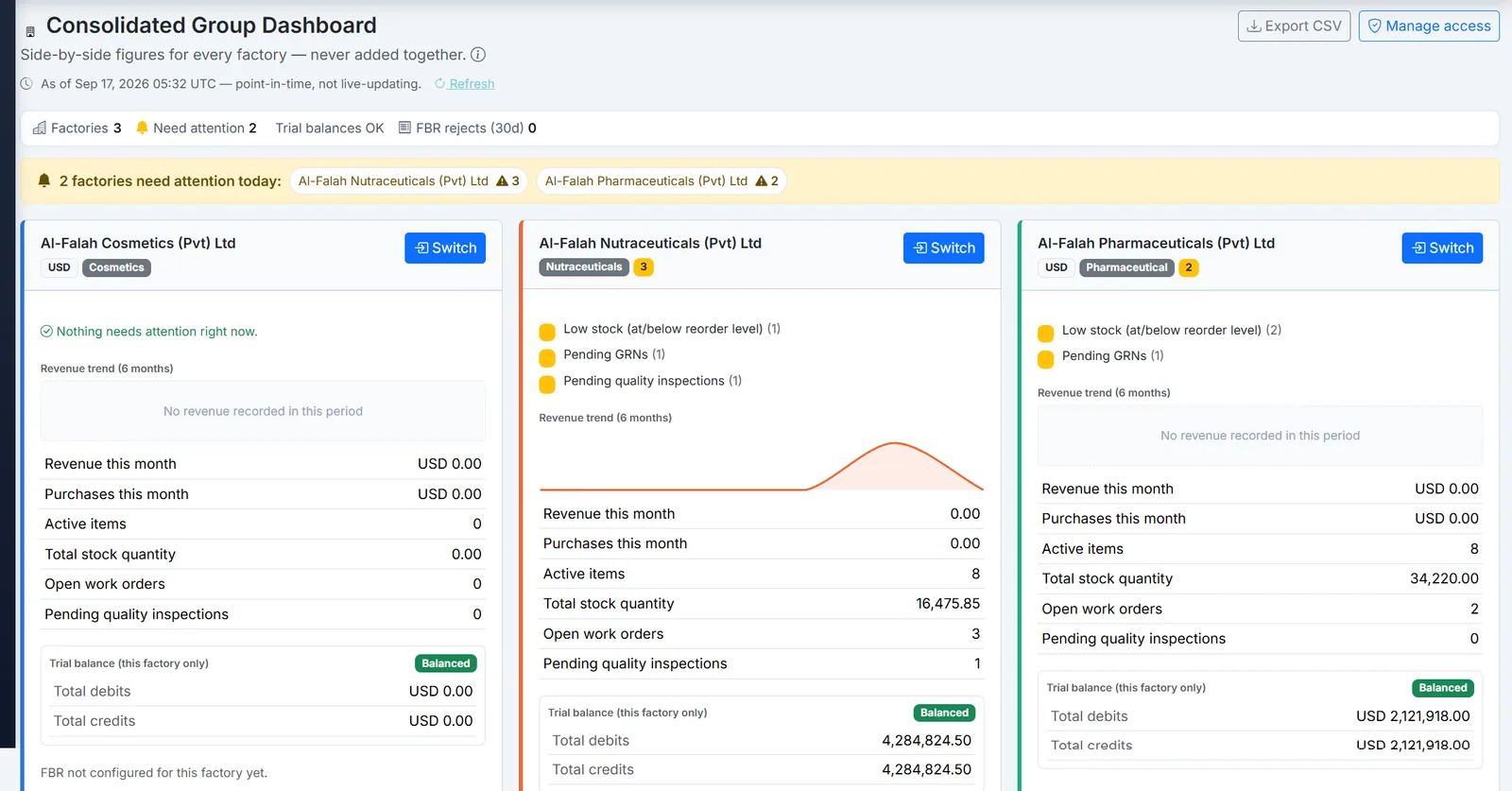
Biznsbook consolidated group dashboard comparing several companies side by side.
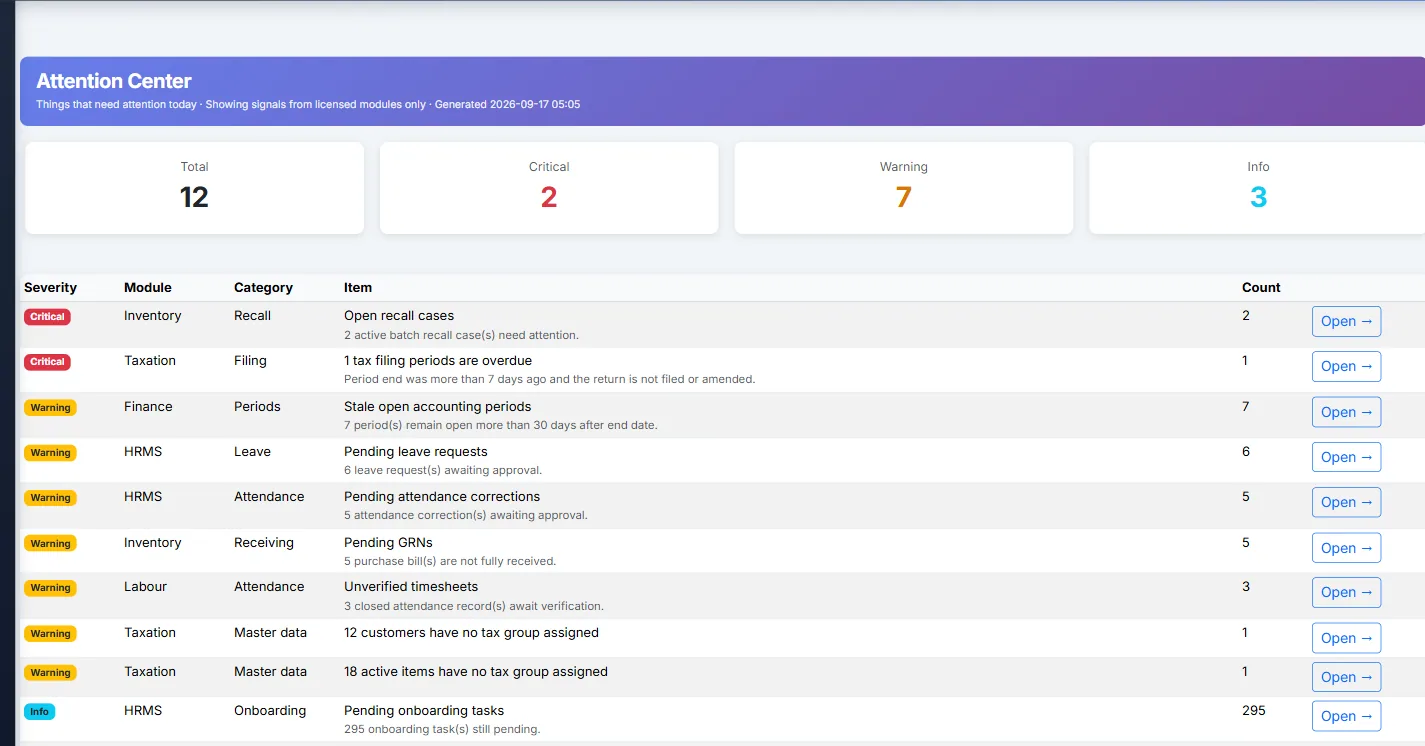
Biznsbook attention center listing items that need action across modules.
Our team creates the group, adds new companies or links existing ones, and names the Group Owners.
Staff log in to their own company and use the apps it licenses.
Owners land on the group dashboard and switch into any company they are granted.
Add another company later; existing group members get access automatically.
Every company in the group picks its own plan and apps. Talk to us about linking them into a group.
1 month free on every planChoose any plan to startExplore the free demo account →
No. Each company keeps its own ledger and trial balance. The group dashboard and reports show companies side by side; they do not merge or sum them into a consolidated ledger.
People with active access to at least two companies, such as Group Owners and Group Viewers. Staff with one company see nothing new.
Yes. You can be CompanyAdmin in one company and a read-only Group Viewer in another.
The Biznsbook team adds a new company or links an existing one. Current group members are given access automatically.
Yes, in companies they manage: activate or deactivate users, create a CompanyAdmin, and grant or revoke cross-company access.
Yes. Each franchise unit can be its own company with its own books and staff, while the franchisor gets one login across the units it is granted.
Yes. Every Biznsbook plan starts with a 1-month free trial. Choose a plan on the pricing page and your first month is free. Prefer a guided tour first? Book a demo and we will walk you through Company Group.
Start a 1-month free trial on any plan and run Company Group together with the rest of your business: one platform, one login.
1 month free on every planChoose any plan to startExplore the free demo account →